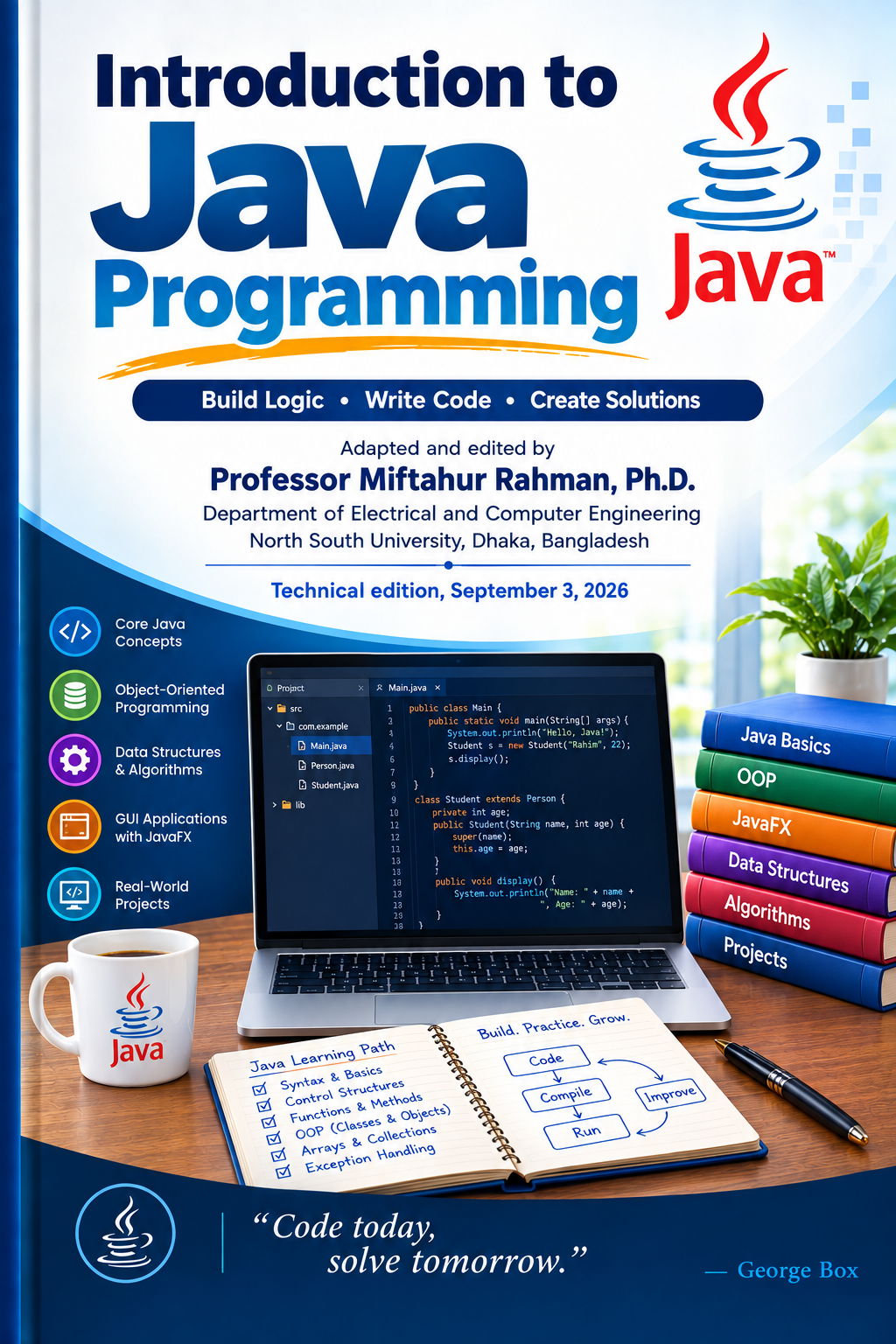
A Balanced Textbook with Runnable Examples for Eclipse, NetBeans, IntelliJ IDEA, and Git Bash
Course:Introduction to Java Programming (Object-Oriented Programming in Java)
This book follows the table of contents of the course and is grounded in Introduction to Java Programming (10th edition) by Y. Daniel Liang.Every code listing is a complete, self-contained Java program that compiles and runs under the Java Standard Edition platform used by the course (JDK 22) and works in any IDE—Eclipse, NetBeans, or IntelliJ IDEA—or directly from the Git Bash command line.
Preface
This book teaches Java through runnable examples. Each chapter
introduces a coherent set of concepts, illustrates them with two to four
short programs, and finishes with a worked example that ties the chapter
together. Every program is presented as a complete .java
file: the public class name matches the file name, each program has a
public static void main(String[] args) entry point, and
multi-class examples keep the helper classes in the same file so that a
single javac Name.java produces a runnable
.class. The code has been compiled and executed with JDK
22; the sample outputs shown beneath each listing are the real outputs
captured from those runs.
The book is organized in four parts. Part I introduces Java applications, input/output, and operators. Part II covers additional programming fundamentals: selection, repetition, methods, arrays, and strings. Part III develops object-oriented programming and design—classes, inheritance, polymorphism, interfaces, exceptions, and file I/O. Part IV moves into data structures, collections, lambdas, streams, recursion, searching and sorting, custom generic data structures, and concurrency.
Each chapter ends with a Chapter Summary of key points, a set of Review Questions for self-test, and Programming Exercises that invite you to write your own programs. The examples are deliberately kept small so that you can read them whole; the exercises then ask you to extend them.
How to Use This Book
From Git Bash. Save a program as
HelloWorld.java (the file name must match the public class
name exactly, including capitalization). Open Git Bash in that folder
and run:
javac HelloWorld.java     # compile: produces HelloWorld.class
java HelloWorld          # run: the JVM executes main(String[] args)
If javac is not found, install a JDK and ensure its
bin folder is on your PATH (verify with
javac -version).
In an IDE (Eclipse, NetBeans, or IntelliJ IDEA). Create a new Java project, add a class named exactly as shown in the listing, paste the code, and click Run. The IDE compiles and runs for you; the command-line workflow above is exactly what every IDE does behind the scenes.
Conventions. Code appears in fenced blocks with a one-line caption naming the file, for example:
Listing: HelloWorld.java
Followed by the code. Sample output then appears in a separate block. Long programs are split across pages only where a blank line naturally occurs. Comments in the code point out the key idea of each section.
A Note on the Examples
Each example is self-contained: it does not depend on custom classes defined elsewhere in the book, and it uses only the Java standard library. Programs that need keyboard input show fixed demo values in a comment so you can run them non-interactively (piping input on the command line) and still see deterministic output. A few examples (card shuffling, random radii, multithreaded interleaving) are deliberately non-deterministic; their sample outputs are labelled "varies."
Compiling Every Example at Once
The code/ folder that accompanies this book contains one
subfolder per chapter (code/ch01/ …
code/ch19/) holding the runnable .java files.
To compile and run any chapter's examples together from Git Bash:
cd code/ch01
javac *.java       # compiles every .java file in that chapter
java HelloWorld    # run whichever program you want to see
The same command works for every chapter folder, because each example
in a chapter uses distinct class names so that javac *.java
never reports a duplicate-class conflict.
Part I — Introduction to Java Applications, I/O, and Operators
Chapter 1 — Introduction to Java Applications, Input/Output, and Operators
Java is a general-purpose, object-oriented, platform-independent programming language. This first chapter gets you writing, compiling, and running real Java programs immediately, and it introduces the building blocks you will use in every later chapter: identifiers, variables, data types, operators, type conversions, console input, and output.
After studying this chapter you will be able to:
- Explain what Java is and how it differs from languages such as C and C++.
- Describe the roles of the JDK, JRE, and JVM, and explain what bytecode is.
- Write, compile, and run a Java program from Git Bash or any IDE.
- Read keyboard input with
Scannerand produce formatted output. - Declare variables and constants and choose appropriate primitive data types.
- Evaluate expressions using Java's operators and operator precedence.
- Perform widening and narrowing type conversions, including casts
between
charand numeric types.
1.1 What Is Java?
Java was developed by a team led by James Gosling at Sun Microsystems and released as Java 1.0 in 1996. Its original goal was to create a safe, reliable language for smart electronic devices. The designers were dissatisfied that languages like C and C++, while powerful, were prone to memory and security errors—exactly the kinds of errors that could cause critical devices (elevators, microwaves, set-top boxes) to fail. Java's key innovation was automatic memory management (garbage collection), which eliminates whole categories of bugs such as memory leaks and dangling pointers.
From those appliances, Java grew into a general-purpose language. In the late-1990s web revolution, Java applets brought dynamic content to browsers. Today applets are deprecated and removed, but Java itself is everywhere: enterprise servers, cloud systems, Android, ATMs, smart TVs, and embedded devices. It has been maintained by Oracle Corporation since its acquisition of Sun in 2010.
How Java differs from C and C++
- Java is platform-independent—"Write Once, Run Anywhere."
- Java has no direct pointer arithmetic, improving security.
- Java provides automatic garbage collection.
- Java enforces object-oriented programming (every piece of code lives inside a class).
- Java programs run inside the JVM rather than directly on the hardware.
Procedural vs. object-oriented programming. Procedural programming designs a program as a set of functions (methods) that manipulate data; it focuses first on how to process data and then on which data structures to use. Object-oriented programming puts data first: it couples data and the methods that operate on that data together into objects, and focuses on the objects and the operations on them. Java is object-oriented at its core.
Java editions. Java comes in several editions:
- Java Standard Edition (Java SE) — standalone, client-side applications; the core foundation (I/O, networking, collections, concurrency). The latest long-term-support release is Java SE 21.
- Java Enterprise Edition (Jakarta EE) — large-scale server-side and enterprise applications (web services, distributed systems, transactions).
- Java Micro Edition (Java ME) — embedded and resource-constrained devices (IoT, smart cards).
This book uses Java SE (specifically JDK 22).
1.2 The Java Toolchain: JDK, JRE, and JVM
Three related terms appear constantly in Java; understanding them removes a lot of confusion.
- JVM (Java Virtual Machine) — an abstract computer that executes compiled Java bytecode. The JVM is what makes Java platform-independent: the same bytecode runs on any JVM, whether that JVM lives on Windows, macOS, or Linux.
- JRE (Java Runtime Environment) — the JVM plus the core libraries needed to run Java programs.
- JDK (Java Development Kit) — the JRE plus
development tools (the compiler
javac, the launcherjava,javadoc, the debugger, and so on) needed to develop Java programs.
Their relationship is JDK ⊃ JRE ⊃ JVM: the JDK contains the JRE, which contains the JVM.
Bytecode and the compile/run cycle. Unlike C, which
compiles to native machine code for one specific platform, Java compiles
to bytecode—a platform-independent intermediate format
stored in .class files. The flow is:
- You write source code in
HelloWorld.java. - The compiler
javactranslates it into bytecode inHelloWorld.class. - The
javalauncher starts a JVM, loads the.classfile, and executes itsmainmethod.
Because the .class file is platform-independent, you can
compile on one operating system and run the same
.class file on another.
1.3 Your First Java Program
Here is the canonical first program. The public class name
HelloWorld must match the file name
HelloWorld.java exactly—Java is case-sensitive.
Listing: HelloWorld.java
// HelloWorld.java — Your first Java program.
// Demonstrates a class, the main method, console output, and command-line arguments.
public class HelloWorld {
    public static void main(String[] args) {
        System.out.println("Hello, World!");

        // Show how many command-line arguments were passed (if any).
        System.out.println("Number of command-line arguments: " + args.length);
        for (int i = 0; i < args.length; i++) {
            System.out.println("Argument " + i + ": " + args[i]);
        }
    }
}
Anatomy of the program.
public class HelloWorld— declares a class. Every Java program lives inside at least one class. Class names use PascalCase (each word capitalized, no spaces or underscores):HelloWorld,StudentRecord.public static void main(String[] args)— the entry point the JVM calls.public— the method is accessible from anywhere; the JVM needs this to call it.static— the method belongs to the class itself, so the JVM can call it without creating an object.void— the method returns no value.main— the special name the JVM looks for.String[] args— an array of command-line arguments.
System.out.println("Hello, World!");— prints a line to the console.Systemis a class injava.lang,outis a staticPrintStreamobject representing standard output, andprintlnprints its argument and advances to a new line.;(semicolon) — terminates each statement.{ }(curly braces) — mark the beginning and end of a block (class body, method body, loop body, and so on).
Command-line arguments. When you run
java HelloWorld Alice Bob, the args array
holds ["Alice", "Bob"] and args.length is
2. The loop in the listing above prints each argument's
index and value.
1.4 Compiling and Running in Git Bash and IDEs
From a terminal such as Git Bash, change into the
folder that contains HelloWorld.java and type:
javac HelloWorld.java        # compile: produces HelloWorld.class
java HelloWorld Alice Bob    # run: JVM executes main(String[] args)
Sample output:
Hello, World!
Number of command-line arguments: 2
Argument 0: Alice
Argument 1: Bob
In an IDE (Eclipse, NetBeans, or IntelliJ IDEA), the
steps are even simpler: create a new Java project, add a class named
HelloWorld, paste the code, and click Run. The IDE
compiles and runs for you. The command-line workflow is worth knowing
regardless, because it is exactly what every IDE does behind the scenes
and what you will use in Git Bash.
Common programming errors. A syntax error
(also called a compile error) violates the language rules—for example, a
missing semicolon or a misspelled Sistem. A runtime
error causes the program to terminate abnormally while running—for
example, dividing an integer by zero. A logic error compiles
and runs but produces the wrong result. The compiler catches syntax
errors; testing catches logic errors.
1.5 Identifiers, Variables, and Named Constants
Identifiers are the names of things in a
program—variables, constants, methods, classes, and packages. An
identifier is a sequence of letters, digits, underscores
(_), and dollar signs ($) that
- cannot start with a digit,
- cannot be a reserved word (such as
class,int,public), - cannot be
true,false, ornull, - can be of any length.
Legal identifiers: $2, area,
Area, S_3. Illegal identifiers:
2x (starts with a digit), class (reserved
word).
Variables represent values that may change as the program runs. You declare a variable by giving its type and its name:
int count;            // declaration
double radius = 2.5;  // declaration + initialization
int i = 1, j = 2;     // several variables at once
Java has four kinds of variables:
- Class (static) variables — declared
staticinside a class but outside any method; shared by all objects of the class. - Instance variables — declared inside a class but outside
any method (not
static); each object has its own copy. - Local variables — declared inside a method; exist only while the method runs.
- Parameters — variables that receive the values passed into a method.
Named constants are identifiers that represent a
permanent value. Declare them with final:
final double PI = 3.14159; // PI cannot be changed afterwardsUsing constants has three benefits: you avoid retyping the same
literal, you change the value in exactly one place if it ever needs to
change, and a descriptive name (MAX_USERS) makes the code
easier to read.
Naming conventions (sticking to them makes code readable and avoids errors):
| Element | Style | Example |
|---|---|---|
| Class | PascalCase | HelloWorld |
| Method / variable | camelCase | printMessage, totalMarks |
| Constant | UPPER_CASE | MAX_SIZE |
1.6 Primitive Data Types
Java has eight primitive data types. Six are
numeric, plus boolean and char.
| Type | Range / meaning | Storage |
|---|---|---|
byte |
integers, −128 to 127 | 8-bit |
short |
integers, −32,768 to 32,767 | 16-bit |
int |
integers, about ±2.1 billion | 32-bit |
long |
integers, about ±9.2 × 10¹⁸ | 64-bit |
float |
single-precision floating point, ~7 significant digits | 32-bit |
double |
double-precision floating point, ~15 significant digits | 64-bit |
char |
a single 16-bit Unicode character | 16-bit |
boolean |
true or false |
1 bit (logically) |
A literal is a constant value written directly in
the source. An integer literal that fits is an int; append
L for long (2147483648L). A
floating-point literal is a double by default; append
F for float (100.2F). Integer
literals can also be written in binary (0b1010), octal
(012), or hexadecimal (0xA). Underscores can
group digits for readability: 1_000_000.
double is more accurate than float:
1.0 / 3.0 prints 0.3333333333333333, while
1.0F / 3.0F prints 0.33333334.
1.7 Operators and Expressions
The numeric operators are +, -,
*, /, and % (remainder). A key
fact for beginners: integer division truncates.
10 / 3 is 3, not 3.333…. To get a
fractional result, make at least one operand floating-point, for example
(double) a / b.
Operator precedence decides the order of evaluation
when operators compete. Multiplication and division bind tighter than
addition and subtraction, so a + b * 2 means
a + (b * 2). Parentheses override precedence:
(a + b) * 2.
Augmented assignment operators combine an operation
with assignment: +=, -=, *=,
/=, %=. Writing x += 5 is
shorthand for x = x + 5.
Increment and decrement. ++ adds one
and -- subtracts one. The prefix form
(++y) increments first and then uses the new value. The
postfix form (y++) uses the current value first
and then increments. The next listing demonstrates all of these.
Listing: ArithmeticDemo.java
// ArithmeticDemo.java — Numeric types, operators, precedence, and shortcuts.
public class ArithmeticDemo {
    public static void main(String[] args) {
        int a = 10, b = 3;

        // Basic arithmetic
        System.out.println("a + b = " + (a + b));   // 13
        System.out.println("a - b = " + (a - b));   // 7
        System.out.println("a * b = " + (a * b));   // 30
        System.out.println("a / b = " + (a / b));   // 3  (integer division)
        System.out.println("a % b = " + (a % b));   // 1  (remainder)

        // Integer division vs. floating-point division
        System.out.println("a / b as double = " + ((double) a / b)); // 3.3333...

        // Operator precedence: * and / bind tighter than + and -
        System.out.println("a + b * 2   = " + (a + b * 2));     // 10 + 6 = 16
        System.out.println("(a + b) * 2 = " + ((a + b) * 2));   // 13 * 2 = 26

        // Augmented assignment operators
        int x = 10;
        x += 5;  System.out.println("x += 5 -> " + x);  // 15
        x -= 3;  System.out.println("x -= 3 -> " + x);  // 12
        x *= 2;  System.out.println("x *= 2 -> " + x);  // 24
        x /= 5;  System.out.println("x /= 5 -> " + x);  // 4
        x %= 3;  System.out.println("x %= 3 -> " + x);  // 1

        // Increment and decrement (pre vs. post)
        int y = 5;
        System.out.println("y++  -> " + (y++)); // prints 5, then y becomes 6
        System.out.println("++y  -> " + (++y)); // y becomes 7, prints 7
        System.out.println("y--  -> " + (y--)); // prints 7, then y becomes 6
        System.out.println("--y  -> " + (--y)); // y becomes 5, prints 5
    }
}
Sample output:
a + b = 13
a - b = 7
a * b = 30
a / b = 3
a % b = 1
a / b as double = 3.3333333333333335
a + b * 2   = 16
(a + b) * 2 = 26
x += 5 -> 15
x -= 3 -> 12
x *= 2 -> 24
x /= 5 -> 4
x %= 3 -> 1
y++  -> 5
++y  -> 7
y--  -> 7
--y  -> 5
Comparison operators produce a boolean
result: == (equal), != (not equal),
<, >, <=,
>=. Notice that equality testing uses
two equal signs (==); a single
= is assignment. We use these heavily from Chapter 2
onward.
1.8 Type Conversions
You can always assign a value to a numeric variable whose type supports a larger range; this is widening and happens automatically:
int i = 100; long l = i; float f = l; double d = f;Assigning to a type with a smaller range is narrowing and requires an explicit cast, which may lose information:
double price = 9.78;
int dollars = (int) price;   // 9 — the fractional part is truncated
A char can be cast to any numeric type and vice versa.
When a char is converted to a number you get its
Unicode code point ('A' is 65); when a
number is cast to char you get the character at that code
point.
Listing: TypeCastingDemo.java
// TypeCastingDemo.java — Widening, narrowing, char<->int, and String concatenation.
public class TypeCastingDemo {
    public static void main(String[] args) {
        // Widening (implicit): smaller range -> larger range
        int i = 100;
        long l = i;          // int -> long
        float f = l;         // long -> float
        double d = f;        // float -> double
        System.out.println("Widening: int " + i + " -> long " + l
                + " -> float " + f + " -> double " + d);

        // Narrowing (explicit cast): larger range -> smaller range
        double price = 9.78;
        int dollars = (int) price; // fractional part is truncated
        System.out.println("Narrowing: double " + price + " -> int " + dollars);

        // char <-> int (Unicode code point)
        char letter = 'A';
        int code = letter;                  // implicit: 'A' -> 65
        System.out.println("char '" + letter + "' has Unicode " + code);
        char nextLetter = (char) (code + 1); // 66 -> 'B'
        System.out.println("Next letter is '" + nextLetter + "'");

        // String concatenation with + (a non-String operand is converted to text)
        String s = "Chapter" + 2;      // "Chapter2"
        String t = "Appendix" + 'B';   // "AppendixB"
        System.out.println(s);
        System.out.println(t);
    }
}
Sample output:
Widening: int 100 -> long 100 -> float 100.0 -> double 100.0
Narrowing: double 9.78 -> int 9
char 'A' has Unicode 65
Next letter is 'B'
Chapter2
AppendixB
1.9 Reading Input with Scanner
The Scanner class (in java.util) reads
formatted input from a source such as the keyboard. You create one
wrapping System.in and call its methods:
nextByte(),nextShort(),nextInt(),nextLong()— read an integer.nextFloat(),nextDouble()— read a floating-point number.next()— reads one token (up to whitespace).nextLine()— reads a whole line of text.
Always import java.util.Scanner; at the top of the file,
and close the scanner when you are done
(input.close()).
Listing: ScannerDemo.java
// ScannerDemo.java — Reading input from the keyboard with java.util.Scanner.
import java.util.Scanner;

public class ScannerDemo {
    public static void main(String[] args) {
        Scanner input = new Scanner(System.in);

        System.out.print("Enter your name: ");
        String name = input.nextLine();

        System.out.print("Enter your age: ");
        int age = input.nextInt();

        System.out.print("Enter your GPA: ");
        double gpa = input.nextDouble();

        System.out.println(); // blank line
        System.out.println("Name : " + name);
        System.out.println("Age  : " + age);
        System.out.println("GPA  : " + gpa);
        System.out.printf("In 10 years you will be %d years old.%n", age + 10);

        input.close();
    }
}
A sample run (user input in bold):
Enter your name: Tasnim
Enter your age: 20
Enter your GPA: 3.85

Name : Tasnim
Age  : 20
GPA  : 3.85
In 10 years you will be 30 years old.
System.out.printf prints formatted output. The
format string "In 10 years you will be %d years old.%n"
contains a placeholder %d (an integer) that is replaced by
the value of age + 10, and %n is a
platform-independent newline.
1.10 The String Type
A String is a sequence of characters.
String is a predefined class in the Java library—a
reference type, not a primitive. A string literal is
enclosed in double quotes:
String message = "Welcome to Java";The + operator is the concatenation
operator when at least one operand is a String; any
non-String operand is converted to text first. So
"Chapter" + 2 yields "Chapter2", and
"Appendix" + 'B' yields "AppendixB".
A few useful String methods you will meet often:
length() returns the number of characters,
charAt(i) returns the character at index i,
and toUpperCase() returns an uppercase copy. We treat
strings in depth in Chapter 6.
Worked Example: A Sales-Tax Calculator
This program ties the chapter together: it declares a named constant,
reads two numbers with Scanner, performs arithmetic, rounds
the result with Math.round, and prints a formatted receipt
with printf.
Listing: SalesTaxCalculator.java
// SalesTaxCalculator.java — Worked example for Chapter 1.
// Reads a purchase amount and a tax rate from the keyboard, then computes and
// displays the sales tax and the total amount due.
import java.util.Scanner;

public class SalesTaxCalculator {
    public static void main(String[] args) {
        final double CENTS = 100.0; // helper used to round money to the nearest cent

        Scanner input = new Scanner(System.in);

        System.out.print("Enter purchase amount (e.g. 125.50): ");
        double purchase = input.nextDouble();

        System.out.print("Enter tax rate as a percent (e.g. 7.5): ");
        double ratePercent = input.nextDouble();

        double rate = ratePercent / 100.0;   // convert a percent to a fraction
        double tax = purchase * rate;        // compute the sales tax
        double total = purchase + tax;       // compute the total

        // Round each money value to the nearest cent
        tax = Math.round(tax * CENTS) / CENTS;
        total = Math.round(total * CENTS) / CENTS;

        System.out.println(); // blank line
        System.out.printf("Purchase amount: $%8.2f%n", purchase);
        System.out.printf("Tax rate:        %8.2f%%%n", ratePercent);
        System.out.printf("Sales tax:       $%8.2f%n", tax);
        System.out.printf("Total due:       $%8.2f%n", total);

        input.close();
    }
}
A sample run:
Enter purchase amount (e.g. 125.50): 125.50
Enter tax rate as a percent (e.g. 7.5): 7.5

Purchase amount: $  125.50
Tax rate:            7.50%
Sales tax:       $    9.41
Total due:       $  134.91
The format specifier %8.2f means "a floating-point
number in a field at least 8 characters wide, with 2 digits after the
decimal point." %% prints a literal percent sign.
Chapter Summary
- Java is an object-oriented, platform-independent language with automatic memory management; it compiles to bytecode that runs on any JVM.
- JDK ⊃ JRE ⊃ JVM. The JDK is for developing, the JRE for running, and the JVM executes bytecode.
- Every Java application has a
public static void main(String[] args)entry point inside a class whose name matches its file name. - Compile with
javac File.javaand run withjava Filefrom Git Bash; IDEs automate this. - Identifiers follow naming rules; variables come in four kinds
(class, instance, local, parameter);
finaldeclares a named constant. - Java has eight primitive types: six numeric (
byte,short,int,long,float,double), pluscharandboolean. - Integer division truncates; use
%for the remainder and a cast todoublefor a fractional quotient. - Widening conversions are automatic; narrowing conversions need an explicit cast and may lose data.
Scannerreads keyboard input;System.out.printfproduces formatted output.+concatenatesStringvalues, converting any non-String operand to text first.
Review Questions
- What are the three components denoted by JDK, JRE, and JVM, and how are they related?
- What is bytecode, and why is it central to Java's "Write Once, Run Anywhere" promise?
- Why must the
mainmethod be declaredpublic static void? What would go wrong ifstaticwere removed? - Distinguish between a syntax error, a runtime error, and a logic error, giving one example of each.
- List the rules a legal Java identifier must obey. Which of
2x,$amount,class, andmyVarare legal? - What is the difference between
=and==? Betweeni = 5andi == 5? - Explain why
10 / 3evaluates to3in Java. How do you obtain3.3333…? - What is widening versus narrowing conversion? Give an example of each.
- What does the
%operator compute for negative operands such as-7 % 2? - Why is
Stringcalled a reference type rather than a primitive type?
Programming Exercises
- Write a program
Welcome.javathat prints your name, your student ID, and a one-line greeting, each on its own line. - Write a program
CircleArea.javathat reads a radius from the keyboard and prints the area (π r²) and circumference (2 π r). Use afinal double PI = 3.14159;constant. - Write a program
SecondsConverter.javathat reads a number of seconds and prints it as hours, minutes, and seconds (for example,7384seconds →2 hours, 3 minutes, 4 seconds). Use/and%. - Write a program
AverageOfThree.javathat reads threedoublevalues and prints their average to two decimal places usingprintf. - Write a program
CharInfo.javathat reads a single character and prints its Unicode code point, the next character, and the previous character. (Hint: castchartoint.) - Write a program
BillSplitter.javathat reads a total bill amount and the number of people, then prints how much each person pays, rounded to the nearest cent.
Part II — Additional Programming Fundamentals
Chapter 2 — Control Statements Part I: Selection
A program would be dull if it could only run statements in the order
they are written. Selection statements let a program
choose among alternative paths of execution based on conditions. This
chapter covers Java's selection constructs—the if,
if-else, nested if-else-if, and
switch statements—together with the logical
operators that build compound conditions and the
conditional (ternary) operator.
After studying this chapter you will be able to:
- Write Boolean expressions and use comparison operators.
- Use one-way, two-way, and multi-way
ifstatements. - Avoid common selection pitfalls such as the
dangling-
elseproblem and=versus==. - Combine conditions with the logical operators
&&,||,!, and^. - Use
switchstatements, including fall-through anddefault. - Use the conditional operator
? :for concise two-way choices.
2.1 Boolean Expressions and Selection
A Boolean expression is an expression that evaluates
to true or false. Selection statements use
Boolean expressions as conditions: if the condition is
true, one block of statements runs; if false,
another runs (or nothing runs). The comparison operators produce Boolean
values:
| Operator | Meaning | Example | Result |
|---|---|---|---|
< |
less than | 3 < 5 |
true |
<= |
less than or equal | 5 <= 5 |
true |
> |
greater than | 3 > 5 |
false |
>= |
greater than or equal | 3 >= 5 |
false |
== |
equal | 3 == 3 |
true |
!= |
not equal | 3 != 3 |
false |
Remember that == tests equality, whereas a single
= assigns.
2.2 One-way if
Statements
A one-way if executes an action only if
the condition is true; if the condition is
false, nothing happens.
if (boolean-expression) {
    statement(s);
}
The parentheses around the condition are required. The braces can be omitted when the body is a single statement, but keeping them is good practice because it prevents subtle bugs when you later add statements.
2.3 Two-way if-else
Statements
A two-way if-else executes one action when the condition
is true and another when it is false:
if (boolean-expression) {
    statement(s)-for-the-true-case;
} else {
    statement(s)-for-the-false-case;
}
The next program reads a year and reports whether it is a leap year.
It combines comparison operators with the logical operators
&& (and) and || (or), which we study
formally in Section 2.6.
Listing: LeapYear.java
// LeapYear.java — Tests whether a given year is a leap year.
// Uses an if-else with compound boolean expressions (&&, ||).
import java.util.Scanner;

public class LeapYear {
    public static void main(String[] args) {
        Scanner input = new Scanner(System.in);
        System.out.print("Enter a year: ");
        int year = input.nextInt();

        // A year is a leap year if it is divisible by 4 but not by 100,
        // OR if it is divisible by 400.
        boolean isLeapYear =
            (year % 4 == 0 && year % 100 != 0) || (year % 400 == 0);

        if (isLeapYear) {
            System.out.println(year + " is a leap year.");
        } else {
            System.out.println(year + " is not a leap year.");
        }
        input.close();
    }
}
Sample runs:
Enter a year: 2024
2024 is a leap year.

Enter a year: 1900
1900 is not a leap year.
2024 is divisible by 4 and not by 100, so it is a leap
year. 1900 is divisible by 100 but not by 400, so it is
not a leap year—the || branch
(year % 400 == 0) is false and the &&
branch is false because year % 100 != 0 fails.
2.4 Nested
if and Multi-way if-else-if
An if statement can appear inside another
if to form a nested if. For mutually
exclusive ranges, the multi-way if-else-if
ladder is the idiomatic form: conditions are tested top to bottom, and
the first one that is true wins; if none is true, the final
else runs.
Listing: GradeClassifier.java
// GradeClassifier.java — Multi-way if-else-if to assign a letter grade.
import java.util.Scanner;

public class GradeClassifier {
    public static void main(String[] args) {
        Scanner input = new Scanner(System.in);
        System.out.print("Enter a score (0-100): ");
        double score = input.nextDouble();

        if (score >= 90.0) {
            System.out.println("Grade: A");
        } else if (score >= 80.0) {
            System.out.println("Grade: B");
        } else if (score >= 70.0) {
            System.out.println("Grade: C");
        } else if (score >= 60.0) {
            System.out.println("Grade: D");
        } else {
            System.out.println("Grade: F");
        }
        input.close();
    }
}
A score of 85 produces Grade: B. Because
the conditions are checked in order, each threshold only needs to name
its lower bound—the earlier conditions have already ruled out the higher
bands.
2.5 Common Errors and Pitfalls
=vs==. Writingif (x = 5)assigns5toxand is (for anint) a compile error; for abooleanvariable it would compile but do the wrong thing. Always test with==.- Omitting braces.
if (x > 0) int y = 5;is illegal because a declaration is not a statement; and adding a second line later without braces silently changes which statements belong to theif. Keep the braces. - Dangling
else. Anelsebinds to the nearest unmatchedif. Intheif (x > 0) if (y > 0) System.out.println("both"); else System.out.println("x <= 0");elseactually belongs to the innerif, so the message prints whenx > 0andy <= 0—probably not what was intended. Braces fix the intent. - Comparing floating-point values for exact equality.
Use a tolerance, e.g.
Math.abs(a - b) < 1e-9, instead ofa == b.
2.6 Logical Operators
Logical operators build compound Boolean expressions.
| Operator | Name | Meaning | True when… |
|---|---|---|---|
! |
NOT | negation | the operand is false |
&& |
AND | short-circuit conjunction | both operands are true |
|| |
OR | short-circuit disjunction | at least one operand is true |
^ |
XOR | exclusive OR | exactly one operand is true |
Truth table for p and q:
| p | q | !p | p && q | p || q | p ^ q |
|---|---|---|---|---|---|
| true | true | false | true | true | false |
| true | false | false | false | true | true |
| false | true | true | false | true | true |
| false | false | true | false | false | false |
Short-circuit evaluation. &&
and || evaluate the right-hand operand only if needed. In
x != 0 && 10 / x > 1, if x is
0 the right side is never evaluated, avoiding division by
zero. When you want both sides always evaluated, use the
non-short-circuit & and |.
Operator precedence (high to low): parentheses →
unary !, ++, --, casts →
* / % → + - → comparisons
< <= > >= → equality == != →
& → ^ → | →
&& → || → assignment. When in doubt,
use parentheses—clarity beats cleverness.
2.7 switch Statements
A switch executes statements based on the value of an
expression. The switch expression must yield a char,
byte, short, int,
String, or an enum type; each case label is a
constant of a compatible type.
switch (switch-expression) {
    case value1: statement(s); break;
    case value2: statement(s); break;
    ...
    default: statement(s);
}
When a case label matches, execution begins there and falls
through to the next case unless a break ends it.
Fall-through is sometimes useful: several labels can share one block by
stacking them. The default case handles any unmatched
value.
Listing: DayOfWeekSwitch.java
// DayOfWeekSwitch.java — A switch statement that maps a number to a day.
import java.util.Scanner;

public class DayOfWeekSwitch {
    public static void main(String[] args) {
        Scanner input = new Scanner(System.in);
        System.out.print("Enter a day number (1-7): ");
        int day = input.nextInt();

        switch (day) {
            case 1: System.out.println("Monday");    break;
            case 2: System.out.println("Tuesday");   break;
            case 3: System.out.println("Wednesday"); break;
            case 4: System.out.println("Thursday");  break;
            case 5: System.out.println("Friday");    break;
            case 6: System.out.println("Saturday");  break;
            case 7: System.out.println("Sunday");    break;
            default: System.out.println("Invalid day number!");
        }
        input.close();
    }
}
Entering 3 prints Wednesday; entering
9 prints Invalid day number!.
2.8 Conditional Expressions
The conditional operator ? : is a
concise two-way choice written inside an expression:
boolean-expression ? expression1 : expression2It evaluates to expression1 if the condition is
true, otherwise to expression2. For example,
max = (num1 > num2) ? num1 : num2; assigns the larger of
two values. Use it for simple choices; reach for a full
if-else when the branches are long.
Listing:
ConditionalOperatorDemo.java
// ConditionalOperatorDemo.java — The conditional (ternary) operator ?:
public class ConditionalOperatorDemo {
    public static void main(String[] args) {
        int num1 = 7, num2 = 12;
        int max = (num1 > num2) ? num1 : num2;
        System.out.println("The larger of " + num1 + " and " + num2 + " is " + max);

        int score = 85;
        String status = (score >= 60) ? "Pass" : "Fail";
        System.out.println("Status: " + status);
    }
}
Output:
The larger of 7 and 12 is 12
Status: Pass
Worked Example: How Many Days in a Month?
This program combines a switch (using fall-through to
group months that share a day-count) with a leap-year test for February.
It reads a month and a year and reports the number of days.
Listing: DaysInMonth.java
// DaysInMonth.java — Worked example for Chapter 2.
// Reads a month (1-12) and a year, then prints how many days are in that month.
// Combines a switch statement (fall-through) with an if-style leap-year test for February.
import java.util.Scanner;

public class DaysInMonth {
    public static void main(String[] args) {
        Scanner input = new Scanner(System.in);
        System.out.print("Enter a month (1-12): ");
        int month = input.nextInt();
        System.out.print("Enter a year (e.g. 2024): ");
        int year = input.nextInt();

        int days;
        switch (month) {
            case 1: case 3: case 5: case 7: case 8: case 10: case 12:
                days = 31;
                break;
            case 4: case 6: case 9: case 11:
                days = 30;
                break;
            case 2:
                boolean isLeapYear =
                    (year % 4 == 0 && year % 100 != 0) || (year % 400 == 0);
                days = isLeapYear ? 29 : 28;
                break;
            default:
                days = 0;
                System.out.println("Invalid month!");
        }

        if (days != 0) {
            System.out.println("Month " + month + " of " + year
                + " has " + days + " days.");
        }
        input.close();
    }
}
Sample runs:
Enter a month (1-12): 2
Enter a year (e.g. 2024): 2024
Month 2 of 2024 has 29 days.

Enter a month (1-12): 2
Enter a year (e.g. 2024): 1900
Month 2 of 1900 has 28 days.
The stacked case labels (e.g.
case 1: case 3: …) deliberately fall through to a single
days = 31;, demonstrating the useful side of fall-through.
February's case computes the leap-year flag with the same compound
condition from LeapYear.java and then uses the conditional
operator to pick 29 or 28.
Chapter Summary
- Selection statements choose among paths using Boolean expressions built from comparison operators.
- A one-way
ifacts only when the condition is true; a two-wayif-elseprovides an alternative. - The multi-way
if-else-ifladder tests conditions top-down and runs the first true branch. - Common pitfalls: confusing
=with==, omitting braces, and the dangling-elseambiguity. - Logical operators
&&(and),||(or),!(not), and^(xor) combine conditions;&&and||short-circuit. - A
switchjumps to a matchingcaselabel and falls through until abreak;defaultcatches the rest. - The conditional operator
? :expresses a two-way choice inside an expression.
Review Questions
- What is a Boolean expression, and what values can it produce?
- Rewrite
if (x = true)so it correctly tests whetherxis true. Why is the original problematic? - Trace the multi-way ladder in
GradeClassifier.javafor a score of72. Which branch runs, and why are no upper bounds needed? - What is the dangling-
elseproblem, and how do braces resolve it? - For
p = trueandq = false, evaluate!p,p && q,p || q, andp ^ q. - What does short-circuit evaluation mean, and how can it prevent a division-by-zero error?
- What types are allowed for a
switchexpression in modern Java? - What happens in a
switchif you omit abreak? When is that behavior desirable? - Write the conditional expression that returns
"even"or"odd"for anint n. - Give two situations where a
switchis clearer than anif-else-ifladder, and one where it is not applicable.
Programming Exercises
- Write a program
OddOrEven.javathat reads an integer and prints whether it is odd or even. - Write a program
LargestOfThree.javathat reads three integers and prints the largest. Use nestedifstatements. - Write a program
Season.javathat reads a month number (1–12) and prints the season (e.g. 12,1,2 → Winter). - Write a program
SimpleCalculator.javathat reads two numbers and an operator (+ - * /) and prints the result, using aswitch. Handle division by zero. - Write a program
Quadrant.javathat reads a point(x, y)and prints which quadrant of the Cartesian plane it lies in (or the axis it lies on). - Write a program
IncomeTax.javathat reads a taxable income and computes the tax using three brackets (e.g. 0–10k at 10%, 10k–50k at 15%, above 50k at 20%) using anif-else-ifladder.
Chapter 3 — Control Statements Part II: Repetition
Loops tell a program to execute statements
repeatedly. Java provides three loop constructs—while,
do-while, and for—plus the break
and continue keywords for finer control. Together with the
selection statements of Chapter 2, loops let you express any algorithm.
(The logical operators &&, ||,
!, and ^ that appear in loop conditions were
introduced in Section 2.6.)
After studying this chapter you will be able to:
- Use
while,do-while, andforloops and choose among them. - Distinguish counter-controlled loops from sentinel-controlled loops.
- Write nested loops and trace their execution.
- Use
breakto exit a loop andcontinueto skip an iteration. - Recognize and avoid infinite loops and off-by-one errors.
3.1 Counter-Controlled vs. Sentinel-Controlled Loops
Loops come in two flavors:
- Counter-controlled loops run a known number of
times. A control variable counts the iterations, e.g. "print
Welcome to Java!100 times." - Sentinel-controlled loops run until a special
sentinel value signals the end, e.g. "keep reading scores until
the user enters
−1."
All three loop constructs can express either style; the choice of construct is mostly about when the condition is tested and how compactly you can write a counter-controlled loop.
3.2 The while Loop
A while loop repeats its body while the
condition is true. The condition is tested before each
iteration, so the body may run zero times.
while (loop-continuation-condition) {
    statement(s);
}
Listing: WhileDemo.java
// WhileDemo.java — Counter-controlled while loop: sum the integers 1..100.
public class WhileDemo {
    public static void main(String[] args) {
        int sum = 0;
        int i = 1;
        while (i <= 100) {
            sum += i;
            i++;
        }
        System.out.println("Sum of 1..100 = " + sum); // 5050
    }
}
Output:
Sum of 1..100 = 5050Three things every counter-controlled while loop needs:
initialization (int i = 1), a continuation condition
(i <= 100), and an update that moves toward termination
(i++). Forgetting the update produces an infinite
loop.
3.3 The do-while Loop
A do-while loop is like a while loop except
that it executes the body first and tests the condition
afterwards, so the body always runs at least once.
do {
    statement(s);
} while (loop-continuation-condition);
Note the trailing semicolon after the condition—it is required.
Listing: DoWhileDemo.java
// DoWhileDemo.java — do-while loop: keep halving a number while it is >= 1.
// The body always runs at least once before the condition is checked.
public class DoWhileDemo {
    public static void main(String[] args) {
        double value = 100.0;
        int steps = 0;
        do {
            System.out.printf("step %d: %.4f%n", steps, value);
            value = value / 2.0;
            steps++;
        } while (value >= 1.0);
        System.out.println("Stopped after " + steps + " halvings.");
    }
}
Output:
step 0: 100.0000
step 1: 50.0000
step 2: 25.0000
step 3: 12.5000
step 4: 6.2500
step 5: 3.1250
step 6: 1.5625
Stopped after 7 halvings.
Use do-while when the body must execute at least
once—typical for menus or "read, then test" input patterns.
3.4 The for Loop
The for loop gathers the three parts of a
counter-controlled loop into one concise header:
for (initial-action; loop-continuation-condition; action-after-each-iteration) {
    statement(s);
}
The initial action runs once; the condition is tested before each iteration; the update runs after each iteration. Any of the three parts may be omitted, and the initial action and update may be comma-separated lists.
Listing: ForLoopDemo.java
// ForLoopDemo.java — Common for-loop patterns.
public class ForLoopDemo {
    public static void main(String[] args) {
        // Sum 1..100
        int sum = 0;
        for (int i = 1; i <= 100; i++) {
            sum += i;
        }
        System.out.println("Sum of 1..100 = " + sum); // 5050

        // Sum of even numbers from 1..100
        int evenSum = 0;
        for (int i = 2; i <= 100; i += 2) {
            evenSum += i;
        }
        System.out.println("Sum of evens 1..100 = " + evenSum); // 2550

        // Count down
        for (int i = 5; i >= 1; i--) {
            System.out.print(i + " ");
        }
        System.out.println();
    }
}
Output:
Sum of 1..100 = 5050
Sum of evens 1..100 = 2550
5 4 3 2 1
A variable declared in the for header (like
int i) is scoped to the loop—it cannot be used after the
loop ends.
3.5 Nested Loops
A nested loop is a loop inside another loop. Each time the outer loop repeats, the inner loop is entered afresh and runs to completion. Nested loops are the natural way to process tables, grids, and combinations.
Listing: MultiplicationTable.java
// MultiplicationTable.java — Nested for loops print a 10x10 multiplication table.
public class MultiplicationTable {
    public static void main(String[] args) {
        final int SIZE = 10;

        // Column header
        System.out.print("    ");
        for (int j = 1; j <= SIZE; j++) {
            System.out.printf("%4d", j);
        }
        System.out.println();
        System.out.println("    " + "----".repeat(SIZE));

        // Table body: the outer loop drives rows, the inner loop drives columns
        for (int i = 1; i <= SIZE; i++) {
            System.out.printf("%3d|", i);
            for (int j = 1; j <= SIZE; j++) {
                System.out.printf("%4d", i * j);
            }
            System.out.println();
        }
    }
}
Output:
       1   2   3   4   5   6   7   8   9  10
    ----------------------------------------
  1|   1   2   3   4   5   6   7   8   9  10
  2|   2   4   6   8  10  12  14  16  18  20
  3|   3   6   9  12  15  18  21  24  27  30
  4|   4   8  12  16  20  24  28  32  36  40
  5|   5  10  15  20  25  30  35  40  45  50
  6|   6  12  18  24  30  36  42  48  54  60
  7|   7  14  21  28  35  42  49  56  63  70
  8|   8  16  24  32  40  48  56  64  72  80
  9|   9  18  27  36  45  54  63  72  81  90
 10|  10  20  30  40  50  60  70  80  90 100
For a table of size n, the outer and inner loops each
run n times, so the body runs n × n times.
3.6 break and
continue
The break keyword immediately exits the
enclosing loop. The continue keyword ends the
current iteration and jumps to the next one. Both also
work inside switch (break only).
Listing: BreakContinueDemo.java
// BreakContinueDemo.java — break exits a loop; continue skips to the next iteration.
public class BreakContinueDemo {
    public static void main(String[] args) {
        // break: stop the loop entirely when i reaches 5
        System.out.print("break demo: ");
        for (int i = 1; i <= 10; i++) {
            if (i == 5) break;
            System.out.print(i + " ");
        }
        System.out.println();

        // continue: skip only the number 5
        System.out.print("continue demo: ");
        for (int i = 1; i <= 10; i++) {
            if (i == 5) continue;
            System.out.print(i + " ");
        }
        System.out.println();

        // Sum 0..19 but stop early once the running sum reaches/exceeds 100
        int sum = 0;
        int n;
        for (n = 0; n < 20; n++) {
            sum += n;
            if (sum >= 100) break;
        }
        System.out.println("Broke at n = " + n + ", sum = " + sum);
    }
}
Output:
break demo: 1 2 3 4
continue demo: 1 2 3 4 6 7 8 9 10
Broke at n = 14, sum = 105
Use break and continue sparingly: they can
make control flow harder to follow. A well-chosen loop condition is
usually clearer.
3.7 Infinite Loops and Common Errors
An infinite loop never terminates because its continuation condition never becomes false. The classic cause is forgetting to update the control variable:
int i = 1;
while (i <= 100) {     // i never changes -> infinite loop
    sum += i;
}
Other common errors:
- Off-by-one. Using
<when you mean<=(or vice versa) runs one iteration too few or too many. Decide whether your loop is inclusive of the endpoint. - Floating-point counters. Looping with
doublecounters (for (double x = 0; x != 1; x += 0.1)) can be infinite because0.1is not exact in binary. Use an integer counter and compute the floating-point value inside. - Semicolon after the header.
for (int i = 0; i < 10; i++);runs an empty body ten times—the real statements after it run only once.
If you accidentally start an infinite loop in Git Bash, stop it with
Ctrl + C.
Worked Example: Listing Prime Numbers
A number is prime if it is greater than 1 and
divisible only by 1 and itself. This program prints every prime from 2
up to a limit. It uses an outer for over candidate numbers
and an inner for over trial divisors; the inner loop
breaks as soon as a divisor is found, because one divisor
is enough to prove the number is composite. The trial divisors only need
to go up to √n, expressed as d * d <= number to avoid a
floating-point Math.sqrt.
Listing: PrimeLister.java
// PrimeLister.java — Worked example for Chapter 3.
// Prints every prime number from 2 up to a limit, using nested for loops and break.
public class PrimeLister {
    public static void main(String[] args) {
        int limit = 50;
        System.out.println("Primes up to " + limit + ":");

        for (int number = 2; number <= limit; number++) {
            boolean isPrime = true;
            // Only need to test divisors up to sqrt(number): d*d <= number.
            for (int d = 2; d * d <= number; d++) {
                if (number % d == 0) {
                    isPrime = false;
                    break; // one divisor is enough to prove it is composite
                }
            }
            if (isPrime) {
                System.out.print(number + " ");
            }
        }
        System.out.println();
    }
}
Output:
Primes up to 50:
2 3 5 7 11 13 17 19 23 29 31 37 41 43 47
The d * d <= number test is an optimization: if
number has a divisor, it has one no larger than its square
root. Without the break, the inner loop would keep testing
divisors after already proving compositeness—wasteful but still
correct.
Chapter Summary
- Loops repeat a block of statements; the three constructs are
while,do-while, andfor. - A
whileloop tests before each iteration (body may run zero times); ado-whiletests after (body runs at least once). - A
forloop packs initialization, condition, and update into one header—ideal for counter-controlled loops. - Loops are either counter-controlled (fixed count) or sentinel-controlled (run until a sentinel value).
- Nested loops run the inner loop to completion for every iteration of the outer loop.
breakexits the enclosing loop;continueskips to the next iteration.- Guard against infinite loops (missing update), off-by-one errors, floating-point counters, and a stray semicolon after the loop header.
Review Questions
- When should you choose a
do-whileloop over awhileloop? - Rewrite
WhileDemo.javaas aforloop. Which form is more concise here, and why? - What is the difference between counter-controlled and sentinel-controlled loops? Give an example of each.
- Trace the nested loops in
MultiplicationTable.java: how many times does the innerSystem.out.printfexecute? - What does
continuedo, and how does its effect differ frombreak? - Why is
for (double x = 0; x != 1; x += 0.1)a dangerous loop? How would you fix it? - What happens if you write a semicolon immediately after a
forheader? - In
PrimeLister.java, why is the inner-loop conditiond * d <= numberinstead ofd <= number? - How do you stop an infinite loop run from Git Bash?
- Give one situation where
breakimproves clarity and one where a better loop condition would be clearer thanbreak.
Programming Exercises
- Write a program
Factorial.javathat reads a non-negative integernand printsn!using aforloop. - Write a program
SumDigits.javathat reads an integer and prints the sum of its digits using awhileloop and%//. - Write a program
Fibonacci.javathat prints the first 20 Fibonacci numbers. - Write a program
GCD.javathat reads two integers and computes their greatest common divisor using Euclid's algorithm in awhileloop. - Write a program
AverageSentinel.javathat reads doubles until the user enters0, then prints their average. Use0as the sentinel. - Write a program
Pyramid.javathat reads an integernand prints a pyramid ofnrows of asterisks using nested loops.
Chapter 4 — Methods: A Deeper Look
A method is a collection of statements grouped together to perform an operation. Methods let you write a piece of logic once and reuse it, which makes code clearer, shorter, easier to maintain, and easier to debug. This chapter shows how to define and call methods, how arguments are passed, how to overload methods, and how variable scope works.
After studying this chapter you will be able to:
- Define and call both value-returning and
voidmethods. - Explain pass-by-value for primitive arguments.
- Modularize code by extracting methods.
- Overload methods so one name serves several parameter lists.
- Describe variable scope and the method call stack.
- Use selected
Mathclass methods.
4.1 Defining a Method
A method definition consists of a modifier, a return value type, a method name, a parameter list, and a body:
modifier returnValueType methodName(list of parameters) {
    // method body
}
The return value type is the data type of the value the method
returns. A method that performs an action but returns no value uses the
keyword void as the return type—such a method is called a
void method; otherwise it is a value-returning
method. A value-returning method must reach a
return statement that yields a value of the declared
type.
The classic motivation for methods is reusable code. Instead of writing the same summation loop three times for different ranges, write it once:
Listing: SumCalculator.java
// SumCalculator.java — A reusable method replaces repeated loop code.
public class SumCalculator {
    public static void main(String[] args) {
        System.out.println("Sum from 1 to 10 is " + sum(1, 10));
        System.out.println("Sum from 20 to 37 is " + sum(20, 37));
        System.out.println("Sum from 35 to 49 is " + sum(35, 49));
    }

    /** Return the sum of the integers from i1 to i2 inclusive. */
    public static int sum(int i1, int i2) {
        int result = 0;
        for (int i = i1; i <= i2; i++) {
            result += i;
        }
        return result;
    }
}
Output:
Sum from 1 to 10 is 55
Sum from 20 to 37 is 513
Sum from 35 to 49 is 630
The public static modifiers mean the method is
accessible from anywhere and can be called without creating an
object—essential for methods called from main, which itself
is static.
4.2 Calling a Method
Calling a method executes its body. For a value-returning method, the
call is usually used as a value: int larger = max(3, 4);.
For a void method, the call is a statement:
printGrade(78.5);.
When a method is invoked, the system creates an activation
record (also called a stack frame) that stores the method's
parameters and local variables. Activation records live on the
call stack. When method A calls method B, A's record
stays put and a new record for B is pushed on top; when B returns, its
record is popped and control returns to A. A method returns control to
its caller either when a return statement executes or when
its closing brace is reached (for void methods).
4.3
void Methods and Value-Returning Methods
A void method does an action but produces no value to be
used in an expression. The next program reads a score and prints the
corresponding letter grade using a void helper.
Listing: VoidMethodDemo.java
// VoidMethodDemo.java — A void method performs an action but returns no value.
import java.util.Scanner;

public class VoidMethodDemo {
    public static void main(String[] args) {
        Scanner input = new Scanner(System.in);
        System.out.print("Enter a score: ");
        double score = input.nextDouble();
        System.out.print("The grade is ");
        printGrade(score);
        input.close();
    }

    /** Prints the letter grade for the given score (no return value). */
    public static void printGrade(double score) {
        if (score >= 90.0)      System.out.println('A');
        else if (score >= 80.0) System.out.println('B');
        else if (score >= 70.0) System.out.println('C');
        else if (score >= 60.0) System.out.println('D');
        else                    System.out.println('F');
    }
}
A sample run:
Enter a score: 78.5
The grade is C
4.4 Passing Arguments by Value
When you call a method, you supply arguments that must match the parameters in order, number, and compatible type. Java passes arguments by value: the argument's value is copied into the parameter. For a primitive variable, this means changes to the parameter inside the method do not affect the caller's variable.
Listing: PassByValueDemo.java
// PassByValueDemo.java — Primitive arguments are copied; the caller's variable is unaffected.
public class PassByValueDemo {
    public static void main(String[] args) {
        int x = 1;
        System.out.println("Before the call, x is " + x);
        increment(x);
        System.out.println("After the call, x is " + x);
    }

    public static void increment(int n) {
        n++;
        System.out.println("n inside the method is " + n);
    }
}
Output:
Before the call, x is 1
n inside the method is 2
After the call, x is 1
Inside the method, n becomes 2, but
x in main is still 1—the method
received a copy of x's value. (When we pass
objects in Chapter 8, we will see that the reference is copied, so the
method can change the object's contents through it.)
4.5 Modularizing Code
Modularizing means splitting a program into small, focused methods. Benefits: the code is clearer and easier to read; each computation is isolated, which narrows the scope of debugging; and the methods can be reused in other programs. A good rule of thumb: if you find yourself copying a block of code, extract a method.
4.6 Overloading Methods
Overloading lets you define multiple methods with
the same name as long as their
signatures (parameter lists) differ in number, type, or
order of parameters. The compiler picks the most specific matching
method for each call. Overloading is how max can work for
two ints, two doubles, or three
doubles under one name.
Listing: MethodOverloadingDemo.java
// MethodOverloadingDemo.java — Several methods share a name but differ in parameters.
public class MethodOverloadingDemo {
    public static void main(String[] args) {
        System.out.println("max(3, 4)          = " + max(3, 4));
        System.out.println("max(3.0, 9.5)      = " + max(3.0, 9.5));
        System.out.println("max(3.0, 9.5, 7.1) = " + max(3.0, 9.5, 7.1));
    }

    public static int max(int num1, int num2) {
        return (num1 > num2) ? num1 : num2;
    }

    public static double max(double num1, double num2) {
        return (num1 > num2) ? num1 : num2;
    }

    public static double max(double num1, double num2, double num3) {
        return max(max(num1, num2), num3);
    }
}
Output:
max(3, 4)          = 4
max(3.0, 9.5)      = 9.5
max(3.0, 9.5, 7.1) = 9.5
The call max(3, 4) matches the int version;
max(3.0, 9.5) matches the two-double version;
max(3.0, 9.5, 7.1) matches the three-double
version, which itself calls the two-double version. Return
type alone is not enough to distinguish overloads—only
the parameter list matters.
4.7 Scope of Variables
The scope of a variable is the part of the program
where it can be referenced. A local variable declared
inside a method is usable from its declaration to the end of the
enclosing block. A variable declared in a for header
(for (int i = …)) is scoped to the entire loop. You may
reuse the same local-variable name in different, non-nested blocks, but
you cannot declare two local variables with the same name in the same
block or in nested blocks.
4.8 The Math Class
The Math class (java.lang.Math) provides
useful static methods and constants you can call without an object:
Math.pow(a, b)—araised to the powerb.Math.sqrt(x)— square root ofx.Math.abs(x)— absolute value.Math.max(a, b)andMath.min(a, b)— larger / smaller of two values.Math.round(x)— round to the nearestlong.Math.random()— adoublein[0.0, 1.0).Math.PIandMath.E— the constants π and e.
The worked example uses Math.pow.
Worked Example: A Mortgage Calculator
This program reads a loan principal, an annual interest rate, and a
term in years, then computes the fixed monthly payment using the
standard amortization formula. The formula is isolated in its own
value-returning method, illustrating modularization, and it uses
Math.pow.
Listing: MortgageCalculator.java
// MortgageCalculator.java — Worked example for Chapter 4.
// Computes a monthly mortgage payment using a value-returning method and Math.pow.
import java.util.Scanner;

public class MortgageCalculator {
    public static void main(String[] args) {
        Scanner input = new Scanner(System.in);
        System.out.print("Loan principal (e.g. 250000): ");
        double principal = input.nextDouble();
        System.out.print("Annual interest rate percent (e.g. 6.5): ");
        double annualRate = input.nextDouble();
        System.out.print("Loan term in years (e.g. 30): ");
        int years = input.nextInt();

        double monthly = monthlyPayment(principal, annualRate, years);
        System.out.printf("Monthly payment: $%.2f%n", monthly);
        System.out.printf("Total paid over %d years: $%.2f%n",
            years, monthly * 12 * years);
        input.close();
    }

    /**
     * Monthly payment = P * r * (1+r)^n / ((1+r)^n - 1),
     * where r is the monthly rate (as a fraction) and n is the number of months.
     */
    public static double monthlyPayment(double principal,
                                        double annualRatePercent, int years) {
        int months = years * 12;
        double r = annualRatePercent / 100.0 / 12.0; // monthly rate as a fraction
        if (r == 0) {
            return principal / months; // zero-interest loan
        }
        double factor = Math.pow(1 + r, months);
        return principal * r * factor / (factor - 1);
    }
}
A sample run:
Loan principal (e.g. 250000): 250000
Annual interest rate percent (e.g. 6.5): 6.5
Loan term in years (e.g. 30): 30
Monthly payment: $1580.17
Total paid over 30 years: $568861.22
A $250,000 loan at 6.5% for 30 years costs about $1,580.17 per month
and about $568,861.22 over the life of the loan—more than twice the
principal, because of interest. The zero-interest guard
(if (r == 0)) prevents division by zero when
factor - 1 would be 0.
Chapter Summary
- A method packages reusable logic; its definition gives modifier, return type, name, parameters, and body.
- A
voidmethod performs an action; a value-returning method produces a value viareturn. - Calling a method pushes an activation record onto the call stack; returning pops it.
- Java passes primitive arguments by value: the parameter is a copy, so the caller's variable is unaffected.
- Modularizing code into small methods improves readability, maintainability, debuggability, and reuse.
- Overloading allows same-named methods with different parameter lists; the compiler chooses the best match.
- A local variable's scope runs from its declaration to the end of its enclosing block.
- The
Mathclass suppliespow,sqrt,abs,max,min,round,random, and the constantsPIandE.
Review Questions
- List the five parts of a method definition.
- What is the difference between a
voidmethod and a value-returning method? How do you call each? - What is an activation record, and what role does the call stack play when methods call one another?
- In
PassByValueDemo.java, why doesxremain1after the call toincrement? - When is a
staticmethod necessary? Why ismaindeclaredstatic? - What three things must match between a method's parameters and the arguments at a call site?
- Can two overloaded methods differ only in return type? Why or why not?
- What is the scope of a variable declared in a
forloop header? - Name four useful methods of the
Mathclass and what each does. - Give one example from this chapter where extracting a method removed duplicated code.
Programming Exercises
- Write a program with a method
int cube(int n)that returnsn³. Call it frommainfor several values. - Write a program with an overloaded method
areathat computes the area of a circle (given radius) and of a rectangle (given width and height). - Write a program with a method
boolean isEven(int n)and use it to print whether each number from 1 to 10 is even. - Write a program with a
voidmethodprintRow(int n)that prints the multiplication table row forn(1×n … 10×n); call it forn = 1..10. - Write a program with a method
double average(double a, double b, double c)and use it to average three numbers read from the keyboard. - Write a program with a method
int reverse(int n)that returns the digits ofnreversed (e.g.1234→4321).
Chapter 5 — Arrays and ArrayLists
An array is a data structure that stores a
fixed-size, sequential collection of elements of the same type. A single
array variable can reference a large collection of data, which lets you
process many values with short, uniform code. This chapter covers
declaring, creating, initializing, and processing arrays; copying and
passing arrays; variable-length argument lists; the resizable
ArrayList; and multidimensional arrays.
After studying this chapter you will be able to:
- Declare, create, and initialize arrays and access their elements by index.
- Process arrays with
forand foreach loops. - Explain the difference between copying a reference and copying array contents.
- Pass arrays to methods and return arrays from methods.
- Use variable-length argument lists (varargs).
- Use
ArrayListas a resizable, growable array. - Declare and process two-dimensional arrays.
5.1 Declaring and Creating Arrays
To use an array you declare a variable to reference it and specify
the element type. The bracket notation elementType[] marks
the variable as an array:
double[] myList;          // declaration (no space allocated yet)
myList = new double[10];  // creation: 10 doubles, each defaulting to 0.0
Declaration alone creates only a storage location for the
reference; the variable is null until an array is
assigned. Creation with new elementType[size] allocates the
storage and assigns the reference. The two steps are usually
combined:
double[] myList = new double[10];When an array is created, its elements receive default
values: 0 for numeric types, false
for boolean, '\u0000' for char,
and null for reference types. The size is
fixed at creation and cannot change; obtain it with
myList.length (note: length is a property, not
a method—no parentheses).
5.2 Array Initializers and Processing
An array initializer combines declaration, creation, and initialization in one statement:
double[] values = {1.9, 2.5, 3.4, 4.5};Array indices are 0-based, ranging from
0 to length - 1. Accessing an index outside
that range throws ArrayIndexOutOfBoundsException at
runtime—a very common beginner error.
Listing: ArrayBasicsDemo.java
// ArrayBasicsDemo.java — Declaring, creating, initializing, and processing arrays.
public class ArrayBasicsDemo {
    public static void main(String[] args) {
        // Declare and create an array of 5 doubles (default element value is 0.0)
        double[] myList = new double[5];
        for (int i = 0; i < myList.length; i++) {
            myList[i] = i * i; // assign values 0, 1, 4, 9, 16
        }

        // Array initializer shorthand
        double[] values = {1.9, 2.5, 3.4, 4.5};

        // Process with an indexed for loop: sum
        double sum = 0;
        for (int i = 0; i < values.length; i++) {
            sum += values[i];
        }
        System.out.println("Sum of values = " + sum);
        System.out.println("Average = " + (sum / values.length));

        // Foreach loop: print each element
        System.out.print("values: ");
        for (double v : values) {
            System.out.print(v + " ");
        }
        System.out.println();

        // Find the max
        double max = values[0];
        for (double v : values) {
            if (v > max) max = v;
        }
        System.out.println("Max = " + max);
        System.out.println("myList length = " + myList.length);
    }
}
Output:
Sum of values = 12.3
Average = 3.075
values: 1.9 2.5 3.4 4.5
Max = 4.5
myList length = 5
The foreach loop
(for (double v : values)) reads "for each element
v in values." It is concise and avoids index
bugs, but it is read-only: you cannot assign to v to change
the array, and you do not have the index.
5.3 Case Study: Analyzing Numbers
A common task is to read a set of numbers, compute their average, and count how many are above average. The array size can come from the user at runtime.
Listing: AnalyzeNumbers.java
// AnalyzeNumbers.java — Reads n numbers, computes the average, and counts how many
// are above the average. Demonstrates creating an array from a runtime size.
import java.util.Scanner;

public class AnalyzeNumbers {
    public static void main(String[] args) {
        Scanner input = new Scanner(System.in);
        System.out.print("Enter the number of items: ");
        int n = input.nextInt();

        double[] numbers = new double[n];
        double sum = 0;

        System.out.print("Enter the numbers: ");
        for (int i = 0; i < n; i++) {
            numbers[i] = input.nextDouble();
            sum += numbers[i];
        }

        double average = sum / n;
        int count = 0;
        for (double num : numbers) {
            if (num > average) count++;
        }

        System.out.printf("Average = %.2f%n", average);
        System.out.println("Number of elements above the average = " + count);
        input.close();
    }
}
A sample run (entering 5 then
1 2 3 4 5):
Enter the number of items: 5
Enter the numbers: 1 2 3 4 5
Average = 3.00
Number of elements above the average = 2
The average is 3.00, and exactly two values
(4 and 5) are above it.
5.4 Copying Arrays
The assignment operator does not copy an array's
contents—it copies the reference, so both names point to the same array.
To copy contents, either loop element by element, use
System.arraycopy, or use
java.util.Arrays.copyOf.
Listing: ArrayCopyAndPassDemo.java
// ArrayCopyAndPassDemo.java — Copying arrays, passing arrays to methods,
// returning arrays, and variable-length argument lists (varargs).
public class ArrayCopyAndPassDemo {
    public static void main(String[] args) {
        // Copying: = copies the reference, not the contents
        int[] a = {1, 2, 3};
        int[] b = a;          // b now refers to the SAME array as a
        b[0] = 99;
        System.out.println("After b[0]=99, a[0] = " + a[0]); // 99 — same array

        // A proper copy uses a loop (or Arrays.copyOf / System.arraycopy)
        int[] c = copy(a);
        c[0] = 0;
        System.out.println("After c[0]=0,  a[0] = " + a[0]); // still 99 — separate array

        // Passing an array to a method: the method can change its contents
        int[] data = {5, 6, 7};
        doubleAll(data);
        System.out.print("data after doubleAll: ");
        for (int v : data) System.out.print(v + " ");
        System.out.println();

        // Varargs: a variable number of int arguments, treated as an array
        System.out.println("max of (3, 9, 2, 7) = " + max(3, 9, 2, 7));
    }

    /** Return a new array that is a copy of list. */
    public static int[] copy(int[] list) {
        int[] result = new int[list.length];
        for (int i = 0; i < list.length; i++) {
            result[i] = list[i];
        }
        return result;
    }

    /** Double every element of the array (modifies the caller's array). */
    public static void doubleAll(int[] arr) {
        for (int i = 0; i < arr.length; i++) {
            arr[i] *= 2;
        }
    }

    /** Variable-length argument list: numbers is treated as int[]. */
    public static int max(int... numbers) {
        int best = numbers[0];
        for (int v : numbers) {
            if (v > best) best = v;
        }
        return best;
    }
}
Output:
After b[0]=99, a[0] = 99
After c[0]=0,  a[0] = 99
data after doubleAll: 10 12 14
max of (3, 9, 2, 7) = 9
Two key behaviors: (1) b = a makes b alias
a, so changing b[0] changes a[0];
the copy method returns a separate array, so
changing c[0] does not affect a. (2) When you
pass an array to a method, the reference is passed by
value, so the method can modify the array's contents (as
doubleAll does) even though it cannot reassign the caller's
variable.
Varargs. The parameter int... numbers
lets callers pass any number of int arguments (or an
int[]); inside the method, numbers is treated
as an array. Only one varargs parameter is allowed per method, and it
must be last.
5.5 The ArrayList
Class
A regular array has a fixed size. java.util.ArrayList is
a resizable array that grows as you add elements.
Specify the element type in angle brackets (generics):
Listing: ArrayListDemo.java
// ArrayListDemo.java — Basic use of java.util.ArrayList, a resizable array.
import java.util.ArrayList;

public class ArrayListDemo {
    public static void main(String[] args) {
        ArrayList<String> cities = new ArrayList<>();

        cities.add("Dhaka");
        cities.add("Chittagong");
        cities.add("Sylhet");
        cities.add("Khulna");

        System.out.println("Size: " + cities.size());
        System.out.println("First: " + cities.get(0));
        System.out.println("Index of Sylhet: " + cities.indexOf("Sylhet"));

        cities.remove("Chittagong");
        System.out.println("After removing Chittagong: " + cities);

        // Iterate with a foreach loop
        System.out.print("All cities: ");
        for (String c : cities) {
            System.out.print(c + " ");
        }
        System.out.println();

        System.out.println("Contains Dhaka? " + cities.contains("Dhaka"));
        cities.set(0, "Dhaka City");
        System.out.println("After set(0): " + cities);
    }
}
Output:
Size: 4
First: Dhaka
Index of Sylhet: 2
After removing Chittagong: [Dhaka, Sylhet, Khulna]
All cities: Dhaka Sylhet Khulna
Contains Dhaka? true
After set(0): [Dhaka City, Sylhet, Khulna]
Common ArrayList methods: add(x),
get(i), set(i, x), remove(i) or
remove(Object), size(),
indexOf(x), contains(x), and
isEmpty(). We explore the full collections framework in
Chapter 14.
5.6 Multidimensional Arrays
A two-dimensional array is an array of arrays, declared with two sets of brackets. Each row is itself a one-dimensional array, so rows can even have different lengths (a ragged array).
Listing:
MultidimensionalArrayDemo.java
// MultidimensionalArrayDemo.java — Two-dimensional arrays: declare, fill, print, sum.
public class MultidimensionalArrayDemo {
    public static void main(String[] args) {
        // Declare and create a 3x4 matrix
        int[][] matrix = new int[3][4];

        // Fill it with 1..12
        for (int i = 0; i < matrix.length; i++) {
            for (int j = 0; j < matrix[i].length; j++) {
                matrix[i][j] = i * matrix[i].length + j + 1;
            }
        }

        // Print it row by row
        for (int i = 0; i < matrix.length; i++) {
            for (int j = 0; j < matrix[i].length; j++) {
                System.out.printf("%4d", matrix[i][j]);
            }
            System.out.println();
        }

        // Sum all elements using nested foreach loops
        int total = 0;
        for (int[] row : matrix) {
            for (int v : row) {
                total += v;
            }
        }
        System.out.println("Total = " + total); // 78
    }
}
Output:
   1   2   3   4
   5   6   7   8
   9  10  11  12
Total = 78
matrix.length is the number of rows (3);
matrix[i].length is the number of columns in row
i (4). The nested foreach reads "for each row
(an int[]) in matrix, for each v
in row."
Worked Example: Deck of Cards
This program represents a 52-card deck as an int[] of
numbers 0–51, shuffles it by random swaps, and
prints four cards. Each number maps to a suit
(cardNumber / 13) and a rank (cardNumber % 13)
using two String[] lookup tables. It brings together array
creation, initialization, processing, and Math.random.
Listing: DeckOfCards.java
// DeckOfCards.java — Worked example for Chapter 5.
// Picks four cards at random from a shuffled 52-card deck using an int[] array.
public class DeckOfCards {
    public static void main(String[] args) {
        int[] deck = new int[52];
        String[] suits = {"Spades", "Hearts", "Diamonds", "Clubs"};
        String[] ranks = {"Ace", "2", "3", "4", "5", "6", "7", "8", "9",
                          "10", "Jack", "Queen", "King"};

        // Initialize the deck: deck[i] = i
        for (int i = 0; i < deck.length; i++) {
            deck[i] = i;
        }

        // Shuffle by swapping each card with a randomly chosen one
        for (int i = 0; i < deck.length; i++) {
            int j = (int) (Math.random() * deck.length);
            int temp = deck[i];
            deck[i] = deck[j];
            deck[j] = temp;
        }

        // Pick the first four cards and display them
        for (int i = 0; i < 4; i++) {
            int cardNumber = deck[i];
            String suit = suits[cardNumber / 13];
            String rank = ranks[cardNumber % 13];
            System.out.println("Card " + (i + 1) + ": " + rank + " of " + suit);
        }
    }
}
One sample run (output changes each run because of shuffling):
Card 1: 2 of Clubs
Card 2: 7 of Hearts
Card 3: 6 of Spades
Card 4: Jack of Hearts
The division and remainder (/ 13 and % 13)
are the trick that maps a single number to a (suit, rank) pair—card
numbers 0–12 are Spades,
13–25 Hearts, 26–38
Diamonds, and 39–51 Clubs.
Chapter Summary
- An array stores a fixed-size sequence of same-typed elements;
declare with
elementType[]and create withnew elementType[size]. - Indices are 0-based; out-of-range access throws
ArrayIndexOutOfBoundsException;lengthgives the size. - An array initializer
{…}combines declaration, creation, and initialization. - Process arrays with indexed
forloops or read-only foreach loops. =copies a reference, not contents; use a loop,System.arraycopy, orArrays.copyOfto copy contents.- Arrays are passed by reference, so a method can modify the caller's array contents; methods can also return arrays.
- Varargs (
type... name) let a method accept a variable number of arguments, treated as an array. ArrayListis a resizable array withadd,get,set,remove,size,contains, and more.- A 2-D array is an array of arrays;
matrix.lengthis the row count andmatrix[i].lengththe column count.
Review Questions
- What is the difference between declaring an array and creating one? What is the value of an array variable after declaration but before creation?
- What are the default element values for an array of
int,boolean,double, andString? - Why does
myList.lengthnot use parentheses? - What exception is thrown when you access index
5of a 5-element array, and why? - Explain why
list2 = list1does not give you an independent copy oflist1. - Name three ways to copy the contents of an array.
- How does passing an array to a method differ from passing a primitive? Can the method change the caller's array contents?
- What is a varargs parameter, and what are the rules for declaring one?
- List four
ArrayListmethods and what each does. Why isArrayListpreferable when the size is unknown? - For a 2-D
int[][] matrix, what domatrix.lengthandmatrix[0].lengthrepresent?
Programming Exercises
- Write a program
ReverseArray.javathat readsnintegers into an array and prints them in reverse order. - Write a program
MinMaxArray.javathat readsndoubles and prints the smallest, the largest, and the average. - Write a program
CountOccurrences.javathat reads a list of integers and a target value, and prints how many times the target appears. - Write a program
ShiftArray.javathat shifts every element of an array one position to the left (the first element moves to the end). - Write a program
MatrixSum.javathat reads a 2×3 and a 3×2 matrix and prints their product. - Write a program
DynamicList.javathat reads words from the user into anArrayList<String>until the user types"quit", then prints the list and its size.
Chapter 6 — Strings, Characters, and Regular Expressions
A string is a sequence of characters. Java's
String class is a predefined reference type with more than
40 methods for examining and manipulating strings. This chapter covers
constructing strings, their immutability, the most useful methods,
comparison subtleties, the mutable
StringBuilder/StringBuffer classes, and
regular expressions for matching, replacing, and splitting.
After studying this chapter you will be able to:
- Construct
Stringobjects and explain why they are immutable. - Use common
Stringmethods such aslength,charAt,substring,indexOf, andreplace. - Compare strings correctly with
equalsandcompareTo(and know why==is dangerous). - Use
StringBuilderto build and mutate strings efficiently. - Use regular expressions with
matches,replaceAll, andsplit.
6.1 The String Class
You can create a string from a literal or from an array of characters:
String message = "Welcome to Java";          // from a literal
char[] chars = {'J', 'a', 'v', 'a'};
String s = new String(chars);                 // from a char array
String is a reference type, not a
primitive: message is a reference variable pointing to a
String object.
Immutable strings. A String object is
immutable—once created, its contents cannot change. When you
write
String s = "Java";
s = "HTML";
s now refers to a new String
object "HTML"; the old "Java" object is
unchanged. Methods like toUpperCase() and
concat() likewise return new strings rather than
modifying the receiver.
Interned strings. To save memory, the JVM uses a
single shared instance—a string literal pool—for
literals with the same character sequence. So two literals
"Java" refer to the same object. A string created with
new String("Java") is a distinct object with the
same contents. This is the root of the == versus
equals issue in Section 6.3.
6.2 Common String Methods
Listing: StringMethodsDemo.java
// StringMethodsDemo.java — Common String methods. Strings are immutable:
// methods return new String objects rather than changing the original.
public class StringMethodsDemo {
    public static void main(String[] args) {
        String s = "Welcome to Java";

        System.out.println("s                = " + s);
        System.out.println("length()         = " + s.length());
        System.out.println("charAt(0)        = " + s.charAt(0));
        System.out.println("concat(\"!\")      = " + s.concat("!"));
        System.out.println("toUpperCase()    = " + s.toUpperCase());
        System.out.println("toLowerCase()    = " + s.toLowerCase());
        System.out.println("\"  hi  \".trim() = " + "  hi  ".trim());
        System.out.println("substring(0,7)   = " + s.substring(0, 7));
        System.out.println("indexOf('a')     = " + s.indexOf('a'));
        System.out.println("lastIndexOf('a') = " + s.lastIndexOf('a'));
        System.out.println("replace          = " + s.replace("Java", "HTML"));
        System.out.println("format           = " + String.format("Pi is %.2f", 3.14159));
    }
}
Output:
s                = Welcome to Java
length()         = 15
charAt(0)        = W
concat("!")      = Welcome to Java!
toUpperCase()    = WELCOME TO JAVA
toLowerCase()    = welcome to java
"  hi  ".trim() = hi
substring(0,7)   = Welcome
indexOf('a')     = 12
lastIndexOf('a') = 14
replace          = Welcome to HTML
format           = Pi is 3.14
Highlights: length() (a method—unlike an array's
length property); charAt(i) returns the
char at index i (0-based, bounds-checked);
substring(begin, end) returns the slice
[begin, end); indexOf/lastIndexOf
find a character or substring and return -1 if not found;
replace substitutes literal text;
String.format builds a formatted string (same specifiers as
printf).
6.3 Comparing Strings
The == operator checks whether two references point to
the same object; it does not compare contents.
To compare contents, use equals. The compareTo
method gives ordering: it returns 0 if equal, a negative
value if the receiver is lexicographically less than the argument, and a
positive value if greater.
Listing: StringCompareDemo.java
// StringCompareDemo.java — equals vs ==, interned strings, compareTo.
public class StringCompareDemo {
    public static void main(String[] args) {
        String s1 = "Java";
        String s2 = new String("Java"); // a distinct object with the same contents
        String s3 = "Java";             // interned: same instance as s1

        System.out.println("s1 == s2        : " + (s1 == s2));       // false (different objects)
        System.out.println("s1 == s3        : " + (s1 == s3));       // true  (interned)
        System.out.println("s1.equals(s2)   : " + s1.equals(s2));   // true  (same contents)

        // compareTo: 0 if equal, <0 if s1 < s2 lexicographically, >0 if greater
        System.out.println("\"apple\".compareTo(\"banana\")  : " + "apple".compareTo("banana")); // negative
        System.out.println("\"banana\".compareTo(\"apple\")  : " + "banana".compareTo("apple")); // positive
        System.out.println("\"Java\".compareTo(\"java\")     : " + "Java".compareTo("java"));    // negative

        // Case-insensitive and prefix/suffix checks
        System.out.println("equalsIgnoreCase : " + "Java".equalsIgnoreCase("java"));
        System.out.println("startsWith(\"Wel\"): " + "Welcome".startsWith("Wel"));
        System.out.println("endsWith(\"ome\")  : " + "Welcome".endsWith("ome"));
    }
}
Output:
s1 == s2        : false
s1 == s3        : true
s1.equals(s2)   : true
"apple".compareTo("banana")  : -1
"banana".compareTo("apple")  : 1
"Java".compareTo("java")     : -32
equalsIgnoreCase : true
startsWith("Wel"): true
endsWith("ome")  : true
Rule of thumb: always use equals to compare
string contents, and reserve == for checking
identity (rarely what you want). compareTo is used when you
need ordering (for example, sorting). Because uppercase letters have
lower Unicode values than lowercase,
"Java".compareTo("java") is negative; use
compareToIgnoreCase when case should not matter.
6.4 StringBuilder and StringBuffer
Because String is immutable, repeated concatenation
creates many temporary objects. StringBuilder is a
mutable character sequence you can append to, insert
into, delete from, and reverse in place—far more efficient for building
strings in a loop. StringBuffer is the same API but
thread-safe (synchronized); prefer StringBuilder when you
do not need synchronization.
Listing: StringBuilderDemo.java
// StringBuilderDemo.java — StringBuilder is a mutable sequence of characters.
public class StringBuilderDemo {
    public static void main(String[] args) {
        StringBuilder sb = new StringBuilder("Java");
        sb.append(" is");        // append
        sb.append(" fun");
        sb.insert(0, ">> ");     // insert at index 0
        System.out.println(sb);  // >> Java is fun

        sb.delete(0, 3);         // delete chars at indices 0..2
        System.out.println(sb);  // Java is fun

        sb.reverse();
        System.out.println(sb);  // nuf si avaJ

        sb.reverse();            // back to "Java is fun"
        sb.setCharAt(0, 'j');    // mutate a character in place
        System.out.println(sb);  // java is fun

        System.out.println("Length: " + sb.length());
    }
}
Output:
>> Java is fun
Java is fun
nuf si avaJ
java is fun
Length: 11
Common StringBuilder methods: append(x),
insert(i, x), delete(start, end),
reverse(), setCharAt(i, ch),
charAt(i), length(), and
toString() (to get an immutable String
back).
6.5 Regular Expressions
A regular expression (regex) is a string that
describes a pattern. String provides three regex-aware
methods: matches (does the entire string fit the
pattern?), replaceAll and replaceFirst
(substitute matching parts), and split (break the string
into pieces on a delimiter pattern).
Some regex building blocks: . matches any character;
* means zero or more of the preceding; + means
one or more; [abc] matches any one of a, b, c;
[^abc] matches any character except a, b, c;
\d matches a digit; \w matches a word
character (letter, digit, or underscore).
Listing: RegexDemo.java
// RegexDemo.java — Regular expressions: matches, replaceAll, split.
public class RegexDemo {
    public static void main(String[] args) {
        // matches: does the WHOLE string fit the pattern?
        System.out.println("\"Java is fun\" matches \"Java.*\" : "
            + "Java is fun".matches("Java.*"));
        System.out.println("\"a1b2c\" matches \"[a-z0-9]+\"    : "
            + "a1b2c".matches("[a-z0-9]+"));

        // replaceAll: replace every digit with '*'
        System.out.println("Digits hidden : "
            + "Phone 01712345678".replaceAll("\\d", "*"));

        // replaceAll with a character class: replace $, +, # with '-'
        System.out.println("Symbols gone  : "
            + "a+b$#c".replaceAll("[$+#]", "-"));

        // split: break a string on a delimiter pattern
        String[] tokens = "Java,C?C#,C++".split("[,?]");
        for (String t : tokens) {
            System.out.println("  token: " + t);
        }

        // A simplified email validation pattern
        String email = "user@example.com";
        System.out.println("email valid?  : " + email.matches("\\w+@\\w+\\.\\w+"));
    }
}
Output:
"Java is fun" matches "Java.*" : true
"a1b2c" matches "[a-z0-9]+"    : true
Digits hidden : Phone ***********
Symbols gone  : a-b--c
  token: Java
  token: C
  token: C#
  token: C++
email valid?  : true
In Java string literals a backslash is itself escaped, so a regex
digit \d is written "\\d". Note that
matches requires the pattern to describe the whole
string—"Java".matches("Java") is true, but
"Java is fun".matches("Java") is false (use
"Java.*" to allow trailing text).
Worked Example: Palindrome Checker
A palindrome reads the same forwards and backwards.
This program decides whether a phrase is a palindrome after ignoring
case, spaces, and punctuation. It uses replaceAll with the
pattern [^a-zA-Z0-9] (any character that is not a
letter or digit) to strip noise, then
StringBuilder.reverse() to reverse the cleaned text, then
equals to compare.
Listing: PalindromeChecker.java
// PalindromeChecker.java — Worked example for Chapter 6.
// Checks whether a phrase is a palindrome, ignoring case, spaces, and punctuation.
// Uses replaceAll (regex), StringBuilder.reverse, and String.equals.
import java.util.Scanner;

public class PalindromeChecker {
    public static void main(String[] args) {
        Scanner input = new Scanner(System.in);
        System.out.print("Enter a phrase: ");
        String phrase = input.nextLine();
        input.close();

        // Keep only letters and digits, then lowercase
        String cleaned = phrase.replaceAll("[^a-zA-Z0-9]", "").toLowerCase();

        // A palindrome reads the same forwards and backwards
        String reversed = new StringBuilder(cleaned).reverse().toString();
        boolean isPalindrome = cleaned.equals(reversed);

        System.out.println("Cleaned : " + cleaned);
        System.out.println("Reversed: " + reversed);
        System.out.println("Is a palindrome? " + isPalindrome);
    }
}
Sample runs:
Enter a phrase: A man, a plan, a canal: Panama
Cleaned : amanaplanacanalpanama
Reversed: amanaplanacanalpanama
Is a palindrome? true

Enter a phrase: race a car
Cleaned : raceacar
Reversed: racaecar
Is a palindrome? false
The first phrase, stripped to amanaplanacanalpanama, is
identical to its reverse. The second, raceacar, is not.
Chapter Summary
Stringis an immutable reference type; methods liketoUpperCase,concat, andreplacereturn new strings.- The JVM interns identical literals, so
==may appear to work for literals but is unreliable; useequalsfor content comparison. compareToreturns 0, negative, or positive for equal/less/greater; usecompareToIgnoreCaseandequalsIgnoreCasewhen case does not matter.substring(begin, end)slices[begin, end);indexOf/lastIndexOfreturn-1when not found.StringBuilderis a mutable, efficient string builder (append,insert,delete,reverse);StringBufferis the synchronized version.- Regex methods:
matches(whole-string match),replaceAll/replaceFirst, andsplit. Escape backslashes in literals ("\\d").
Review Questions
- What does it mean that
Stringis immutable? What happens to the old object when you reassign aStringvariable? - Why does
s.length()use parentheses while an array'slengthdoes not? - Explain the difference between
==andequalsfor strings. Why can==givetruefor two literals butfalsefornew String("x")and"x"? - What does
"apple".compareTo("banana")return, and what does the sign tell you? - Why is uppercase
"Java""less than" lowercase"java"incompareTo? - When should you use
StringBuilderinstead ofStringconcatenation? - What is the difference between
StringBuilderandStringBuffer? - Does
"Java is fun".matches("Java")returntrue? Why or why not? - Why is a digit-matching regex written
"\\d"in Java source code? - Describe how
PalindromeCheckerusesreplaceAll,StringBuilder, andequalstogether.
Programming Exercises
- Write a program
CountVowels.javathat reads a string and prints the number of vowels (a, e, i, o, u), ignoring case. - Write a program
WordCount.javathat reads a sentence and prints the number of words (split on whitespace). - Write a program
Initials.javathat reads a full name and prints the initials (e.g. "Mohammad Ali" → "M.A."). - Write a program
AnagramCheck.javathat checks whether two strings are anagrams (same letters, reordered), ignoring case and non-letters. - Write a program
ReverseWords.javathat reverses the order of words in a sentence (e.g. "Java is fun" → "fun is Java") usingsplitandStringBuilder. - Write a program
DigitValidator.javathat uses a regex to check whether a string contains exactly 11 digits (a phone number).
Part III — Object-Oriented Programming and Design
Chapter 7 — Introduction to Classes, Objects, Methods, and Strings
Object-oriented programming (OOP) means programming using objects. An object represents an entity that can be distinctly identified; it has a unique identity, a state (its properties or attributes, stored in data fields), and a behavior (its methods). A class is the template—or blueprint—that defines what an object's data fields and methods will be, and an object is an instance of a class. This chapter shows how to define classes, construct objects, and use them.
After studying this chapter you will be able to:
- Define a class with data fields and methods.
- Construct objects with
newand reference them with object reference variables. - Access an object's fields and methods with the dot operator.
- Write and overload constructors.
- Explain the difference between primitive and reference variables,
and the meaning of
null.
7.1 Defining a Class and Creating Objects
A class is essentially a programmer-defined type. You declare a class
with the class keyword, give it a name, and place its
fields and methods inside braces. For example, a Circle
class has a radius field and
getArea/getPerimeter methods.
An object reference variable holds a
reference to an object (not the object itself). You create an
object with new, which allocates memory and returns a
reference:
Circle myCircle;            // declaration of a reference variable
myCircle = new Circle();    // creation: new allocates an object, returns its reference
Circle c = new Circle(25);  // declare, create, and assign in one statement
Accessing members. An object's
members are its data fields and methods. You reach them
with the dot operator (.), also called the
object member access operator:
myCircle.radius = 5.0;          // access a field
double area = myCircle.getArea(); // invoke a method
The class that contains main is the main
class (runnable); a class without main, like
Circle, is just a definition and cannot be run on its own.
To keep each example self-contained in one file, this book places the
helper class (e.g. Circle) in the same file as the public
main class.
Listing: TestCircle.java
// TestCircle.java — Defining a class, constructing objects, and using the dot operator.
public class TestCircle {
    public static void main(String[] args) {
        Circle c1 = new Circle();          // default constructor: radius 1
        Circle c2 = new Circle(25);        // constructor with an argument
        Circle c3 = new Circle(125);

        System.out.println("Area of c1 (r=" + c1.radius + ") = " + c1.getArea());
        System.out.println("Area of c2 (r=" + c2.radius + ") = " + c2.getArea());
        System.out.println("Perimeter of c3 (r=" + c3.radius + ") = " + c3.getPerimeter());

        c2.radius = 100;                   // modify a field via the dot operator
        System.out.println("Area of c2 (r=" + c2.radius + ") = " + c2.getArea());
    }
}

// A Circle class: a blueprint for circle objects. (package-private, no main)
class Circle {
    double radius;                         // data field

    /** Construct a circle with default radius 1. */
    Circle() {
        radius = 1;
    }

    /** Construct a circle with a specified radius. */
    Circle(double newRadius) {
        radius = newRadius;
    }

    /** Return the area of this circle. */
    double getArea() {
        return radius * radius * Math.PI;
    }

    /** Return the perimeter of this circle. */
    double getPerimeter() {
        return 2 * radius * Math.PI;
    }

    /** Set a new radius. */
    void setRadius(double newRadius) {
        radius = newRadius;
    }
}
Output:
Area of c1 (r=1.0) = 3.141592653589793
Area of c2 (r=25.0) = 1963.4954084936207
Perimeter of c3 (r=125.0) = 785.3981633974482
Area of c2 (r=100.0) = 31415.926535897932
The Circle class defines the form of a circle;
each new Circle(...) creates an independent object with its
own radius. The dot operator reads a field
(c2.radius) and invokes a method
(c2.getArea()).
7.2 Constructors
A constructor is a special method that initializes
an object. It is invoked automatically when you use new.
Constructors differ from ordinary methods in three ways:
- The constructor's name must be the same as the class name.
- A constructor has no return type—not even
void. - Constructors are invoked with
new, not called like methods.
A class can have multiple constructors (constructor
overloading), as long as their parameter lists differ. The no-arg
constructor Circle() gives a default radius of 1;
Circle(double newRadius) lets the caller choose. If you
define no constructors at all, Java provides an invisible no-arg
constructor that initializes fields to their defaults.
Listing: TestStudent.java
// TestStudent.java — A class with a constructor that initializes fields.
public class TestStudent {
    public static void main(String[] args) {
        Student s1 = new Student("Alice", 20);
        Student s2 = new Student("Bob", 22);

        s1.displayInfo();
        s2.displayInfo();
    }
}

class Student {
    String name;
    int age;

    // Constructor: same name as the class, no return type.
    Student(String n, int a) {
        name = n;
        age = a;
    }

    void displayInfo() {
        System.out.println("Name: " + name + ", Age: " + age);
    }
}
Output:
Name: Alice, Age: 20
Name: Bob, Age: 22
7.3 Reference Data Fields and
null
A reference data field is a field whose type is a
class (such as String). Such a field is null
by default if you do not initialize it—meaning it refers to no object.
Using null to access a member throws
NullPointerException at runtime:
String s;          // s is null by default
// s.length();     // would throw NullPointerException
A field of a primitive type defaults to 0,
false, or '\u0000'; a field of a reference
type defaults to null. To avoid
NullPointerException, initialize reference fields (often in
a constructor) before using them.
7.4 Primitive vs. Reference Variables
A variable of a primitive type holds the value itself. A variable of a reference type holds a reference to an object. This difference matters most when you assign one variable to another:
- For primitives, the value is copied, so the two variables are independent.
- For references, the reference is copied, so both variables point to the same object—an alias. Changing the object through one alias is visible through the other.
Listing: ReferenceVsPrimitive.java
// ReferenceVsPrimitive.java — Primitive variables hold values; object variables hold references.
public class ReferenceVsPrimitive {
    public static void main(String[] args) {
        // Primitive: copying the value
        int a = 5;
        int b = a;
        b = 10;
        System.out.println("Primitive: a = " + a + ", b = " + b); // a=5, b=10

        // Reference: copying the reference -> two variables share one object
        Box box1 = new Box();
        box1.value = 5;
        Box box2 = box1;        // box2 now refers to the SAME object as box1
        box2.value = 10;
        System.out.println("Reference: box1.value = " + box1.value   // 10
            + ", box2.value = " + box2.value);

        // null: a reference variable that points to no object
        Box box3 = null;
        System.out.println("box3 is " + box3); // prints "null"
    }
}

class Box {
    int value;
}
Output:
Primitive: a = 5, b = 10
Reference: box1.value = 10, box2.value = 10
box3 is null
After b = a, changing b does not affect
a. But after box2 = box1, changing
box2.value does affect box1.value,
because both names refer to the one Box object.
Understanding this distinction is essential for the rest of the
book.
Worked Example: A TV
Class
A TV has state (channel, volume, on/off) and behavior
(turn on/off, change channel, adjust volume). This program defines a
TV class and drives two independent TV objects
from main.
Listing: TestTV.java
// TestTV.java — Worked example for Chapter 7.
// A TV class with state (channel, volume, on/off) and behaviors, plus a main
// that creates two TVs and manipulates them independently.
public class TestTV {
    public static void main(String[] args) {
        TV tv1 = new TV();
        tv1.turnOn();
        tv1.setChannel(30);
        tv1.volumeUp();

        TV tv2 = new TV();
        tv2.turnOn();
        tv2.channelUp();
        tv2.channelUp();

        System.out.println("tv1: channel " + tv1.channel + ", volume " + tv1.volume);
        System.out.println("tv2: channel " + tv2.channel + ", volume " + tv2.volume);
    }
}

class TV {
    int channel = 1;
    int volume = 1;
    boolean on = false;

    void turnOn()  { on = true;  }
    void turnOff() { on = false; }

    void setChannel(int newChannel) {
        if (on && newChannel >= 1 && newChannel <= 120) {
            channel = newChannel;
        }
    }

    void channelUp() {
        if (on && channel < 120) channel++;
    }

    void channelDown() {
        if (on && channel > 1) channel--;
    }

    void volumeUp() {
        if (on && volume < 7) volume++;
    }

    void volumeDown() {
        if (on && volume > 1) volume--;
    }
}
Output:
tv1: channel 30, volume 2
tv2: channel 3, volume 1
Each method guards its action with if (on …) so that a
turned-off TV ignores commands. The two TV objects are
independent: tv1 ends at channel 30, volume 2, while
tv2—created fresh and channel-upped twice from the default
1—ends at channel 3, volume 1.
Chapter Summary
- An object has identity, state (fields), and behavior (methods); a class is the blueprint, and an object is an instance.
- Create an object with
new, which returns a reference stored in an object reference variable. - Access an object's fields and methods with the dot operator
(
object.field,object.method()). - A constructor has the same name as the class, no return type, and
runs on
new; constructors can be overloaded. - A reference field defaults to
null; dereferencingnullthrowsNullPointerException. - Assigning a primitive copies the value; assigning a reference copies the reference, producing an alias to the same object.
Review Questions
- What three things characterize an object? Which part is the "state" and which is the "behavior"?
- What is the difference between a class and an instance?
- Why does a class like
Circlewith nomainmethod not run on its own? - List the three rules that distinguish a constructor from an ordinary method.
- What does the dot operator do? Give an example of accessing a field and invoking a method.
- What is the default value of an uninitialized
Stringfield? Of anintfield? Of abooleanfield? - What exception do you get by calling a method on a
nullreference? - In
ReferenceVsPrimitive.java, why does changingbox2.valuealso changebox1.value? - If a class defines no constructors, can you still write
new ClassName()? Why? - In
TestTV.java, why doessetChannelcheckonbefore changing the channel?
Programming Exercises
- Write a
Rectangleclass withwidthandheightfields, two constructors (default 1×1 and a parameterized one), andgetArea/getPerimetermethods. Add aTestRectanglemain class. - Write an
Accountclass with adouble balancefield, a constructor that sets the initial balance, anddeposit/withdrawmethods. Add aTestAccountmain class that deposits and withdraws. - Write a
Bookclass withtitle,author, andpricefields and a constructor; include adisplaymethod. Test it with two books. - Write a
Fanclass withspeed(int),on(boolean), andradius(double) fields and methods to turn on/off and change speed. Demonstrate two fans. - Write a
Stockclass with asymboland aname, pluspreviousClosingPriceandcurrentPricefields and agetChangePercent()method. Test it. - Write a
Stopwatchclass withstart/stopmethods that recordSystem.currentTimeMillis()and agetElapsedTime()method.
Chapter 8 — Classes and Objects: A Deeper Look
This chapter goes deeper into designing classes well. It covers
static members, visibility modifiers
and encapsulation, passing objects to methods, variable
scope, the this reference, arrays of
objects, immutable classes, processing
primitives as objects using wrapper classes and
BigInteger/BigDecimal, and the relationships
among classes.
After studying this chapter you will be able to:
- Use
staticvariables, constants, and methods and decide instance vs. static. - Apply
public,private, and package-private visibility appropriately. - Encapsulate data with private fields and public getters/setters.
- Use
thisto reference hidden fields and to call another constructor. - Create and process arrays of objects.
- Use wrapper classes, autoboxing/unboxing, and
BigInteger/BigDecimal. - Recognize association, aggregation/composition, and inheritance relationships.
8.1 Static Variables, Constants, and Methods
An instance variable is tied to a specific instance; each object has its own copy. A static variable (also called a class variable) is shared by all instances—there is one copy in a common memory location. Use a static variable when all objects of a class should share data (for example, a count of how many objects have been created).
Add the static modifier to declare a static variable or
method. A static method can be called through the class name
(ClassName.method()) without creating an object, and it can
access only static members directly (it has no this).
Constants shared by all instances should be static final
(for example, static final double PI = 3.14159;).
Listing: StaticDemo.java
// StaticDemo.java — Static (class) variables and methods are shared by all instances.
public class StaticDemo {
    public static void main(String[] args) {
        System.out.println("Before creating objects, numberOfObjects = "
            + CircleWithStaticMembers.numberOfObjects); // access via the class name

        CircleWithStaticMembers c1 = new CircleWithStaticMembers();      // radius 1
        CircleWithStaticMembers c2 = new CircleWithStaticMembers(5);     // radius 5

        c1.radius = 9;
        System.out.println("c1: radius = " + c1.radius + ", area = " + c1.getArea());
        System.out.println("c2: radius = " + c2.radius + ", area = " + c2.getArea());
        System.out.println("numberOfObjects = "
            + CircleWithStaticMembers.getNumberOfObjects());
    }
}

class CircleWithStaticMembers {
    double radius;
    static int numberOfObjects = 0;       // shared by all instances

    CircleWithStaticMembers() {
        radius = 1;
        numberOfObjects++;
    }

    CircleWithStaticMembers(double newRadius) {
        radius = newRadius;
        numberOfObjects++;
    }

    static int getNumberOfObjects() {     // static method: no object needed to call it
        return numberOfObjects;
    }

    double getArea() {
        return radius * radius * Math.PI;
    }
}
Output:
Before creating objects, numberOfObjects = 0
c1: radius = 9.0, area = 254.46900494077323
c2: radius = 5.0, area = 78.53981633974483
numberOfObjects = 2
Instance or static? If a property or behavior
depends on a specific instance (like radius and
getArea), make it an instance member. If it is shared by
all instances or independent of any instance (like
numberOfObjects or a math helper), make it static.
main is static so the JVM can start the program without
creating an object.
8.2 Visibility Modifiers
Visibility modifiers control access to a class and its members from outside the class:
public— accessible from any other class (also applicable to a top-level class).private— accessible only from within the same class (applies to members, not local variables).- (no modifier) — package-private (default): accessible only by classes in the same package.
Using public/private on local variables is
a compile error; modifiers apply to members and (for
public) to classes.
8.3 Data-Field Encapsulation
Letting outsiders modify data fields directly is risky: data can be
tampered with, and the class becomes hard to maintain.
Encapsulation hides the data by making fields
private and exposing controlled access through
getter (accessor) and setter (mutator)
methods:
- A getter has signature
public ReturnType getPropertyName()(forboolean, conventionallypublic boolean isPropertyName()). - A setter has signature
public void setPropertyName(value).
A setter can validate its argument and reject invalid values, which keeps an object's state always valid.
Listing: EncapsulationDemo.java
// EncapsulationDemo.java — Private fields with public getters/setters (data-field encapsulation).
public class EncapsulationDemo {
    public static void main(String[] args) {
        CirclePrivate c = new CirclePrivate(5);
        System.out.println("radius = " + c.getRadius());
        System.out.println("area   = " + c.getArea());

        c.setRadius(10);
        System.out.println("new radius = " + c.getRadius());
        System.out.println("new area   = " + c.getArea());

        // c.radius = -5; // compile error: radius is private
        c.setRadius(-5);   // the setter rejects the invalid value
        System.out.println("after setRadius(-5), radius = " + c.getRadius()); // still 10
    }
}

class CirclePrivate {
    private double radius = 1;
    private static int numberOfObjects = 0;

    public CirclePrivate() {
        numberOfObjects++;
    }

    public CirclePrivate(double newRadius) {
        setRadius(newRadius);   // route through the setter to validate
        numberOfObjects++;
    }

    public double getRadius() {
        return radius;
    }

    public void setRadius(double newRadius) {
        if (newRadius > 0) {     // reject non-positive values
            radius = newRadius;
        }
    }

    public static int getNumberOfObjects() {
        return numberOfObjects;
    }

    public double getArea() {
        return radius * radius * Math.PI;
    }
}
Output:
radius = 5.0
area   = 78.53981633974483
new radius = 10.0
new area   = 314.1592653589793
after setRadius(-5), radius = 10.0
c.radius = -5; would not compile because
radius is private; c.setRadius(-5) compiles
but the setter ignores the negative value, so the radius stays
10. This is the payoff of encapsulation: the object
protects its own invariants.
8.4 Passing Objects to Methods and the Scope of Variables
When you pass an object (a reference type) to a method, the reference is passed by value—so the method receives a copy of the reference and can read or change the object's contents through it, although it cannot make the caller's variable refer to a different object. This is the object analog of the array behavior from Section 5.4.
The scope of instance and static variables is the
whole class, regardless of where they are declared. The scope of a
local variable runs from its declaration to the end of
its enclosing block. A local variable shadows an instance variable of
the same name; the keyword this (next section) lets you
reach the shadowed field.
8.5 The this Reference
The keyword this refers to the object itself. Two common
uses:
- Refer to a hidden field. When a parameter or local
variable has the same name as a field,
this.fieldmeans the field and the bare name means the parameter. - Call another constructor.
this(args)invokes another constructor of the same class; it must be the first statement in the constructor. Usingthis(args)to chain constructors avoids duplicating initialization code.
Listing: ThisDemo.java
// ThisDemo.java — Using `this` to refer to hidden fields and to call another constructor.
public class ThisDemo {
    public static void main(String[] args) {
        Person p1 = new Person();            // uses this("Unknown", 0)
        Person p2 = new Person("Alice");     // uses this(name, 0)
        Person p3 = new Person("Bob", 25);   // uses the (String, int) constructor

        p1.display();
        p2.display();
        p3.display();
    }
}

class Person {
    private String name;
    private int age;

    // No-arg constructor calls the (String, int) constructor via this(...)
    Person() {
        this("Unknown", 0);
    }

    Person(String name) {
        this(name, 0);     // this(...) must be the first statement
    }

    Person(String name, int age) {
        this.name = name;  // `this.name` is the field; `name` is the parameter
        this.age = age;
    }

    void display() {
        System.out.println("Name: " + name + ", Age: " + age);
    }
}
Output:
Name: Unknown, Age: 0
Name: Alice, Age: 0
Name: Bob, Age: 25
The two simpler constructors delegate to the most specific one via
this(...), so the initialization logic lives in exactly one
place.
8.6 Immutable Objects and Classes
An object is immutable if its state cannot change
after construction (like String). For a class to be
immutable: make all data fields private, provide no
mutators (setters), and ensure no method returns a reference to a
mutable internal object (return a copy instead). Immutability makes
objects simple, thread-safe, and safe to share.
8.7
Processing Primitives as Objects: Wrappers, BigInteger,
BigDecimal
For performance, primitives (int, double,
…) are not objects. But sometimes you need an object—generic
collections, for instance, only hold objects. Java provides
wrapper classes (Integer,
Double, Boolean, Character, …)
that wrap a primitive. Converting a primitive to a wrapper is
boxing; the reverse is unboxing; Java
does both automatically (autoboxing/unboxing). The
wrapper classes also provide conversion helpers such as
Integer.parseInt and Double.parseDouble.
For very large or high-precision numbers,
java.math.BigInteger and java.math.BigDecimal
offer arbitrary-precision arithmetic with no overflow (methods are
called on the object, e.g. a.multiply(b)).
Listing:
WrapperAndBigIntegerDemo.java
// WrapperAndBigIntegerDemo.java — Wrapper classes, autoboxing/unboxing, and BigInteger.
import java.math.BigInteger;

public class WrapperAndBigIntegerDemo {
    public static void main(String[] args) {
        // Wrapper objects (Integer, Double, ...) wrap primitives.
        Integer boxed = Integer.valueOf(42);  // explicit boxing
        int unboxed = boxed.intValue();        // explicit unboxing
        System.out.println("boxed = " + boxed + ", unboxed = " + unboxed);

        // Autoboxing/unboxing: Java converts automatically.
        Integer auto = 7;        // autobox int -> Integer
        int n = auto + 3;        // auto-unbox, add, result is int
        System.out.println("auto + 3 = " + n);

        // Numeric conversion helpers on the wrapper classes
        int parsed = Integer.parseInt("1024");
        double d = Double.parseDouble("3.14");
        String s = Integer.toString(99);
        System.out.println("parsed int = " + parsed + ", parsed double = " + d + ", str = " + s);

        // BigInteger: arbitrary-precision integers (no overflow)
        System.out.println("50! = " + factorial(50));
    }

    public static BigInteger factorial(long n) {
        BigInteger result = BigInteger.ONE;
        for (int i = 1; i <= n; i++) {
            result = result.multiply(BigInteger.valueOf(i));
        }
        return result;
    }
}
Output:
boxed = 42, unboxed = 42
auto + 3 = 10
parsed int = 1024, parsed double = 3.14, str = 99
50! = 30414093201713378043612608166064768844377641568960512000000000000
50! far exceeds long's range (about 9.2 ×
10¹⁸), so it would overflow ordinary integer arithmetic;
BigInteger computes its exact 65-digit value.
8.8 Class Relationships
Classes relate in three common ways:
- Association — a general "uses-a" binary relationship (a student takes a course).
- Aggregation / Composition — a special "has-a" ownership relationship (a student has a name; aggregation is usually represented as a data field in the aggregating class; composition is the stronger form where the part cannot exist without the whole).
- Inheritance — an "is-a" relationship (a student is a person). Inheritance is the subject of Chapter 9.
Worked Example: Total Area of an Array of Circles
An array can hold objects just as it holds primitives—but an array of objects is actually an array of references. This program builds an array of five circles with random radii and sums their areas, combining array-of-objects processing with encapsulation.
Listing: TotalArea.java
// TotalArea.java — Worked example for Chapter 8.
// Creates an array of Circle objects with random radii and computes the total area,
// demonstrating arrays of objects together with encapsulation.
public class TotalArea {
    public static void main(String[] args) {
        CircleForTotal[] circleArray = createCircleArray(5);
        printCircleArray(circleArray);
    }

    /** Create an array of n circles with random radii in [1, 10). */
    public static CircleForTotal[] createCircleArray(int n) {
        CircleForTotal[] arr = new CircleForTotal[n];
        for (int i = 0; i < n; i++) {
            arr[i] = new CircleForTotal(1 + Math.random() * 9);
        }
        return arr;
    }

    /** Print each circle's radius and area, and the sum of the areas. */
    public static void printCircleArray(CircleForTotal[] arr) {
        System.out.printf("%-10s%-15s%n", "Radius", "Area");
        double sum = 0;
        for (CircleForTotal c : arr) {
            System.out.printf("%-10.4f%-15.4f%n", c.getRadius(), c.getArea());
            sum += c.getArea();
        }
        System.out.printf("%-10s%-15.4f%n", "Total", sum);
    }
}

class CircleForTotal {
    private double radius = 1;

    public CircleForTotal() {}

    public CircleForTotal(double newRadius) {
        setRadius(newRadius);
    }

    public double getRadius() { return radius; }

    public void setRadius(double newRadius) {
        if (newRadius > 0) radius = newRadius;
    }

    public double getArea() { return radius * radius * Math.PI; }
}
One sample run (radii are random, so output varies):
Radius    Area
6.1624    119.3019
8.8891    248.2358
4.1730    54.7082
8.9691    252.7248
1.0883    3.7206
Total     678.6912
new CircleForTotal[n] creates an array of n
null references; the loop replaces each null with
a freshly constructed object. Each element is accessed two ways:
circleArray references the whole array, and
circleArray[i] (or c in the foreach)
references a CircleForTotal object whose
getArea() is then called.
Chapter Summary
- A
staticmember belongs to the class and is shared by all instances; access it via the class name. Use static for shared data and helpers; instance members for per-object state. - Visibility:
public(anywhere),private(same class only), default (same package). - Encapsulation makes fields
privateand exposes controlled getters/setters; setters can validate to keep state valid. - Passing an object passes the reference by value, so a method can mutate the object's contents.
- Instance/static variable scope is the whole class; local variable
scope is its block;
this.fieldreaches a shadowed field. this(args)chains to another constructor and must be the first statement.- An array of objects is an array of references; each element must be
constructed with
new. - Immutable classes have private fields, no setters, and no leaking of mutable internals.
- Wrapper classes wrap primitives; autoboxing/unboxing is automatic;
BigInteger/BigDecimalgive arbitrary precision. - Class relationships: association (uses-a), aggregation/composition (has-a), inheritance (is-a).
Review Questions
- What is the difference between an instance variable and a static variable? Which is shared by all objects?
- How do you invoke a static method without creating an object? Give an example.
- When should a member be
staticrather than instance? Give two examples of each. - What are the three visibility levels, and what does each permit?
- Why is direct field access from outside a class discouraged? How do getters/setters help?
- In
EncapsulationDemo.java, what happens when you callsetRadius(-5), and why? - Give two uses of the
thiskeyword. Why mustthis(args)be the first statement in a constructor? - What does it mean for a class to be immutable? List the rules for making a class immutable.
- What is autoboxing and unboxing? Why are wrapper classes needed for generic collections?
- An array of objects created with
new Circle[n]holdsnobjects ornreferences? What must you do before using an element?
Programming Exercises
- Add a
staticcounter to theRectangleclass from Exercise 7.1 that tracks how many rectangles have been created, and a static methodgetNumberOfRectangles()to read it. - Make the
Accountclass from Exercise 7.2 fully encapsulated: privatebalance, agetBalance()accessor, and adeposit/withdrawthat validate amounts. Reject overdrafts. - Write a
Timeclass with privatehour,minute,secondfields, a constructor, and atoString(). Usethis(...)to chain two constructors. - Write a program that stores 10 random
Integervalues in an array, autoboxes them, then computes and prints their sum and average. - Use
BigIntegerto compute and print100!. - Write a program that builds an array of 5
Bookobjects (encapsulated) and prints the most expensive book.
Chapter 9 — Inheritance
Inheritance lets you define a general class that
captures common properties and behaviors, then extend it with
specialized subclasses. A class C1 extended from
C2 is a subclass, and C2 is
its superclass (also called parent or base class). The
subclass inherits the superclass's accessible fields and methods and can
add its own. This chapter covers defining inheritance, the
super keyword, method overriding versus overloading, and
the Object class and toString.
After studying this chapter you will be able to:
- Define subclasses with
extendsand explain what is inherited. - Use
superto call a superclass constructor and to access superclass methods. - Override methods (same signature) and distinguish overriding from overloading.
- Use the
@Overrideannotation and overridetoString. - Apply inheritance notes such as single inheritance and
privatemember restrictions.
9.1 Superclasses and Subclasses
Different classes often share common properties and behaviors.
Inheritance lets you factor the common parts into a superclass and
specialize them in subclasses. A subclass is not a
subset of its superclass—on the contrary, a subclass usually
extends the superclass with more information and methods. The
keyword extends declares the relationship:
class Dog extends Animal { ... }Dog inherits Animal's accessible
(non-private) members and can add fields (like
breed) and methods (like bark).
private members of the superclass are not directly
accessible in the subclass; use public/protected accessors instead. Java
allows single inheritance—a class can extend only one
superclass—but a class can implement many interfaces (Chapter 10).
Listing: SuperAndSubclass.java
// SuperAndSubclass.java — A subclass inherits fields and methods from its superclass
// and can add its own. The keyword `extends` declares the inheritance relationship.
public class SuperAndSubclass {
    public static void main(String[] args) {
        Dog myDog = new Dog("Buddy", 3, "Golden Retriever");
        myDog.eat();        // inherited from Animal
        myDog.bark();       // Dog's own method
        System.out.println(myDog); // uses Dog's toString
    }
}

class Animal {
    private String name;
    private int age;

    public Animal(String name, int age) {
        this.name = name;
        this.age = age;
    }

    public void eat() {
        System.out.println(name + " is eating.");
    }

    public String getName() { return name; }
    public int getAge() { return age; }

    @Override
    public String toString() {
        return "Animal[name=" + name + ", age=" + age + "]";
    }
}

class Dog extends Animal {
    private String breed;

    public Dog(String name, int age, String breed) {
        super(name, age);   // call the superclass constructor
        this.breed = breed;
    }

    public void bark() {
        System.out.println(getName() + " says: Woof!");
    }

    @Override
    public String toString() {
        return "Dog[name=" + getName() + ", age=" + getAge() + ", breed=" + breed + "]";
    }
}
Output:
Buddy is eating.
Buddy says: Woof!
Dog[name=Buddy, age=3, breed=Golden Retriever]
Dog reuses Animal's eat and
the getName/getAge accessors, adds
bark, and overrides toString.
9.2 Using the super
Keyword
The super keyword refers to the superclass. Two
uses:
- Call a superclass constructor:
super(args)invokes the parent's matching constructor. It must be the first statement in the subclass constructor. If you omit it, Java inserts an implicitsuper()(the no-arg call) — which fails to compile if the superclass has no no-arg constructor. - Access superclass methods/fields:
super.method()calls the parent's version, useful from inside an overriding method.
Listing: SuperKeywordDemo.java
// SuperKeywordDemo.java — Using `super` to call a superclass constructor and methods.
public class SuperKeywordDemo {
    public static void main(String[] args) {
        Car myCar = new Car("Blue", 4, 200);
        myCar.display();
    }
}

class Vehicle {
    protected String color;

    public Vehicle(String color) {
        this.color = color;
    }

    public void start() {
        System.out.println("The " + color + " vehicle is starting.");
    }
}

class Car extends Vehicle {
    private int wheels;
    private int topSpeed;

    public Car(String color, int wheels, int topSpeed) {
        super(color);          // call Vehicle(String)
        this.wheels = wheels;
        this.topSpeed = topSpeed;
    }

    public void display() {
        super.start();         // call the superclass method
        System.out.println("It has " + wheels + " wheels and a top speed of "
            + topSpeed + " km/h.");
    }
}
Output:
The Blue vehicle is starting.
It has 4 wheels and a top speed of 200 km/h.
The protected modifier (Section 8.2 context) makes
color accessible to subclasses (and the package).
super(color) initializes it via Vehicle's
constructor; super.start() reuses the parent's behavior
from within Car.
9.3 Method Overriding
Method overriding occurs when a subclass provides its own implementation of a method already defined in the superclass. Rules:
- The method signature (name and parameters) must be the same.
- The return type must be the same or a covariant subtype.
- The overriding method cannot be more restrictive in visibility than the overridden one.
- Use the
@Overrideannotation so the compiler checks that you are really overriding (it catches typos like a wrong signature).
Listing: OverridingDemo.java
// OverridingDemo.java — A subclass provides its own implementation of an inherited method.
public class OverridingDemo {
    public static void main(String[] args) {
        Pet p1 = new Cat("Mimi");
        Pet p2 = new Cow("Bessie");

        p1.makeSound();   // "Mimi meows: Meow!"
        p2.makeSound();   // "Bessie moos: Moo!"
        System.out.println(p1);
        System.out.println(p2);
    }
}

class Pet {
    protected String name;

    public Pet(String name) {
        this.name = name;
    }

    public void makeSound() {
        System.out.println(name + " makes a sound.");
    }

    @Override
    public String toString() {
        return "Pet[" + name + "]";
    }
}

class Cat extends Pet {
    public Cat(String name) { super(name); }

    @Override
    public void makeSound() {
        System.out.println(name + " meows: Meow!");
    }

    @Override
    public String toString() {
        return "Cat[" + name + "]";
    }
}

class Cow extends Pet {
    public Cow(String name) { super(name); }

    @Override
    public void makeSound() {
        System.out.println(name + " moos: Moo!");
    }

    @Override
    public String toString() {
        return "Cow[" + name + "]";
    }
}
Output:
Mimi meows: Meow!
Bessie moos: Moo!
Cat[Mimi]
Cow[Bessie]
Cat and Cow each override
makeSound and toString with their own
behavior. (Which version runs is decided at runtime by the object's
actual type—this is dynamic binding, the foundation of
polymorphism in Chapter 10.)
9.4 Overriding vs. Overloading
These two are easy to confuse but are distinct:
- Overriding — a subclass redefines a superclass method with the same signature (same name, same parameters). It is about polymorphism across classes.
- Overloading — the same class has several methods with the same name but different parameter lists. It is about multiple entry points within one class; the compiler picks the matching overload.
Listing:
OverridingVsOverloading.java
// OverridingVsOverloading.java — Overriding redefines an inherited method (same signature);
// overloading defines same-named methods with different parameter lists in the same class.
public class OverridingVsOverloading {
    public static void main(String[] args) {
        Greeting g = new Greeting();
        FormalGreeting f = new FormalGreeting();

        g.sayHello();       // "Hello!"
        f.sayHello();       // "Good day to you!"  <- overriding
        g.sayHello(3);      // says hello 3 times  <- overloading
        f.sayHello(2);      // inherited overloaded method
    }
}

class Greeting {
    public void sayHello() {
        System.out.println("Hello!");
    }

    // Overloaded: same name, different parameter list (same class).
    public void sayHello(int times) {
        for (int i = 0; i < times; i++) {
            System.out.println("Hello!");
        }
    }
}

class FormalGreeting extends Greeting {
    @Override                 // overriding: same signature as Greeting.sayHello()
    public void sayHello() {
        System.out.println("Good day to you!");
    }
}
Output:
Hello!
Good day to you!
Hello!
Hello!
Hello!
Hello!
Hello!
Greeting overloads sayHello
(no-arg and int versions in the same class).
FormalGreeting overrides the no-arg
sayHello but inherits the overloaded
sayHello(int), which is why f.sayHello(2)
prints Hello! twice.
9.5 The Object
Class and toString
Every Java class implicitly extends java.lang.Object if
it extends nothing else, so Object is the common root of
the class hierarchy. Useful Object methods include
toString(), equals(Object), and
hashCode(). System.out.println(obj) calls
obj.toString() automatically, so overriding
toString controls how your object prints. The default
Object.toString returns something like
ClassName@hexHashCode; overriding it to show the object's
state is good practice (all the examples above do this). The
@Override annotation tells the compiler to verify that
toString really overrides the inherited version.
Worked Example: A Geometric-Object Hierarchy
This example models a small inheritance hierarchy: a superclass
SimpleGeometricObject (with color,
filled, and a creation date, plus a toString)
is extended by GeometricCircle and
GeometricRectangle, each adding geometry methods and
overriding toString while reusing the parent's version via
super.toString().
Listing: GeometricHierarchy.java
// GeometricHierarchy.java — Worked example for Chapter 9.
// A superclass SimpleGeometricObject holds color/filled/date, with Circle and Rectangle
// subclasses that add their own geometry and override toString().
public class GeometricHierarchy {
    public static void main(String[] args) {
        GeometricCircle c = new GeometricCircle(5);
        c.setColor("red");
        c.setFilled(true);

        GeometricRectangle r = new GeometricRectangle(2, 3);
        r.setColor("blue");
        r.setFilled(false);

        System.out.println(c);
        System.out.println("  area = " + c.getArea() + ", perimeter = " + c.getPerimeter());
        System.out.println(r);
        System.out.println("  area = " + r.getArea() + ", perimeter = " + r.getPerimeter());
    }
}

class SimpleGeometricObject {
    private String color = "white";
    private boolean filled;
    private java.util.Date dateCreated = new java.util.Date();

    public SimpleGeometricObject() {}

    public String getColor() { return color; }
    public void setColor(String color) { this.color = color; }
    public boolean isFilled() { return filled; }
    public void setFilled(boolean filled) { this.filled = filled; }
    public java.util.Date getDateCreated() { return dateCreated; }

    @Override
    public String toString() {
        return "created on " + dateCreated + "\ncolor: " + color + " and filled: " + filled;
    }
}

class GeometricCircle extends SimpleGeometricObject {
    private double radius;

    public GeometricCircle() {}
    public GeometricCircle(double radius) { this.radius = radius; }

    public double getRadius() { return radius; }
    public void setRadius(double radius) { this.radius = radius; }
    public double getArea() { return radius * radius * Math.PI; }
    public double getPerimeter() { return 2 * radius * Math.PI; }

    @Override
    public String toString() {
        return "Circle\n" + super.toString() + "\nradius = " + radius;
    }
}

class GeometricRectangle extends SimpleGeometricObject {
    private double width;
    private double height;

    public GeometricRectangle() {}
    public GeometricRectangle(double width, double height) {
        this.width = width;
        this.height = height;
    }

    public double getWidth() { return width; }
    public void setWidth(double width) { this.width = width; }
    public double getHeight() { return height; }
    public void setHeight(double height) { this.height = height; }
    public double getArea() { return width * height; }
    public double getPerimeter() { return 2 * (width + height); }

    @Override
    public String toString() {
        return "Rectangle\n" + super.toString()
            + "\nwidth = " + width + ", height = " + height;
    }
}
Sample output (the creation date reflects when the program runs):
Circle
created on Thu Sep 17 21:02:37 BDT 2026
color: red and filled: true
radius = 5.0
  area = 78.53981633974483, perimeter = 31.41592653589793
Rectangle
created on Thu Sep 17 21:02:37 BDT 2026
color: blue and filled: false
width = 2.0, height = 3.0
  area = 6.0, perimeter = 10.0
Both subclasses inherit
getColor/setColor/isFilled/setFilled
and add their own getArea/getPerimeter. Their
toString prepends the shape name, calls
super.toString() to reuse the parent's "created on … color
… filled …" text, then appends the shape-specific dimensions.
Chapter Summary
- Inheritance factors common members into a superclass; a subclass
extendsit and inherits accessible members. - A subclass is not a subset of its superclass—it extends it;
privatesuperclass members are not directly accessible in subclasses. super(args)calls a superclass constructor (must be first);super.method()calls a superclass method.- Overriding redefines an inherited method with the same signature;
use
@Overrideto verify it. - Overloading provides same-named methods with different parameter lists within one class; the compiler chooses the match.
- Every class implicitly extends
Object; overridetoStringto control how an object prints. - Java allows single inheritance of classes (multiple interface implementation is covered in Chapter 10).
Review Questions
- What keyword declares that one class extends another? Which class is the superclass and which is the subclass?
- Can a subclass access a
privatefield of its superclass directly? How should it reach that data? - Java allows a class to extend how many superclasses? What does this imply about multiple inheritance?
- What are the two uses of
super? Why mustsuper(args)be the first statement? - State the rules a method must follow to correctly override a superclass method.
- What does the
@Overrideannotation do, and why use it? - Give a one-sentence definition each of overriding and overloading. How do you tell them apart?
- In
OverridingVsOverloading.java, why doesf.sayHello(2)printHello!and notGood day to you!? - Which class is the root of the Java class hierarchy? Name two methods it provides.
- What does
System.out.println(obj)do withobj, and how does overridingtoStringaffect it?
Programming Exercises
- Write a
Personsuperclass withnameandaddress, and aStudentsubclass that addsstudentIdand atoStringoverride. Test it. - Write a
BankAccountsuperclass withbalanceanddeposit/withdraw, and aSavingsAccountsubclass that adds aninterestRateand anaddInterest()method. - Write a
Shapesuperclass with agetArea()method returning0, andCircleandSquaresubclasses that overridegetArea(). - Write a
Managersubclass ofEmployee(withnameandsalary) that adds abonusfield and overrides agetIncome()method. - Write a program that defines an
Animalsuperclass and at least three subclasses, each overriding asound()method, and demonstrates them inmain. - Add a
equals(Object)override to thePersonclass from Exercise 1 that compares two persons bynameandaddress.
Chapter 10 — Polymorphism and Interfaces
Polymorphism (Greek: "many forms") means that one reference type can refer to many actual object types, and the right behavior is chosen at runtime. Abstract classes and interfaces are the two mechanisms Java gives you for abstraction—hiding implementation details and exposing only essential functionality. This chapter ties inheritance (Chapter 9) to polymorphism, then introduces abstract classes and interfaces.
After studying this chapter you will be able to:
- Explain polymorphism and dynamic binding.
- Upcast and downcast object references safely with
instanceof. - Define and use abstract classes (partial abstraction).
- Define and implement interfaces (full abstraction of behavior).
- Compare abstract classes with interfaces and choose between them.
10.1 Polymorphism and Dynamic Binding
A variable of a superclass (or interface) type can refer to an object of any subclass (or implementer)—this is polymorphism. When you call an overridden method through such a variable, the JVM chooses the version that matches the object's actual runtime type, not the variable's declared type. This runtime choice is dynamic binding (also called dynamic method dispatch).
Listing: PolymorphismDemo.java
// PolymorphismDemo.java — A superclass variable can refer to a subclass object; the
// overridden method that actually runs is chosen by the object's real type (dynamic binding).
public class PolymorphismDemo {
    public static void main(String[] args) {
        AnimalPoly a1 = new DogPoly();   // upcast: a Dog is an Animal
        AnimalPoly a2 = new CatPoly();
        a1.sound();   // "Woof!"  <- Dog's version
        a2.sound();   // "Meow!"  <- Cat's version
    }
}

class AnimalPoly {
    public void sound() {
        System.out.println("Some animal sound");
    }
}

class DogPoly extends AnimalPoly {
    @Override
    public void sound() { System.out.println("Woof!"); }
}

class CatPoly extends AnimalPoly {
    @Override
    public void sound() { System.out.println("Meow!"); }
}
Output:
Woof!
Meow!
Both a1 and a2 are declared
AnimalPoly, yet a1.sound() prints
Woof! and a2.sound() prints
Meow!. The compiler only verifies that
AnimalPoly has a sound method; the JVM decides
at runtime that the Dog and Cat overrides should run.
This is what lets a single loop over AnimalPoly[] call each
animal's own sound.
10.2 Casting Objects and
instanceof
Casting an object reference goes in two directions:
- Upcasting — assigning a subclass object to a
superclass variable. This is implicit and always safe (a
Dogis anAnimal). - Downcasting — casting a superclass reference back
to a subclass type. This is explicit and can fail at runtime
with
ClassCastExceptionif the object is not actually of that type. Guard it withinstanceof.
Listing: CastingDemo.java
// CastingDemo.java — Upcasting (implicit) and downcasting (explicit) with instanceof.
public class CastingDemo {
    public static void main(String[] args) {
        // Upcasting: a subclass object assigned to a superclass variable (implicit).
        Fruit f = new Apple("Fuji");
        f.describe();          // Apple's overridden describe()

        // Downcasting: a superclass variable cast back to a subclass type (explicit).
        if (f instanceof Apple) {
            Apple a = (Apple) f;     // explicit downcast
            a.peel();                // Apple-specific method
        }

        // A bad downcast would throw ClassCastException at runtime; guard with instanceof.
        Fruit b = new Banana("Cavendish");
        if (b instanceof Apple) {     // false
            Apple bad = (Apple) b;
            bad.peel();
        } else {
            System.out.println("b is not an Apple");
        }
    }
}

class Fruit {
    protected String name;
    public Fruit(String name) { this.name = name; }
    public void describe() { System.out.println("A fruit called " + name); }
}

class Apple extends Fruit {
    public Apple(String name) { super(name); }
    @Override
    public void describe() { System.out.println("An apple called " + name); }
    public void peel() { System.out.println("Peeling the apple " + name); }
}

class Banana extends Fruit {
    public Banana(String name) { super(name); }
    @Override
    public void describe() { System.out.println("A banana called " + name); }
}
Output:
An apple called Fuji
Peeling the apple Fuji
b is not an Apple
f.describe() runs Apple's version (dynamic
binding). To call the Apple-specific peel() through a
Fruit variable, we downcast with (Apple) f—but
only after checking f instanceof Apple, avoiding a
ClassCastException for the Banana.
10.3 Abstract Classes
Abstraction hides implementation details and shows only essential functionality. An abstract class cannot be instantiated and is meant to be subclassed; it can contain abstract methods (declared without a body) alongside concrete methods and fields. A concrete subclass must implement all abstract methods (or itself be abstract). Abstract classes provide partial abstraction: a base plus shared implementation.
Use the abstract modifier on the class and on each
method without a body. Abstract classes can have constructors
(called via super(...) from subclasses); they just cannot
be new'd directly.
Listing: AbstractClassDemo.java
// AbstractClassDemo.java — An abstract class cannot be instantiated; it can have abstract
// methods (no body) and concrete methods. Subclasses implement the abstract methods.
public class AbstractClassDemo {
    public static void main(String[] args) {
        // ShapeA s = new ShapeA("red"); // error: ShapeA is abstract
        ShapeA c = new CircleA("red", 5);
        ShapeA r = new RectangleA("blue", 2, 3);
        System.out.println(c.getColor() + " circle area    = " + c.area());
        System.out.println(r.getColor() + " rectangle area = " + r.area());
    }
}

abstract class ShapeA {
    protected String color;

    public ShapeA(String color) {     // abstract classes CAN have constructors
        this.color = color;
    }

    public String getColor() { return color; }   // concrete method

    public abstract double area();               // abstract method: no body

    @Override
    public abstract String toString();
}

class CircleA extends ShapeA {
    private double radius;
    public CircleA(String color, double radius) {
        super(color);
        this.radius = radius;
    }
    @Override
    public double area() { return radius * radius * Math.PI; }
    @Override
    public String toString() { return "Circle[r=" + radius + ", color=" + color + "]"; }
}

class RectangleA extends ShapeA {
    private double length, width;
    public RectangleA(String color, double length, double width) {
        super(color);
        this.length = length;
        this.width = width;
    }
    @Override
    public double area() { return length * width; }
    @Override
    public String toString() {
        return "Rectangle[" + length + "x" + width + ", color=" + color + "]";
    }
}
Output:
red circle area    = 78.53981633974483
blue rectangle area = 6.0
ShapeA provides the shared color field and
a concrete getColor, but leaves area() and
toString() abstract—each shape computes area differently.
CircleA and RectangleA implement them. You
cannot write new ShapeA("red") because the class is
abstract.
10.4 Interfaces
An interface is a contract: a set of method
signatures (and optionally constants) that a class promises to
implement. A class declares that it implements an interface with the
implements keyword and must provide bodies for the
interface's abstract methods. Interfaces give full abstraction
of behavior and, unlike classes, a class can implement
many interfaces.
By default, methods in an interface are public and
abstract, and all fields are
public static final (constants). Modern Java (Java 8+) also
allows interfaces to contain default methods (with a body)
and static methods, so interfaces can evolve without
breaking existing implementers.
Listing: InterfaceDemo.java
// InterfaceDemo.java — An interface defines a contract of abstract methods; classes
// implement it with `implements`. A variable of the interface type can refer to any implementer.
public class InterfaceDemo {
    public static void main(String[] args) {
        ShapeI c = new CircleI(5);        // interface reference, concrete object
        ShapeI r = new RectangleI(4, 6);
        System.out.println("Circle area    = " + c.calculateArea());
        System.out.println("Rectangle area = " + r.calculateArea());
    }
}

interface ShapeI {
    double calculateArea();   // implicitly public and abstract
    // All fields in an interface are implicitly public static final (constants).
}

class CircleI implements ShapeI {
    private double radius;
    public CircleI(double radius) { this.radius = radius; }
    @Override
    public double calculateArea() { return radius * radius * Math.PI; }
}

class RectangleI implements ShapeI {
    private double length, width;
    public RectangleI(double length, double width) {
        this.length = length;
        this.width = width;
    }
    @Override
    public double calculateArea() { return length * width; }
}
Output:
Circle area    = 78.53981633974483
Rectangle area = 24.0
A ShapeI variable can refer to any class that implements
ShapeI (here CircleI or
RectangleI)—another form of polymorphism, this time across
the interface type. A class can implement several interfaces (e.g.,
class X implements A, B), and an interface can extend other
interfaces.
10.5 Abstract Class vs. Interface
| Aspect | Abstract class | Interface |
|---|---|---|
| Variables/fields | Any type and access modifier | All public static final (constants) |
| Constructors | Yes (typically protected, called via
super) |
No |
| Methods | Abstract and concrete | Abstract, plus default/static methods |
| Inheritance | A class extends one abstract class | A class implements many interfaces |
| Instantiated? | No | No |
| Use when | Sharing code + a common base | Defining a role or capability across unrelated classes |
Choose an abstract class when subclasses share code and a common
"is-a" base; choose an interface when unrelated classes should share a
capability (for example, Comparable,
AutoCloseable, Runnable).
Worked Example: Polymorphic Area of an Array of Shapes
This example combines an abstract class with a polymorphic array. A
method sumAreas takes a ShapeS[] and sums the
areas; for each element the subclass's area() runs
because of dynamic binding.
Listing: ShapeAreaSum.java
// ShapeAreaSum.java — Worked example for Chapter 10.
// An abstract Shape with subclasses, plus a method that sums the areas of an array
// of Shapes polymorphically — the right area() runs for each element via dynamic binding.
public class ShapeAreaSum {
    public static void main(String[] args) {
        ShapeS[] shapes = {
            new CircleS(2),
            new RectangleS(3, 4),
            new CircleS(5)
        };
        System.out.printf("Total area = %.2f%n", sumAreas(shapes));
    }

    public static double sumAreas(ShapeS[] shapes) {
        double total = 0;
        for (ShapeS s : shapes) {
            total += s.area();   // dynamic binding picks each subclass's area()
        }
        return total;
    }
}

abstract class ShapeS {
    public abstract double area();
}

class CircleS extends ShapeS {
    private double radius;
    public CircleS(double radius) { this.radius = radius; }
    @Override
    public double area() { return radius * radius * Math.PI; }
}

class RectangleS extends ShapeS {
    private double width, height;
    public RectangleS(double width, double height) {
        this.width = width;
        this.height = height;
    }
    @Override
    public double area() { return width * height; }
}
Output:
Total area = 103.11The array holds mixed CircleS and
RectangleS objects behind a ShapeS[]
reference. sumAreas knows only ShapeS; it
never branches on the concrete type, yet the correct area()
runs for each element—12.57 (r=2) + 12 (3×4) +
78.54 (r=5) = 103.11. This is the payoff of
polymorphism: code written to the abstraction works for any present
and future subclass.
Chapter Summary
- Polymorphism lets a superclass/interface variable refer to subclass/implementer objects.
- Dynamic binding chooses the overridden method that matches the object's runtime type.
- Upcasting to a superclass is implicit and safe; downcasting is
explicit and must be guarded with
instanceofto avoidClassCastException. - An abstract class cannot be instantiated; it can mix abstract methods (no body) with concrete methods and constructors—partial abstraction.
- An interface is a contract of (implicitly public abstract) methods
plus constants; classes
implementit, and one class can implement many interfaces—full abstraction of behavior. - Modern interfaces may include
defaultandstaticmethods. - Use an abstract class to share code and a base; use an interface to share a capability across unrelated classes.
Review Questions
- What is polymorphism, and how does dynamic binding decide which overridden method runs?
- In
PolymorphismDemo.java, both variables are declaredAnimalPoly. Why do they print different sounds? - Distinguish upcasting from downcasting. Which is implicit and which can throw an exception?
- Why do we check
instanceofbefore a downcast? What exception occurs on a bad downcast? - Can you instantiate an abstract class? Can it have constructors? Can it have concrete methods?
- What must a concrete subclass do with the abstract methods of its abstract superclass?
- What are the default access modifiers of methods and fields in an interface?
- Can a class implement more than one interface? Can an interface extend another interface?
- Give two differences between an abstract class and an interface.
- In
ShapeAreaSum.java, why doessumAreasnot need to know whether each shape is a circle or a rectangle?
Programming Exercises
- Add a
Trianglesubclass to theShapeShierarchy and include one in theshapesarray ofShapeAreaSum. - Define an interface
Resizablewith a methodresize(double factor); makeCircleSimplement it so the radius scales byfactor. - Write an abstract class
Employeewith an abstractearnings()method and concretename/toString; addSalariedEmployeeandHourlyEmployeesubclasses, and loop over anEmployee[]printing each one's earnings polymorphically. - Define an interface
Comparable-likeMyComparablewithint compareTo(Object o)and implement it on aCircleclass (compare by radius). - Create an interface
EdiblewithString howToEat(); implement it inAppleandOrangeclasses, and loop over anEdible[]printing how to eat each. - Write a
mainthat builds an array ofObjectcontaining aString, anInteger, and a customCircle; useinstanceofto print each element's type and value.
Chapter 11 — Exception Handling: A Deeper Look
A runtime error occurs while a program is running when the JVM detects an operation it cannot carry out—dividing by zero, accessing an array out of bounds, or parsing bad input. Java represents such errors as exceptions: objects that carry information about what went wrong and that can be caught so the program keeps running instead of crashing. Exception handling separates detecting an error (in a called method) from handling it (in the caller).
After studying this chapter you will be able to:
- Explain what exceptions are and the exception-class hierarchy.
- Distinguish checked from unchecked exceptions.
- Use
try,catch, andfinallyto handle exceptions. - Declare exceptions with
throwsand throw them withthrow. - Extract information from an exception (e.g.,
getMessage). - Define and throw your own custom exception classes.
11.1 Exception-Handling Overview
Without exceptions, a method that hits a runtime error simply crashes. With exceptions, the method throws an exception object and a caller that catches it can decide what to do. The key benefit is the separation of detection from handling: a low-level method detects the problem; the high-level caller decides whether to recover or report.
Listing: QuotientWithException.java
// QuotientWithException.java — Handling a divide-by-zero with try/catch.
import java.util.Scanner;

public class QuotientWithException {
    public static void main(String[] args) {
        Scanner input = new Scanner(System.in);
        System.out.print("Enter two integers: ");
        int n1 = input.nextInt();
        int n2 = input.nextInt();

        try {
            int result = n1 / n2;
            System.out.println(n1 + " / " + n2 + " = " + result);
        } catch (ArithmeticException ex) {
            System.out.println("Exception: an integer cannot be divided by zero.");
        } finally {
            System.out.println("Execution continues after the try-catch.");
        }
        input.close();
    }
}
Two runs:
Enter two integers: 10 2
10 / 2 = 5
Execution continues after the try-catch.

Enter two integers: 10 0
Exception: an integer cannot be divided by zero.
Execution continues after the try-catch.
When n2 is 0, n1 / n2 throws
an ArithmeticException; the matching catch
block runs, and—crucially—execution continues after the
try-catch instead of terminating. The
finally block runs in both cases.
11.2 Exception Types
Exceptions are objects whose classes inherit from
java.lang.Throwable. The hierarchy has two main
branches:
Error— internal system errors thrown by the JVM (rare; little you can do). Examples:OutOfMemoryError.Exception— errors caused by your program and by external circumstances.RuntimeException(a subclass ofException) — programming errors such as bad casting, out-of-bounds array access, and numeric errors. Examples:ArithmeticException,ArrayIndexOutOfBoundsException,NullPointerException,ClassCastException,NumberFormatException.
Checked vs. unchecked.
RuntimeException, Error, and their subclasses
are unchecked exceptions—the compiler does not force
you to catch or declare them (they usually reflect logic errors). Every
other subclass of Exception is checked—the
compiler requires you to either catch it or declare it with
throws. You create your own exceptions by extending
Exception (checked) or RuntimeException
(unchecked).
11.3 Declaring, Throwing, and Catching Exceptions
Three operations form Java's exception model:
- Declare an exception with the
throwsclause in a method header:public void m() throws MyException. This advertises a checked exception that the method might throw. - Throw an exception with the
throwstatement:throw new MyException("…");. This creates and raises the exception. - Catch an exception with a
try-catchblock. Atrycan have severalcatchclauses; only the first one whose type matches runs. An optionalfinallyblock always runs, whether or not an exception occurred—ideal for cleanup like closing resources.
Listing: MultipleCatchDemo.java
// MultipleCatchDemo.java — Multiple catch blocks handle different exception types.
// Only the first matching catch runs; here list[5] throws first.
public class MultipleCatchDemo {
    public static void main(String[] args) {
        int[] list = {10, 20, 30};
        try {
            int index = 5;                  // out of bounds -> ArrayIndexOutOfBoundsException
            int value = list[index];        // throws here
            int result = value / 0;         // (unreached) would throw ArithmeticException
            System.out.println("result = " + result);
        } catch (ArrayIndexOutOfBoundsException ex) {
            System.out.println("Caught: array index out of bounds - " + ex.getMessage());
        } catch (ArithmeticException ex) {
            System.out.println("Caught: arithmetic error - " + ex.getMessage());
        }
    }
}
Output:
Caught: array index out of bounds - Index 5 out of bounds for length 3list[5] throws first, so the
ArrayIndexOutOfBoundsException catch runs and the division
by zero is never reached. ex.getMessage() returns the
detail message stored in the exception. From Java 7 you can also combine
types in one catch:
catch (IOException | SQLException ex).
11.4 The finally Block
finally runs whether the try completed
normally, threw an exception that was caught, or threw one that was
not caught (in which case finally still runs
before the exception propagates). It is the right place for
cleanup—closing a file or a scanner—that must happen regardless of
outcome.
Listing: FinallyDemo.java
// FinallyDemo.java — The finally block always runs, whether or not an exception occurred.
import java.util.Scanner;

public class FinallyDemo {
    public static void main(String[] args) {
        Scanner input = new Scanner(System.in);
        System.out.print("Enter a number: ");
        try {
            int n = input.nextInt();
            System.out.println("100 / " + n + " = " + (100 / n));
        } catch (ArithmeticException ex) {
            System.out.println("Cannot divide by zero.");
        } finally {
            System.out.println("finally: this runs no matter what.");
            input.close();
        }
    }
}
Two runs:
Enter a number: 5
100 / 5 = 20
finally: this runs no matter what.

Enter a number: 0
Cannot divide by zero.
finally: this runs no matter what.
In both runs the finally message appears.
11.5 Custom Exceptions
You define your own exception by extending Exception (a
checked exception) or RuntimeException (unchecked). Pass a
descriptive message to super(message) so
getMessage() returns it. A method that may throw a checked
exception must declare it with throws, and callers must
either catch it or declare it themselves.
Listing: CustomExceptionDemo.java
// CustomExceptionDemo.java — Defining and using a custom checked exception.
import java.util.Scanner;

public class CustomExceptionDemo {
    public static void main(String[] args) {
        Scanner input = new Scanner(System.in);
        System.out.print("Enter your age: ");
        int age = input.nextInt();
        input.close();

        try {
            checkAge(age);
            System.out.println("Access granted.");
        } catch (InvalidAgeException ex) {
            System.out.println("Access denied: " + ex.getMessage());
        }
    }

    // A method that DECLARES it may throw a checked exception ("throws").
    public static void checkAge(int age) throws InvalidAgeException {
        if (age < 18) {
            throw new InvalidAgeException("Age must be at least 18.");
        }
    }
}

// A custom checked exception: extends Exception.
class InvalidAgeException extends Exception {
    public InvalidAgeException(String message) {
        super(message);
    }
}
Two runs:
Enter your age: 15
Access denied: Age must be at least 18.

Enter your age: 20
Access granted.
checkAge declares
throws InvalidAgeException because it is a checked
exception; main catches it. If main
did not catch it, main would itself have to declare
throws InvalidAgeException.
Worked Example: A Robust Calculator
This program reads two integers and divides them. It can fail in two
ways: bad input (NumberFormatException from
Integer.parseInt) or division by zero
(ArithmeticException). A separate catch
handles each, and finally always prints a closing
message.
Listing: RobustCalculator.java
// RobustCalculator.java — Worked example for Chapter 11.
// Reads two integers and divides them, handling bad input and divide-by-zero,
// with a finally block that always runs.
import java.util.Scanner;

public class RobustCalculator {
    public static void main(String[] args) {
        Scanner input = new Scanner(System.in);
        try {
            System.out.print("Enter the first integer: ");
            int a = Integer.parseInt(input.nextLine().trim());
            System.out.print("Enter the second integer: ");
            int b = Integer.parseInt(input.nextLine().trim());
            System.out.printf("%d / %d = %d%n", a, b, a / b);
        } catch (NumberFormatException ex) {
            System.out.println("Error: that was not a valid integer.");
        } catch (ArithmeticException ex) {
            System.out.println("Error: cannot divide by zero.");
        } finally {
            System.out.println("Thank you for using the calculator.");
            input.close();
        }
    }
}
Three sample runs:
Enter the first integer: 10
Enter the second integer: 2
10 / 2 = 5
Thank you for using the calculator.

Enter the first integer: 10
Enter the second integer: 0
Error: cannot divide by zero.
Thank you for using the calculator.

Enter the first integer: abc
Error: that was not a valid integer.
Thank you for using the calculator.
Each failure mode is handled by its own catch, and the
finally block thanks the user in every case—good input,
divide-by-zero, and non-numeric input alike.
Chapter Summary
- Exceptions are objects inheriting from
Throwable; the main branches areErrorandException. RuntimeExceptionandErrorare unchecked (compiler does not force handling); otherExceptionsubclasses are checked (must be caught or declared).- A
try-catchcatches exceptions; only the first matchingcatchruns;finallyalways runs. throwsdeclares a checked exception in a method header;throwraises an exception object.ex.getMessage()retrieves the exception's detail message.- Define a custom exception by extending
Exception(checked) orRuntimeException(unchecked), passing a message tosuper.
Review Questions
- What is the benefit of separating error detection from error handling?
- Name the root class of all exceptions and its two main branches.
- Give two examples of unchecked exceptions and one example of a checked exception.
- What is the difference between
throwandthrows? - In a
trywith severalcatchclauses, how many catch blocks run when an exception occurs? - Does the
finallyblock run if thetrythrows an exception that is not caught? If thetrycompletes normally? - Why must a method that can throw a checked exception declare it with
throws? - How do you create a custom checked exception? How do you store a message in it?
- In
RobustCalculator, which catch runs when the user typesabc, and which when the user divides by zero? - Why is it a bad idea to catch
Exceptionbroadly and ignore it (an empty catch)?
Programming Exercises
- Write a program that reads an array index from the user and prints
list[index], catchingArrayIndexOutOfBoundsException. - Write a method
sqrt(double x)that throws anIllegalArgumentExceptionifxis negative; call it frommaininside atry-catch. - Write a program that reads an integer with
Integer.parseIntand catchesNumberFormatException, printing a friendly message and re-prompting. - Create a custom
InvalidRadiusExceptionand aCircleconstructor that throws it for a negative radius. Demonstrate catching it. - Write a program with a
try-catch-finallywhere thetrythrows an exception that is not caught; observe thatfinallystill runs before the program terminates. - Write a program that divides two numbers and uses a multi-catch
(
catch (ArithmeticException | NumberFormatException ex)) to handle both errors with one block.
Chapter 12 — Files, Streams, and Object Serialization
I/O (Input/Output) is the transfer of data between a
program and the outside world—files, the keyboard, the screen, or a
network. Java models all of this as streams: sequences
of data flowing between a source and a destination. This chapter covers
text (character) I/O, binary (byte) I/O, buffered streams,
DataInputStream/DataOutputStream for primitive
values, and object serialization for saving whole
objects to a file and reading them back.
After studying this chapter you will be able to:
- Distinguish text data from binary data and character streams from byte streams.
- Write and read text files with
PrintWriter,BufferedReader,FileReader. - Copy binary files byte-by-byte with
FileInputStream/FileOutputStream. - Use
try-with-resourcesto close streams automatically. - Write and read primitive values with
DataOutputStream/DataInputStream. - Serialize and deserialize objects with
ObjectOutputStream/ObjectInputStream.
12.1 Text vs. Binary Data
At the hardware level everything is bits, but the meaning
depends on how a program interprets them. Text (character)
data—.txt, .csv,
.java—is read and written as characters. Binary
(byte) data—.jpg, .mp3,
.pdf, .class—is read and written as raw bytes.
Java accordingly has two I/O hierarchies:
- Character streams:
ReaderandWriter(for text). - Byte streams:
InputStreamandOutputStream(for binary).
Characters must be encoded into bytes for storage
(UTF-8, UTF-16, …) and decoded when read;
InputStreamReader/OutputStreamWriter bridge
the two worlds.
12.2 Writing and Reading Text Files
PrintWriter is a convenient Writer for text
output; BufferedReader reads text efficiently, line by
line. Both implement AutoCloseable, so a
try-with-resources block closes them automatically—even
if an exception occurs.
Listing: WriteTextFile.java
// WriteTextFile.java — Writing a text file with PrintWriter (try-with-resources).
import java.io.IOException;
import java.io.PrintWriter;

public class WriteTextFile {
    public static void main(String[] args) throws IOException {
        try (PrintWriter writer = new PrintWriter("output.txt")) {
            writer.println("Hello, Java I/O!");
            writer.println("This is line 2.");
            writer.printf("Pi is approximately %.4f%n", 3.14159);
        }
        System.out.println("Wrote output.txt");
    }
}
Listing: ReadTextFile.java
// ReadTextFile.java — Reading a text file line by line with BufferedReader.
import java.io.BufferedReader;
import java.io.FileReader;
import java.io.IOException;

public class ReadTextFile {
    public static void main(String[] args) throws IOException {
        try (BufferedReader reader = new BufferedReader(new FileReader("output.txt"))) {
            String line;
            while ((line = reader.readLine()) != null) {
                System.out.println(line);
            }
        }
    }
}
Running WriteTextFile then
ReadTextFile:
Wrote output.txt
Hello, Java I/O!
This is line 2.
Pi is approximately 3.1416
The try (…) header declares the resource; it is closed
automatically at the end of the block, which is why no explicit
close() call is needed. main declares
throws IOException because these operations can fail (e.g.,
the file cannot be created).
12.3 Byte Streams: Copying a Binary File
For binary data you use FileInputStream and
FileOutputStream. The pattern below reads each byte (an
int from 0–255, or -1 at end of file) and
writes it out.
Listing: CopyBinaryFile.java
// CopyBinaryFile.java — Byte-stream copy with FileInputStream/FileOutputStream.
import java.io.FileInputStream;
import java.io.FileOutputStream;
import java.io.IOException;

public class CopyBinaryFile {
    public static void main(String[] args) throws IOException {
        // First, create a small binary source file (bytes 0..255)
        try (FileOutputStream out = new FileOutputStream("source.bin")) {
            for (int i = 0; i < 256; i++) {
                out.write(i);
            }
        }

        // Copy source.bin -> copy.bin one byte at a time
        int total = 0;
        try (FileInputStream in = new FileInputStream("source.bin");
             FileOutputStream out = new FileOutputStream("copy.bin")) {
            int b;
            while ((b = in.read()) != -1) {
                out.write(b);
                total++;
            }
        }
        System.out.println("Copied " + total + " bytes from source.bin to copy.bin");
    }
}
Output:
Copied 256 bytes from source.bin to copy.binUse byte streams for images, audio, video, PDFs, .class
files—anything that is not human-readable text. For better performance,
wrap the streams in
BufferedInputStream/BufferedOutputStream so
data is moved in chunks rather than one byte at a time.
12.4 Data Streams: Primitive Values in Binary
DataOutputStream writes Java primitives in a portable
binary format; DataInputStream reads them back. You must
read values in the same order and with the same
types you wrote them.
Listing: DataStreamDemo.java
// DataStreamDemo.java — Writing and reading primitive values in binary with
// DataOutputStream / DataInputStream.
import java.io.DataInputStream;
import java.io.DataOutputStream;
import java.io.FileInputStream;
import java.io.FileOutputStream;
import java.io.IOException;

public class DataStreamDemo {
    public static void main(String[] args) throws IOException {
        // Write primitives to a binary file
        try (DataOutputStream out =
                 new DataOutputStream(new FileOutputStream("data.bin"))) {
            out.writeInt(100);
            out.writeDouble(3.75);
            out.writeUTF("Hello, Binary I/O!");
        }

        // Read them back in the SAME order they were written
        try (DataInputStream in =
                 new DataInputStream(new FileInputStream("data.bin"))) {
            int i = in.readInt();
            double d = in.readDouble();
            String s = in.readUTF();
            System.out.println("int    = " + i);
            System.out.println("double = " + d);
            System.out.println("string = " + s);
        }
    }
}
Output:
int    = 100
double = 3.75
string = Hello, Binary I/O!writeInt/readInt,
writeDouble/readDouble, and
writeUTF/readUTF (UTF-8 strings) are paired:
each write method has a matching read method. Mismatching the order or
types corrupts the read.
12.5 Object Serialization
Serialization writes the state of an object to a
stream; deserialization reconstructs it. Use
ObjectOutputStream.writeObject(obj) and
ObjectInputStream.readObject(). The object's class must
implement java.io.Serializable (a marker interface with no
methods). Mark fields transient to exclude them (e.g.,
passwords), and give the class a serialVersionUID to keep
versions compatible. Because readObject returns
Object, you cast it back to the real type.
Listing:
ObjectSerializationDemo.java
// ObjectSerializationDemo.java — Worked example for Chapter 12.
// Serializes StudentSer objects to a file with ObjectOutputStream, then deserializes
// them with ObjectInputStream. The class must implement Serializable.
import java.io.FileInputStream;
import java.io.FileOutputStream;
import java.io.IOException;
import java.io.ObjectInputStream;
import java.io.ObjectOutputStream;
import java.io.Serializable;

public class ObjectSerializationDemo {
    public static void main(String[] args)
            throws IOException, ClassNotFoundException {

        // Write (serialize) two objects to a file
        try (ObjectOutputStream out =
                 new ObjectOutputStream(new FileOutputStream("students.dat"))) {
            out.writeObject(new StudentSer("Alice", 20, 3.85));
            out.writeObject(new StudentSer("Bob", 22, 3.60));
        }

        // Read (deserialize) them back
        try (ObjectInputStream in =
                 new ObjectInputStream(new FileInputStream("students.dat"))) {
            StudentSer s1 = (StudentSer) in.readObject();
            StudentSer s2 = (StudentSer) in.readObject();
            System.out.println(s1);
            System.out.println(s2);
        }
    }
}

class StudentSer implements Serializable {
    private static final long serialVersionUID = 1L;
    private String name;
    private int age;
    private double gpa;

    public StudentSer(String name, int age, double gpa) {
        this.name = name;
        this.age = age;
        this.gpa = gpa;
    }

    @Override
    public String toString() {
        return "Student[name=" + name + ", age=" + age + ", gpa=" + gpa + "]";
    }
}
Output:
Student[name=Alice, age=20, gpa=3.85]
Student[name=Bob, age=22, gpa=3.6]
The two StudentSer objects are written to
students.dat as a binary stream of their field values and
then reconstructed with their data intact. main declares
throws IOException, ClassNotFoundException because
readObject can throw the latter if the class is
missing.
Chapter Summary
- I/O transfers data via streams; Java has character streams
(
Reader/Writer) for text and byte streams (InputStream/OutputStream) for binary. PrintWriter/BufferedReader(withFileReader) write and read text files; use try-with-resources to auto-close.FileInputStream/FileOutputStreamcopy binary files byte-by-byte; wrap in buffered streams for speed.DataOutputStream/DataInputStreamwrite and read primitives in binary—read in the same order and types you wrote.ObjectOutputStream/ObjectInputStreamserialize and deserialize objects whose class implementsSerializable; declareserialVersionUIDand usetransientfor sensitive fields.
Review Questions
- What is a stream, and what is the difference between a character stream and a byte stream?
- Why does text I/O involve encoding and decoding, while binary I/O does not?
- What does try-with-resources do, and why is it preferable to manual
close()calls? - Which classes would you use to (a) write a text file and (b) copy an image file?
- In
DataStreamDemo, what would go wrong if you calledreadDoublebeforereadInt? - What must a class implement to be serializable? Is
Serializablea marker interface? - What is
serialVersionUIDfor, and what does thetransientkeyword do? - Why does
readObject()returnObject, and why must you cast the result? - Which two exceptions does
ObjectSerializationDemo.maindeclare, and why? - Give one situation where you would choose a byte stream over a character stream.
Programming Exercises
- Write a program that writes the integers 1–100 to a text file, one per line, then reads them back and prints their sum.
- Write a program that appends a line to an existing text file (use
new FileWriter(file, true)for append mode). - Write a program that copies
source.bintocopy.binusingBufferedInputStream/BufferedOutputStreamand reports the time taken. - Write a program that writes an array of
doublevalues to a.binfile withDataOutputStreamand reads them back. - Make a
BookclassSerializable(title, author, price) and write anArrayList<Book>to a file usingwriteObject; read it back and print each book. - Write a program that counts the number of lines and characters in a
text file using
BufferedReader.
Part IV — Data Structures, Collections, Lambdas, and Streams
Chapter 13 — Generic Classes and Methods
Generics let you write classes and methods that work with a type parameter so the same code can be reused safely for many types, with errors caught at compile time rather than runtime. Think of a generic type as a label on a box: without a label, anything can go in, but you discover the mistake only when you reach in; with a label, the wrong item is refused up front. This chapter covers generic classes, generic methods, bounded type parameters, and multiple type parameters.
After studying this chapter you will be able to:
- Explain the motivation for generics and the danger of raw types.
- Define and use generic classes such as
Box<T>. - Define and use generic methods such as
<T> void print(T[] a). - Apply bounded type parameters
(
<T extends Comparable<T>>). - Use a class with multiple type parameters
(
Pair<K, V>).
13.1 Motivation: The Problem with Raw Types
Before generics, ArrayList held Object, so
anything could be added—but retrieving an item required a cast, and a
wrong cast blew up only at runtime:
ArrayList list = new ArrayList();   // raw — a "plain box"
list.add("Hello");
list.add(42);                      // anything goes
String s = (String) list.get(1);   // CRASH at runtime: 42 is not a String
With generics you label the box, and the compiler refuses the wrong type:
ArrayList<String> list = new ArrayList<>();
list.add("Hello");
// list.add(42); // compile-time error: 42 is not a String
String s = list.get(0);           // no cast needed
The error moves from runtime to compile time, which is the whole point of generics.
13.2 Generic Classes
A generic class has a type parameter in its
declaration, e.g. class Box<T>. The placeholder
T is used inside the class as if it were a real type; the
caller supplies the actual type (Box<String>,
Box<Integer>). The diamond <> lets
the compiler infer the type on the right side from the left.
Listing: GenericBoxDemo.java
// GenericBoxDemo.java — A generic class Box<T> can hold any one type, checked at compile time.
public class GenericBoxDemo {
    public static void main(String[] args) {
        Box<String> stringBox = new Box<>();
        stringBox.set("Hello Generics");
        String s = stringBox.get();          // no cast needed
        System.out.println(s);

        Box<Integer> intBox = new Box<>();
        intBox.set(42);
        int n = intBox.get();               // no cast needed (auto-unbox)
        System.out.println(n);

        // intBox.set("oops"); // compile-time error: wrong type — generics catch this!
    }
}

class Box<T> {
    private T item;
    public void set(T item) { this.item = item; }
    public T get() { return item; }
}
Output:
Hello Generics
42
Box<String> and Box<Integer>
are two parameterized uses of one generic class. The compiler
ensures a Box<Integer> accepts only
Integers, and get() returns
Integer directly—no cast, no surprise
ClassCastException.
13.3 Generic Methods
A generic method declares its own type parameter,
written before the return type. The same method can then be called with
arrays of different types, and the compiler infers T from
the argument.
Listing: GenericMethodDemo.java
// GenericMethodDemo.java — A generic method prints an array of any type.
public class GenericMethodDemo {
    public static void main(String[] args) {
        Integer[] ints = {1, 2, 3};
        String[] strs = {"a", "b", "c"};
        Double[] dbls = {1.5, 2.5, 3.5};

        printArray(ints);
        printArray(strs);
        printArray(dbls);
    }

    // Generic method: <T> is the type parameter, declared before the return type.
    public static <T> void printArray(T[] array) {
        for (T item : array) {
            System.out.print(item + " ");
        }
        System.out.println();
    }
}
Output:
1 2 3
a b c
1.5 2.5 3.5
One printArray serves Integer[],
String[], and Double[]; without generics you
would need three overloaded methods (or one taking Object[]
with casts).
13.4 Bounded Type Parameters
Sometimes a type parameter must support certain behavior. A
bound restricts T to a subtype of a given
type: <T extends Comparable<T>> means
T can be any type that is Comparable to
itself, so the method may safely call compareTo on
T values.
Listing: BoundedTypeDemo.java
// BoundedTypeDemo.java — A bounded type parameter <T extends Comparable<T>>.
public class BoundedTypeDemo {
    public static void main(String[] args) {
        System.out.println("max of ints    = " + max(3, 9, 2));
        System.out.println("max of doubles = " + max(3.5, 9.1, 2.7));
        System.out.println("max of strings  = " + max("pear", "apple", "banana"));
        // max(new Object(), new Object(), new Object()); // error: Object not Comparable
    }

    // Bounded: T must be Comparable<T>, so we can safely call compareTo on the values.
    public static <T extends Comparable<T>> T max(T a, T b, T c) {
        T best = a;
        if (b.compareTo(best) > 0) best = b;
        if (c.compareTo(best) > 0) best = c;
        return best;
    }
}
Output:
max of ints    = 9
max of doubles = 9.1
max of strings  = pear
Because T extends Comparable<T>, the call
b.compareTo(best) compiles. Calling max with a
non-Comparable type (such as Object) is a
compile-time error, not a runtime surprise. (String comparison is
lexicographic, so "pear" > "banana".)
13.5 Multiple Type Parameters and Type Erasure
A generic class can have several type parameters. A
Pair<K, V> holds a key of type K and a
value of type V.
Listing: GenericStackDemo.java
// GenericStackDemo.java — A generic Stack<E> class used with two different element types.
public class GenericStackDemo {
    public static void main(String[] args) {
        Stack<String> words = new Stack<>();
        words.push("Java"); words.push("Generics"); words.push("Stack");
        while (!words.isEmpty()) {
            System.out.print(words.pop() + " ");
        }
        System.out.println();

        Stack<Integer> nums = new Stack<>();
        nums.push(10); nums.push(20); nums.push(30);
        int sum = 0;
        while (!nums.isEmpty()) {
            sum += nums.pop();
        }
        System.out.println("sum = " + sum);
    }
}

class Stack<E> {
    private java.util.ArrayList<E> list = new java.util.ArrayList<>();
    public void push(E e) { list.add(e); }
    public E pop() {
        if (list.isEmpty()) throw new java.util.EmptyStackException();
        return list.remove(list.size() - 1);
    }
    public boolean isEmpty() { return list.isEmpty(); }
}
Output:
Stack Generics Java
sum = 60
One Stack<E> works for both String
and Integer. Popping is LIFO, so the words print in reverse
order (Stack Generics Java), and
10 + 20 + 30 = 60.
Type erasure. Generics are a compile-time feature:
the compiler removes the type parameters (erases them) and inserts the
necessary casts, so at runtime Box<String> and
Box<Integer> are both just Box. A
consequence is that you cannot write new T() or create
arrays of parameterized types directly; work with the type parameter
through parameters and ArrayList.
Worked Example: A Generic
Pair<K, V>
This example uses two type parameters to model a key–value pair, then updates the value.
Listing: GenericPairDemo.java
// GenericPairDemo.java — Worked example for Chapter 13.
// A generic class with TWO type parameters: Pair<K, V>.
public class GenericPairDemo {
    public static void main(String[] args) {
        Pair<String, Integer> p1 = new Pair<>("Alice", 20);
        Pair<String, Double> p2 = new Pair<>("GPA", 3.85);

        System.out.println(p1.getKey() + " -> " + p1.getValue());
        System.out.println(p2.getKey() + " -> " + p2.getValue());

        p1.setValue(21);
        System.out.println("After update: " + p1);
    }
}

class Pair<K, V> {
    private K key;
    private V value;
    public Pair(K key, V value) { this.key = key; this.value = value; }
    public K getKey() { return key; }
    public V getValue() { return value; }
    public void setValue(V value) { this.value = value; }
    @Override
    public String toString() { return "(" + key + ", " + value + ")"; }
}
Output:
Alice -> 20
GPA -> 3.85
After update: (Alice, 21)
p1 is a Pair<String, Integer> and
p2 is a Pair<String, Double>—the same
class, two different type instantiations. setValue on
p1 accepts only an Integer (so
p1.setValue(21) compiles, but
p1.setValue(3.85) would not).
Chapter Summary
- Generics parameterize classes and methods over a type, moving type errors from runtime to compile time.
- A generic class
class Box<T>usesTinternally; callers writeBox<String>. - A generic method declares
<T>before its return type; the compiler infersTfrom the call. - A bound
<T extends SomeType>restrictsTand lets the body useSomeType's methods (e.g.,compareToforComparable<T>). - A class can have multiple type parameters, such as
Pair<K, V>. - Type erasure removes parameter types at runtime, so you cannot
new T()or make parameterized-type arrays directly.
Review Questions
- Why are generics said to move type errors from runtime to compile
time? Give the raw-
ArrayListexample. - What is the diamond operator
<>, and when is it used? - Declare a generic class
Box<T>withsetandget. Why doesgeton aBox<String>not need a cast? - Where does a generic method declare its type parameter, and how is
Tinferred at a call? - What does
<T extends Comparable<T>>guarantee aboutT, and what does it let the method body do? - Why does
max(new Object(), …)fail to compile inBoundedTypeDemo? - How many type parameters can a generic class have? Give an example with two.
- What is type erasure, and what is one restriction it imposes (such
as
new T())? - In
GenericStackDemo, why do the words print asStack Generics Javarather thanJava Generics Stack? - In
GenericPairDemo, why wouldp1.setValue(3.85)not compile?
Programming Exercises
- Write a generic class
LinkedList<E>(singly linked) withaddandget; test it withStringandInteger. - Write a generic method
<T> int count(T[] array, T target)that counts occurrences oftarget(useequals). - Write a generic method
<T extends Number> double sum(T[] nums)that sums a numeric array of anyNumbersubtype. - Write a generic class
Triple<A, B, C>that holds three values of three (possibly different) types. - Write a generic method
<T extends Comparable<T>> T min(T a, T b)and test it onInteger,Double, andString. - Write a generic
Cache<K, V>class withputandgetbacked by aHashMap, and test it.
Chapter 14 — Generic Collections
Java's Collections Framework
(java.util) provides ready-made, generic data structures so
you rarely need to build your own. The core interfaces are
Collection (with sub-interfaces List,
Set, Queue) and Map. This chapter
tours the most common implementations and shows how to choose among
them.
After studying this chapter you will be able to:
- Describe the
List,Set,Queue, andMapinterfaces and their common implementations. - Use
ArrayList/LinkedList,HashSet/TreeSet,ArrayDeque, andHashMap/TreeMap. - Iterate collections with for-each and
Map.Entry. - Choose the right collection for a task (ordered vs. sorted vs. key–value).
- Use utility methods from the
Collectionsclass.
14.1 The Collections Framework
The framework is built on interfaces, each with several implementations:
| Interface | Common implementations | Key property |
|---|---|---|
List<E> |
ArrayList, LinkedList |
Ordered, indexed, allows duplicates |
Set<E> |
HashSet, TreeSet,
LinkedHashSet |
No duplicates; HashSet unordered, TreeSet
sorted |
Queue<E> |
ArrayDeque, LinkedList |
FIFO (or LIFO if used as a stack) |
Map<K,V> |
HashMap, TreeMap,
LinkedHashMap |
Key → value; unique keys; TreeMap sorted by key |
All are generic: you write List<String>,
Map<String, Integer>, and so on, so the element types
are checked at compile time (Chapter 13).
14.2 Lists
A List is an ordered collection with index-based access;
duplicates are allowed. ArrayList is backed by an array
(fast random access, slow middle insertion); LinkedList is
a doubly linked list (fast ends, slower random access).
Listing: ListDemo.java
// ListDemo.java — ArrayList and LinkedList: ordered, indexed, allows duplicates.
import java.util.ArrayList;
import java.util.LinkedList;
import java.util.List;

public class ListDemo {
    public static void main(String[] args) {
        List<String> arrayList = new ArrayList<>();
        arrayList.add("Java"); arrayList.add("Python"); arrayList.add("C++");
        arrayList.add(1, "Go");           // insert at index 1
        System.out.println("ArrayList: " + arrayList);
        System.out.println("get(2): " + arrayList.get(2));

        List<String> linkedList = new LinkedList<>(arrayList);
        linkedList.addFirst("Rust");
        System.out.println("LinkedList: " + linkedList);
        linkedList.remove("C++");
        System.out.println("After remove(C++): " + linkedList);

        System.out.print("For-each: ");
        for (String s : linkedList) {
            System.out.print(s + " ");
        }
        System.out.println();
    }
}
Output:
ArrayList: [Java, Go, Python, C++]
get(2): Python
LinkedList: [Rust, Java, Go, Python, C++]
After remove(C++): [Rust, Java, Go, Python]
For-each: Rust Java Go Python
add(1, "Go") inserts at index 1, shifting the rest
right. LinkedList can be constructed from another
collection and offers addFirst/addLast. The
for-each loop works on any Iterable, which all collections
are.
14.3 Sets
A Set rejects duplicates (the second add of
an existing element is ignored). HashSet gives O(1) average
add/contains but an unspecified iteration order;
TreeSet keeps elements sorted (by natural
ordering or a Comparator) with O(log n) operations.
Listing: SetDemo.java
// SetDemo.java — Sets: no duplicates. HashSet is unordered; TreeSet is sorted.
import java.util.HashSet;
import java.util.Set;
import java.util.TreeSet;

public class SetDemo {
    public static void main(String[] args) {
        Set<String> hashSet = new HashSet<>();
        hashSet.add("banana"); hashSet.add("apple"); hashSet.add("banana"); // duplicate ignored
        System.out.println("HashSet (unordered, no dups): " + hashSet);

        Set<String> treeSet = new TreeSet<>(hashSet); // sorted by natural ordering
        System.out.println("TreeSet (sorted): " + treeSet);

        System.out.println("Contains apple? " + treeSet.contains("apple"));
        System.out.println("Size: " + treeSet.size());
    }
}
A typical output (the HashSet line order is unspecified and may differ between runs):
HashSet (unordered, no dups): [banana, apple]
TreeSet (sorted): [apple, banana]
Contains apple? true
Size: 2
The second add("banana") has no effect.
TreeSet is constructed from the HashSet to
give a sorted view. Use LinkedHashSet if you need insertion
order.
14.4 Queues
A Queue is a FIFO structure: offer adds to
the back, poll removes from the front, peek
looks at the front without removing. ArrayDeque is the
usual implementation (it can also act as a stack via
push/pop).
Listing: QueueDemo.java
// QueueDemo.java — Queue (FIFO) with ArrayDeque: offer/poll/peek.
import java.util.ArrayDeque;
import java.util.Queue;

public class QueueDemo {
    public static void main(String[] args) {
        Queue<String> queue = new ArrayDeque<>();
        queue.offer("Alice");
        queue.offer("Bob");
        queue.offer("Carol");

        System.out.println("Front (peek): " + queue.peek());
        while (!queue.isEmpty()) {
            System.out.print(queue.poll() + " ");
        }
        System.out.println();
    }
}
Output:
Front (peek): Alice
Alice Bob Carol
The elements come out in the same order they went in—first in, first out.
14.5 Maps
A Map stores key→value pairs with unique keys;
put adds or overwrites, get retrieves.
HashMap has O(1) average operations with
unspecified order; TreeMap keeps keys
sorted.
Listing: MapDemo.java
// MapDemo.java — Maps: key -> value, unique keys. HashMap is unordered; TreeMap is sorted by key.
import java.util.HashMap;
import java.util.Map;
import java.util.TreeMap;

public class MapDemo {
    public static void main(String[] args) {
        Map<String, Integer> scores = new HashMap<>();
        scores.put("Alice", 90); scores.put("Bob", 85); scores.put("Carol", 95);
        scores.put("Alice", 92);   // overwrite the previous value

        System.out.println("Bob's score: " + scores.get("Bob"));
        System.out.println("Alice's score (after overwrite): " + scores.get("Alice"));
        System.out.println("Size: " + scores.size());
        System.out.println("Contains Carol? " + scores.containsKey("Carol"));

        for (Map.Entry<String, Integer> e : scores.entrySet()) {
            System.out.println(e.getKey() + " -> " + e.getValue());
        }

        Map<String, Integer> sorted = new TreeMap<>(scores);
        System.out.println("Sorted by key: " + sorted);
    }
}
A typical output (the HashMap entry order is
unspecified):
Bob's score: 85
Alice's score (after overwrite): 92
Size: 3
Contains Carol? true
Bob -> 85
Alice -> 92
Carol -> 95
Sorted by key: {Alice=92, Bob=85, Carol=95}
put("Alice", 92) overwrites the earlier 90.
Iterate entries with entrySet() and
Map.Entry's getKey/getValue. A
TreeMap built from the HashMap prints the
entries sorted by key.
14.6 The
Collections Utility Class
The Collections class provides static helpers that work
on any List:
Collections.sort(list)— sorts in place.Collections.shuffle(list)— randomly permutes.Collections.reverse(list)— reverses.Collections.max(coll)/Collections.min(coll)— largest / smallest by natural ordering.Collections.frequency(coll, obj)— count occurrences.Collections.binarySearch(sortedList, key)— O(log n) search on a sorted list.
Worked Example: Tallying Word Counts
This program splits a sentence into words and counts how often each
word appears, storing the counts in a Map. It uses
getOrDefault for a clean increment, then copies the result
into a TreeMap to print the words in sorted order.
Listing: WordFrequencyCounter.java
// WordFrequencyCounter.java — Worked example for Chapter 14.
// Counts how often each word appears in a sentence, using a Map.
import java.util.HashMap;
import java.util.Map;
import java.util.TreeMap;

public class WordFrequencyCounter {
    public static void main(String[] args) {
        String sentence = "java is fun and java is powerful";
        String[] words = sentence.split(" ");

        Map<String, Integer> counts = new HashMap<>();
        for (String word : words) {
            counts.put(word, counts.getOrDefault(word, 0) + 1);
        }

        // Print sorted by word using a TreeMap
        Map<String, Integer> sorted = new TreeMap<>(counts);
        for (Map.Entry<String, Integer> e : sorted.entrySet()) {
            System.out.println(e.getKey() + ": " + e.getValue());
        }
    }
}
Output:
and: 1
fun: 1
is: 2
java: 2
powerful: 1
counts.getOrDefault(word, 0) + 1 either starts a new
word at 1 or increments an existing count. The TreeMap
ensures the report is alphabetical. The same
pattern—map.put(k, map.getOrDefault(k, 0) + 1)—is the
standard idiom for tallying with a map.
Chapter Summary
- The Collections Framework is built on
List,Set,Queue, andMapinterfaces with multiple implementations. List(ordered, indexed, duplicates):ArrayList(array-backed) andLinkedList.Set(no duplicates):HashSet(O(1), unspecified order) andTreeSet(sorted).Queue(FIFO):ArrayDeque;offer/poll/peek.Map(key→value, unique keys):HashMap(O(1), unspecified order) andTreeMap(sorted by key).- Iterate with for-each; iterate map entries with
entrySet()andMap.Entry. Collections.sort,shuffle,reverse,max,min,frequency, andbinarySearchare common utilities.
Review Questions
- Name the four core collection interfaces and the one key property of each.
- When would you choose
ArrayListoverLinkedList, and vice versa? - What does a
Setdo with a duplicateadd? How doHashSetandTreeSetdiffer in ordering? - Why is the iteration order of a
HashSetorHashMapcalled "unspecified"? How do you get a sorted view? - What are
offer,poll, andpeekfor aQueue? - What happens when you
puta key that already exists in aMap? - How do you iterate the key–value pairs of a
Map? - What does
Collections.sortdo, and what must the elements implement for it to work? - In
WordFrequencyCounter, what doesgetOrDefault(word, 0)return for a word not yet in the map? - Give one task suited to a
List, one to aSet, and one to aMap.
Programming Exercises
- Write a program that reads words into a
List, then prints them sorted withCollections.sortand reversed withCollections.reverse. - Write a program that stores 10 random integers in a
Setand prints how many duplicates were rejected. - Write a
Map<Character, Integer>that counts how many times each letter appears in a string. - Write a program that uses an
ArrayDequeas a stack (push/pop) to reverse a list of strings. - Write a program that maintains a
Map<String, String>phone book and supports lookup, add, and remove. - Write a program that reads a list of
Doublesalaries and prints the average, max, and min usingCollectionsmethods.
Chapter 15 — Lambdas and Streams
Lambda expressions give Java a lightweight way to pass behavior—short functions—as arguments. Streams let you describe what to do with a sequence of data (filter, transform, aggregate) in a fluent pipeline rather than how to loop over it. Together they enable concise, declarative code. This chapter introduces functional interfaces, lambda syntax, method references, and the Stream API.
After studying this chapter you will be able to:
- Recognize functional interfaces and write lambda expressions for them.
- Use method references as shorthand for simple lambdas.
- Build a stream pipeline with
filter,map,sorted, andcollect. - Reduce a stream with
reduce,count,max, andaverage.
15.1 Functional Interfaces and Lambda Syntax
A functional interface has exactly one abstract
method (for example, Comparator<T> with
compare, or Runnable with run). A
lambda expression is a concise way to create an
instance of a functional interface:
(parameters) -> expression or
(parameters) -> { statements; }. The compiler infers the
parameter types from the target interface.
Comparator<String> byLength = (s1, s2) -> s1.length() - s2.length();
Runnable task = () -> System.out.println("running");
The first lambda takes two Strings and returns an
int (matching Comparator<String>); the
second takes nothing and returns void (matching
Runnable).
Listing: LambdaDemo.java
// LambdaDemo.java — Lambda expressions implement a functional interface inline.
import java.util.Arrays;
import java.util.Comparator;
import java.util.List;

public class LambdaDemo {
    public static void main(String[] args) {
        List<String> names = Arrays.asList("Alice", "Bob", "Carol", "Dave");

        // Sort by length using a lambda that implements Comparator<String>.
        names.sort((s1, s2) -> s1.length() - s2.length());
        System.out.println("By length: " + names);

        // Sort reverse-alphabetically with a lambda.
        names.sort((s1, s2) -> s2.compareTo(s1));
        System.out.println("Reverse alpha: " + names);

        // A Runnable lambda (no parameters, no return).
        Runnable sayHi = () -> System.out.println("Hi from a lambda!");
        sayHi.run();
    }
}
Output:
By length: [Bob, Dave, Alice, Carol]
Reverse alpha: [Dave, Carol, Bob, Alice]
Hi from a lambda!
The sort-by-length lambda puts the 3-letter and 4-letter names first
(Bob, Dave), then the 5-letter names
(Alice, Carol, in their original relative
order, because List.sort is stable). A zero-parameter
lambda still needs empty parentheses: () -> ….
15.2 Method References
A method reference is shorthand for a lambda whose
body only calls an existing method. System.out::println
means x -> System.out.println(x);
String::toUpperCase means
s -> s.toUpperCase().
Listing: MethodReferenceDemo.java
// MethodReferenceDemo.java — Method references are shorthand for lambdas that just call one method.
import java.util.Arrays;
import java.util.List;

public class MethodReferenceDemo {
    public static void main(String[] args) {
        List<String> names = Arrays.asList("Alice", "Bob", "Carol");

        // forEach with a lambda
        names.forEach(name -> System.out.println(name));

        // forEach with a method reference (equivalent to the lambda above)
        names.forEach(System.out::println);

        // Method reference to an instance method (toUpperCase) of each element
        names.stream()
             .map(String::toUpperCase)
             .forEach(System.out::println);
    }
}
Output:
Alice
Bob
Carol
Alice
Bob
Carol
ALICE
BOB
CAROL
The two forEach calls are
equivalent—System.out::println is just a shorter form of
name -> System.out.println(name).
String::toUpperCase maps each string to its uppercase
version.
15.3 Stream Pipelines
A stream is a possibly infinite sequence of values
that supports pipeline operations. A pipeline has a
source (collection.stream()), zero or more
intermediate operations (filter,
map, sorted, distinct,
limit), and a terminal operation
(collect, forEach, count,
reduce). Intermediate operations are lazy—they run
only when a terminal operation is reached—and they return a new stream,
so they chain. Streams are not data stores; they do not modify their
source.
Listing: StreamBasicsDemo.java
// StreamBasicsDemo.java — A Stream pipeline: filter, map, collect.
import java.util.Arrays;
import java.util.List;
import java.util.stream.Collectors;

public class StreamBasicsDemo {
    public static void main(String[] args) {
        List<Integer> nums = Arrays.asList(1, 2, 3, 4, 5, 6, 7, 8);

        // Keep even numbers, square them, collect to a list.
        List<Integer> evenSquares = nums.stream()
            .filter(n -> n % 2 == 0)
            .map(n -> n * n)
            .collect(Collectors.toList());

        System.out.println("Even squares: " + evenSquares);
    }
}
Output:
Even squares: [4, 16, 36, 64]filter(n -> n % 2 == 0) keeps the evens (2, 4, 6, 8);
map(n -> n * n) squares each (4, 16, 36, 64);
collect(Collectors.toList()) gathers the result into a
List. The original nums list is unchanged.
15.4 Reductions:
reduce, count, max,
average
A reduction combines the elements into a single
value. reduce(identity, accumulator) folds the elements
with an accumulator; count returns the number of elements;
max and min return an Optional
(because an empty stream has no max); numeric streams
(mapToInt/mapToDouble) offer sum,
average, max directly.
Listing: StreamReduceDemo.java
// StreamReduceDemo.java — Reductions: sum, count, max, average.
import java.util.Arrays;
import java.util.List;
import java.util.Optional;

public class StreamReduceDemo {
    public static void main(String[] args) {
        List<Integer> nums = Arrays.asList(3, 1, 4, 1, 5, 9, 2, 6);

        // Sum with reduce
        int sum = nums.stream().reduce(0, Integer::sum);
        System.out.println("Sum = " + sum);

        // Count and max
        long count = nums.stream().count();
        Optional<Integer> max = nums.stream().max(Integer::compareTo);
        System.out.println("Count = " + count);
        System.out.println("Max = " + max.orElse(-1));

        // Average via mapToInt
        double avg = nums.stream().mapToInt(Integer::intValue).average().orElse(0);
        System.out.printf("Average = %.2f%n", avg);
    }
}
Output:
Sum = 31
Count = 8
Max = 9
Average = 3.88
reduce(0, Integer::sum) starts at 0 and
adds each element. max returns
Optional<Integer>; orElse(-1) unwraps it
(giving -1 only if the stream were empty).
mapToInt converts to an IntStream whose
average returns an OptionalDouble.
Worked Example: Filtering and Sorting Records
This pipeline filters a list of Student records to those
with GPA ≥ 3.5, sorts them by GPA descending, uppercases the names, and
collects the result; it also computes the average GPA. A
record (Java 16+) is a concise, immutable data carrier
with auto-generated accessors (s.name(),
s.gpa()).
Listing: StreamPipelineDemo.java
// StreamPipelineDemo.java — Worked example for Chapter 15.
// A pipeline that filters, sorts, and transforms a list of records.
import java.util.Arrays;
import java.util.List;
import java.util.stream.Collectors;

public class StreamPipelineDemo {
    record Student(String name, double gpa) {}

    public static void main(String[] args) {
        List<Student> students = Arrays.asList(
            new Student("Alice", 3.85),
            new Student("Bob", 3.20),
            new Student("Carol", 3.95),
            new Student("Dave", 2.90)
        );

        // Students with GPA >= 3.5, sorted by GPA descending, names in uppercase.
        List<String> topStudents = students.stream()
            .filter(s -> s.gpa() >= 3.5)
            .sorted((a, b) -> Double.compare(b.gpa(), a.gpa()))
            .map(s -> s.name().toUpperCase())
            .collect(Collectors.toList());

        System.out.println("Top students: " + topStudents);

        double avgGpa = students.stream()
            .mapToDouble(Student::gpa)
            .average()
            .orElse(0);
        System.out.printf("Average GPA = %.2f%n", avgGpa);
    }
}
Output:
Top students: [CAROL, ALICE]
Average GPA = 3.48
Only Carol (3.95) and Alice (3.85) clear the 3.5 filter; sorted
descending they appear as CAROL, ALICE. The
average over all four students is
(3.85 + 3.20 + 3.95 + 2.90) / 4 = 3.48. The whole
computation is declarative—there are no explicit loops or index
variables.
Chapter Summary
- A functional interface has one abstract method; a lambda
(params) -> bodycreates an instance of it. - A method reference
Class::methodis shorthand for a lambda that only calls that method. - A stream pipeline = source + intermediate ops (
filter,map,sorted,distinct) + terminal op (collect,forEach,count,reduce). - Intermediate operations are lazy and chaining; they do not modify the source.
reducefolds elements to one value;count,max,minare common terminals; numeric streams addsum/average.- A
recordis a concise immutable data carrier; accessors arename()-style.
Review Questions
- What is a functional interface, and how does it relate to a lambda expression?
- Write a lambda for
Comparator<Integer>that sorts in descending order. - Why does a zero-parameter lambda still need empty parentheses?
- Rewrite
name -> System.out.println(name)as a method reference. - What is the difference between an intermediate and a terminal stream operation? Name two of each.
- Why are intermediate operations called "lazy"?
- What does
collect(Collectors.toList())do, and what type does it return? - Why does
maxreturn anOptionalrather than anint? How do you unwrap it? - In
StreamPipelineDemo, what would change in the output ifsortedwere removed? - What is a
record, and how do you access its fields?
Programming Exercises
- Write a program that uses a stream to print only the odd numbers
from a
List<Integer>. - Write a program that takes a list of strings and prints the lengths
of those with more than 3 characters, using
filterandmap. - Write a program that sorts a list of strings by length using a lambda comparator and prints the result.
- Write a stream pipeline that produces the product (not sum) of a
list of integers using
reduce. - Write a program with a
record Point(int x, int y); use a stream to find the point with the largestxand print it. - Write a program that reads a sentence, splits it into words, and uses a stream to print the distinct words sorted alphabetically.
Chapter 16 — Recursion
Recursion is a technique in which a method calls itself to solve a smaller version of the same problem. A recursive method needs a base case (which stops the recursion) and a recursive case (which reduces the problem toward the base case). Recursion is often the most natural way to express problems that have a self-similar structure—factorials, Fibonacci numbers, greatest common divisor, and the Tower of Hanoi.
After studying this chapter you will be able to:
- Identify the base case and recursive case in a recursive method.
- Trace recursive calls and the call stack.
- Write recursive solutions for factorial, Fibonacci, GCD, and digit sums.
- Explain the Tower of Hanoi recursion.
- Compare recursion with iteration and avoid infinite recursion.
16.1 Base Case and Recursive Case
Every recursive method has two parts:
- A base case—a condition under which the method returns directly, without recursing. This stops the recursion.
- A recursive case—the method calls itself with a smaller or simpler argument, moving toward the base case.
If the recursive case does not move toward a base case, the recursion
never stops—each call adds a frame to the call stack until the stack
overflows and Java throws StackOverflowError.
16.2 Factorial
The factorial of n is
n! = n × (n−1) × … × 1, with the base case
0! = 1. This definition is naturally recursive:
n! = n × (n−1)!.
Listing: FactorialDemo.java
// FactorialDemo.java — Recursive factorial with a base case.
public class FactorialDemo {
    public static void main(String[] args) {
        for (int n = 0; n <= 10; n++) {
            System.out.println(n + "! = " + factorial(n));
        }
    }

    public static long factorial(int n) {
        if (n == 0) return 1;          // base case
        return n * factorial(n - 1);    // recursive case
    }
}
Output:
0! = 1
1! = 1
2! = 2
3! = 6
4! = 24
5! = 120
6! = 720
7! = 5040
8! = 40320
9! = 362880
10! = 3628800
Calling factorial(4) unfolds as
4 * factorial(3) → 4 * 3 * factorial(2) → … →
4 * 3 * 2 * 1 * factorial(0), and factorial(0)
returns 1 (the base case), so the multiplications collapse
to 24. Each pending multiplication is a frame on the call
stack.
16.3 Fibonacci Numbers
The Fibonacci sequence is 0, 1, 1, 2, 3, 5, 8, …,
defined by fib(0) = 0, fib(1) = 1, and
fib(n) = fib(n−1) + fib(n−2) for n > 1. The
recursive definition mirrors the mathematical definition directly.
Listing: FibonacciDemo.java
// FibonacciDemo.java — Recursive Fibonacci (fib(0)=0, fib(1)=1, fib(n)=fib(n-1)+fib(n-2)).
public class FibonacciDemo {
    public static void main(String[] args) {
        for (int i = 0; i <= 10; i++) {
            System.out.print(fib(i) + " ");
        }
        System.out.println();
    }

    public static long fib(int n) {
        if (n <= 1) return n;           // base cases
        return fib(n - 1) + fib(n - 2);  // recursive case
    }
}
Output:
0 1 1 2 3 5 8 13 21 34 55A word of caution: this naive recursion recomputes the same values
many times (fib(5) calls fib(4) and
fib(3), but fib(4) also calls
fib(3)), so it runs in exponential time. For large
n, prefer an iterative loop or memoized recursion. The
example stays with small n so the cost is negligible.
16.4 Greatest Common Divisor
Euclid's algorithm: gcd(m, n) = gcd(n, m % n), with base
case gcd(m, n) = n when m % n == 0.
Listing: GcdDemo.java
// GcdDemo.java — Recursive Euclid's algorithm for the greatest common divisor.
public class GcdDemo {
    public static void main(String[] args) {
        System.out.println("gcd(48, 18) = " + gcd(48, 18));
        System.out.println("gcd(100, 75) = " + gcd(100, 75));
    }

    public static int gcd(int m, int n) {
        if (m % n == 0) return n;        // base case
        return gcd(n, m % n);            // recursive case
    }
}
Output:
gcd(48, 18) = 6
gcd(100, 75) = 25
gcd(48, 18): 48 % 18 = 12 (not 0) →
gcd(18, 12) → 18 % 12 = 6 →
gcd(12, 6) → 12 % 6 = 0 → return
6. Each recursive call shrinks the second argument,
guaranteeing termination.
16.5 Sum of Digits
To sum the digits of n, take the last digit
(n % 10) and add the sum of the rest (n / 10).
The base case is n == 0 (no digits left).
Listing: SumDigitsDemo.java
// SumDigitsDemo.java — Recursively sum the digits of a non-negative integer.
public class SumDigitsDemo {
    public static void main(String[] args) {
        System.out.println("sumOfDigits(1234) = " + sumOfDigits(1234));
        System.out.println("sumOfDigits(97531) = " + sumOfDigits(97531));
    }

    public static int sumOfDigits(long n) {
        if (n == 0) return 0;                       // base case
        return (int) (n % 10) + sumOfDigits(n / 10); // last digit + rest
    }
}
Output:
sumOfDigits(1234) = 10
sumOfDigits(97531) = 25
sumOfDigits(1234) = 4 + sumOfDigits(123) = 4 + 3 + 2 + 1 + 0 = 10.
The argument n / 10 is strictly smaller, so the recursion
converges to 0.
16.6 Recursion vs. Iteration
Any recursive method can be rewritten as a loop, and vice versa. Iteration usually uses less memory (no call-stack frames) and is often faster; recursion can be clearer when the problem is naturally self-similar (trees, fractals, divide-and-conquer). Two pitfalls to avoid:
- Infinite recursion—forgetting or never reaching the
base case, leading to
StackOverflowError. - Redundant work—the Fibonacci recursion recomputes values; memoization or iteration fixes this.
Choose recursion when it makes the code dramatically clearer and the recursion depth is modest; choose iteration when depth or performance matters.
Worked Example: Tower of Hanoi
The Tower of Hanoi has three pegs and n disks of
decreasing size on one peg. The goal is to move all disks to another
peg, never placing a larger disk on a smaller one. The recursive
insight: to move n disks from A to
C using B, first move the top n−1
disks from A to B (using C), then
move the single largest disk from A to C, then
move the n−1 disks from B to C
(using A).
Listing: TowerOfHanoi.java
// TowerOfHanoi.java — Worked example for Chapter 16.
// Move n disks from one peg to another using a spare peg, printing each move.
public class TowerOfHanoi {
    public static void main(String[] args) {
        move(3, 'A', 'C', 'B');   // move 3 disks from A to C using B
    }

    // Move n disks from `from` to `to` using `aux` as a spare peg.
    public static void move(int n, char from, char to, char aux) {
        if (n == 1) {
            System.out.println("Move disk 1 from " + from + " to " + to);
            return;
        }
        move(n - 1, from, aux, to);
        System.out.println("Move disk " + n + " from " + from + " to " + to);
        move(n - 1, aux, to, from);
    }
}
Output:
Move disk 1 from A to C
Move disk 2 from A to B
Move disk 1 from C to B
Move disk 3 from A to C
Move disk 1 from B to A
Move disk 2 from B to C
Move disk 1 from A to C
Three disks take 2³ − 1 = 7 moves. Notice how elegant
the recursion is: three lines capture the whole strategy, whereas an
iterative solution would need an explicit stack. This is a case where
recursion shines.
Chapter Summary
- A recursive method needs a base case (stops) and a recursive case (calls itself with a smaller argument).
- The call stack holds one frame per pending recursive call; too many
frames cause
StackOverflowError. - Factorial
n! = n × (n−1)!with base0! = 1; Fibonaccifib(n) = fib(n−1) + fib(n−2)with basesfib(0)=0,fib(1)=1. - Euclid's
gcd(m, n) = gcd(n, m % n)with basem % n == 0; sum of digitsn % 10 + sumOfDigits(n / 10)with basen == 0. - Naive recursive Fibonacci is exponential; use iteration or
memoization for large
n. - Recursion suits self-similar problems (Tower of Hanoi); iteration suits tight loops and deep recursion.
Review Questions
- What two parts must every recursive method have, and what does each do?
- What happens if a recursive method's recursive case does not move toward the base case?
- Trace the calls made by
factorial(4)on the call stack, and show how the result is computed. - Why is the naive recursive Fibonacci exponential in time? Give an example of redundant computation.
- In
GcdDemo, why is the recursion guaranteed to terminate? - Rewrite
sumOfDigitsiteratively using awhileloop. Which form do you prefer and why? - How many moves does the Tower of Hanoi need for
ndisks? Give the formula. - What is
StackOverflowError, and how does it relate to recursion depth? - Give one problem where recursion is clearer than iteration, and one where iteration is clearer.
- If you needed
fib(100), would you use the naive recursion from this chapter? Why or why not?
Programming Exercises
- Write a recursive
power(x, n)that computesxraised ton(base casen == 0returns1). - Write a recursive
reversePrint(int n)that prints the digits ofnin reverse order. - Write a recursive
countDigits(int n)that returns the number of digits inn. - Write a recursive
isPalindrome(String s)that checks whether a string is a palindrome by comparing its first and last characters. - Write a recursive
sumArray(int[] a, int n)that returns the sum of the firstnelements. - Modify
TowerOfHanoito count and print the total number of moves forn = 4andn = 5.
Chapter 17 — Searching, Sorting, and Big O
Searching and sorting are the most studied operations in computer science. This chapter implements linear and binary search, three simple quadratic sorts (bubble, selection, insertion), and the divide-and-conquer merge sort, then introduces Big-O as the language for comparing algorithm efficiency.
After studying this chapter you will be able to:
- Implement linear and binary search and know when each applies.
- Implement bubble, insertion, and merge sort.
- Describe an algorithm's running time with Big-O notation.
- Compare the algorithms by their Big-O growth rates.
17.1 Linear Search
Linear search scans the array from left to right and
returns the index of the first match, or -1 if the key is
absent. It works on any array (sorted or not) and runs in
O(n) time—worst case you examine every element.
Listing: LinearSearchDemo.java
// LinearSearchDemo.java — Linear search scans the array left to right.
public class LinearSearchDemo {
    public static void main(String[] args) {
        int[] a = {3, 1, 4, 1, 5, 9, 2, 6};
        System.out.println("5 found at index " + linearSearch(a, 5));
        System.out.println("99 found at index " + linearSearch(a, 99));
    }

    /** Return the index of key in a, or -1 if not found. */
    public static int linearSearch(int[] a, int key) {
        for (int i = 0; i < a.length; i++) {
            if (a[i] == key) return i;
        }
        return -1;
    }
}
Output:
5 found at index 4
99 found at index -1
17.2 Binary Search
Binary search requires a sorted array. It compares the key with the middle element and discards the half that cannot contain the key, halving the search range each step. This gives O(log n) time—each comparison removes half the remaining candidates.
Listing: BinarySearchDemo.java
// BinarySearchDemo.java — Binary search on a sorted array (halves the range each step).
public class BinarySearchDemo {
    public static void main(String[] args) {
        int[] a = {1, 3, 5, 7, 9, 11, 13, 15}; // must be sorted
        System.out.println("7  at index " + binarySearch(a, 7));
        System.out.println("10 at index " + binarySearch(a, 10));
    }

    /** Return the index of key in sorted array a, or -(insertionPoint+1) if not found. */
    public static int binarySearch(int[] a, int key) {
        int low = 0, high = a.length - 1;
        while (low <= high) {
            int mid = (low + high) / 2;
            if (a[mid] == key) return mid;
            else if (a[mid] < key) low = mid + 1;
            else high = mid - 1;
        }
        return -low - 1;
    }
}
Output:
7  at index 3
10 at index -6
7 is found at index 3. 10 is
not found; the return value -(low+1) = -6 encodes that
10 would insert at index 5 (between
9 and 11). Applying binary search to an
unsorted array gives wrong results—sorting is a
prerequisite.
17.3 Bubble Sort
Bubble sort repeatedly steps through the array, swapping each adjacent out-of-order pair. After each pass the largest unsorted element "bubbles" to its final place, so the inner loop shrinks by one each pass. It is O(n²).
Listing: BubbleSortDemo.java
// BubbleSortDemo.java — Bubble sort repeatedly swaps adjacent out-of-order pairs.
public class BubbleSortDemo {
    public static void main(String[] args) {
        int[] a = {5, 3, 8, 1, 9, 2};
        bubbleSort(a);
        for (int v : a) System.out.print(v + " ");
        System.out.println();
    }

    public static void bubbleSort(int[] a) {
        for (int i = 0; i < a.length - 1; i++) {
            for (int j = 0; j < a.length - 1 - i; j++) {
                if (a[j] > a[j + 1]) {
                    int t = a[j]; a[j] = a[j + 1]; a[j + 1] = t;
                }
            }
        }
    }
}
Output:
1 2 3 5 8 917.4 Insertion Sort
Insertion sort grows a sorted prefix one element at
a time: take element i, shift the larger elements of the
prefix one slot right, and drop key into the gap. It is
O(n²) in the worst case but O(n) on
nearly-sorted data, which makes it good for small or nearly-sorted
inputs.
Listing: InsertionSortDemo.java
// InsertionSortDemo.java — Insertion sort grows a sorted prefix one element at a time.
public class InsertionSortDemo {
    public static void main(String[] args) {
        int[] a = {9, 3, 5, 1, 7};
        insertionSort(a);
        for (int v : a) System.out.print(v + " ");
        System.out.println();
    }

    public static void insertionSort(int[] a) {
        for (int i = 1; i < a.length; i++) {
            int key = a[i];
            int j = i - 1;
            while (j >= 0 && a[j] > key) {
                a[j + 1] = a[j];
                j--;
            }
            a[j + 1] = key;
        }
    }
}
Output:
1 3 5 7 9(Selection sort, the other common quadratic sort, repeatedly selects the smallest remaining element and swaps it into place; it is always O(n²).)
17.5 Big-O Notation
Big-O describes how an algorithm's running time
grows with input size n, ignoring constant factors. It
answers "what happens when n gets large?" Common growth
rates, from best to worst:
| Big-O | Name | Example in this chapter |
|---|---|---|
| O(1) | constant | array index access |
| O(log n) | logarithmic | binary search |
| O(n) | linear | linear search |
| O(n log n) | linearithmic | merge sort |
| O(n²) | quadratic | bubble, insertion, selection sort |
An O(n²) sort on 10,000 elements does about 100 million comparisons; an O(n log n) sort does about 130 thousand. For large inputs the difference is enormous, which is why merge sort matters.
Worked Example: Merge Sort
Merge sort is divide-and-conquer: split the array in half, recursively sort each half, then merge the two sorted halves. The base case is an array of length < 2 (already sorted). It runs in O(n log n)—the recursion depth is log n and each level merges O(n) work—much faster than O(n²) for large arrays.
Listing: MergeSortDemo.java
// MergeSortDemo.java — Worked example for Chapter 17.
// Merge sort: divide the array in half, sort each half, then merge the sorted halves.
public class MergeSortDemo {
    public static void main(String[] args) {
        int[] a = {8, 3, 5, 1, 9, 2, 7, 4};
        mergeSort(a);
        for (int v : a) System.out.print(v + " ");
        System.out.println();
    }

    public static void mergeSort(int[] a) {
        if (a.length < 2) return;          // base case
        int mid = a.length / 2;
        int[] left = new int[mid];
        int[] right = new int[a.length - mid];
        for (int i = 0; i < mid; i++) left[i] = a[i];
        for (int i = mid; i < a.length; i++) right[i - mid] = a[i];

        mergeSort(left);
        mergeSort(right);
        merge(a, left, right);
    }

    public static void merge(int[] a, int[] left, int[] right) {
        int i = 0, j = 0, k = 0;
        while (i < left.length && j < right.length) {
            if (left[i] <= right[j]) a[k++] = left[i++];
            else a[k++] = right[j++];
        }
        while (i < left.length) a[k++] = left[i++];
        while (j < right.length) a[k++] = right[j++];
    }
}
Output:
1 2 3 4 5 7 8 9The merge step walks both sorted halves with two
pointers, always copying the smaller front element into the result.
Because the halves are already sorted, one pass suffices—this is what
makes merge sort O(n log n) instead of O(n²).
Chapter Summary
- Linear search is O(n) and works on any array; binary search is O(log n) but requires a sorted array.
- Bubble, insertion, and selection sort are O(n²) simple sorts; insertion sort is O(n) on nearly-sorted input.
- Merge sort is divide-and-conquer and runs in O(n log n); its
mergestep combines two sorted halves in one pass. - Big-O describes growth ignoring constants; common rates are O(1), O(log n), O(n), O(n log n), O(n²).
- The gap between O(n log n) and O(n²) grows large as n grows, so merge sort beats the quadratic sorts on big inputs.
Review Questions
- Why is linear search O(n) but binary search O(log n)? What precondition does binary search need?
- In
BinarySearchDemo, what does a return value of-6mean? - Trace bubble sort on
{5, 3, 8, 1}for the first two passes. - Why is insertion sort O(n) on nearly-sorted data but O(n²) in the worst case?
- What does Big-O measure, and what does it deliberately ignore?
- Rank O(1), O(n), O(n²), O(log n), O(n log n) from fastest to slowest growth.
- How many comparisons does an O(n²) sort make on 1,000 elements, roughly? How many does an O(n log n) sort make?
- Why does merge sort's
mergestep need only one pass over the two halves? - What is the base case of
mergeSort, and why is it needed? - If an array is already sorted, which search would you use, and why?
Programming Exercises
- Implement selection sort and compare its output with bubble sort on the same array.
- Write a recursive version of binary search (base case:
low > high). - Modify
BubbleSortDemoto stop early if a pass makes no swaps (an optimized bubble sort). - Write a program that sorts an array with
Arrays.sortand times it againstbubbleSorton 10,000 random elements. - Write a generic static method
<T extends Comparable<T>> void sort(T[] a)that performs insertion sort on any comparable type. - Write a program that demonstrates binary search returning the insertion point for a missing key, and inserts the key there.
Chapter 18 — Custom Generic Data Structures
Java's Collections Framework (Chapter 14) supplies
ArrayList, LinkedList,
ArrayDeque, and TreeSet, so you rarely need to
write your own. Building a few from scratch, however, is the best way to
understand how those library structures work and to practice
generics (Chapter 13) and recursion (Chapter 16). This chapter
implements a generic linked list, stack, queue, and binary search
tree.
After studying this chapter you will be able to:
- Implement a generic singly linked list with a
Nodeclass and aheadreference. - Implement generic stack (LIFO) and queue (FIFO) abstractions.
- Implement a generic binary search tree with recursive insert and traversal.
- Explain when to use the framework collections instead of a custom structure.
18.1 A Generic Linked List
A linked list stores each element in a separate
node that holds the data and a reference to the next
node. A head reference points to the first node; the last
node's next is null. The list is generic
(MyLinkedList<E>), and the Node is a
private static nested class so its details do not leak out.
Listing: LinkedListDemo.java
// LinkedListDemo.java — A generic singly linked list built from scratch.
public class LinkedListDemo {
    public static void main(String[] args) {
        MyLinkedList<String> list = new MyLinkedList<>();
        list.add("Alice"); list.add("Bob"); list.add("Carol");
        list.display();
        System.out.println("Size: " + list.size());

        list.add(1, "Mia");   // insert at index 1
        list.display();
    }
}

class MyLinkedList<E> {
    private static class Node<E> {
        E data;
        Node<E> next;
        Node(E data) { this.data = data; }
    }
    private Node<E> head;
    private int size = 0;

    public void add(E e) {
        if (head == null) {
            head = new Node<>(e);
        } else {
            Node<E> p = head;
            while (p.next != null) p = p.next;
            p.next = new Node<>(e);
        }
        size++;
    }

    public void add(int index, E e) {
        if (index == 0) {
            Node<E> n = new Node<>(e);
            n.next = head;
            head = n;
        } else {
            Node<E> p = head;
            for (int i = 0; i < index - 1; i++) p = p.next;
            Node<E> n = new Node<>(e);
            n.next = p.next;
            p.next = n;
        }
        size++;
    }

    public int size() { return size; }

    public void display() {
        StringBuilder sb = new StringBuilder("[");
        Node<E> p = head;
        while (p != null) {
            sb.append(p.data);
            if (p.next != null) sb.append(", ");
            p = p.next;
        }
        sb.append("]");
        System.out.println(sb);
    }
}
Output:
[Alice, Bob, Carol]
Size: 3
[Alice, Mia, Bob, Carol]
add(E) walks to the end and appends;
add(1, "Mia") walks to the node before index 1 and
splices in the new node. Unlike an array, a linked list inserts in the
middle without shifting elements—only two pointers change.
18.2 A Generic Stack
A stack is a LIFO (last-in, first-out) collection:
push adds to the top, pop removes from the
top, peek reads the top without removing. This wrapper
exposes
push/pop/peek/isEmpty.
Listing: StackDemo.java
// StackDemo.java — A generic stack (LIFO) built from scratch.
public class StackDemo {
    public static void main(String[] args) {
        MyStack<Integer> stack = new MyStack<>();
        stack.push(10); stack.push(20); stack.push(30);
        System.out.println("Top: " + stack.peek());
        while (!stack.isEmpty()) {
            System.out.print(stack.pop() + " ");
        }
        System.out.println();
    }
}

class MyStack<E> {
    private java.util.ArrayList<E> list = new java.util.ArrayList<>();

    public void push(E e) { list.add(e); }
    public E pop() { return list.remove(list.size() - 1); }
    public E peek() { return list.get(list.size() - 1); }
    public boolean isEmpty() { return list.isEmpty(); }
}
Output:
Top: 30
30 20 10
Popping reverses the push order—30 (last pushed) comes
out first, then 20, then 10. Stacks are the
natural structure for reversing, for expression evaluation, and for
depth-first traversal.
18.3 A Generic Queue
A queue is a FIFO (first-in, first-out) collection:
offer adds to the back, poll removes from the
front. A LinkedList makes a natural backing store because
adding/removing at the ends is O(1).
Listing: QueueDemo.java
// QueueDemo.java — A generic queue (FIFO) built from scratch.
public class QueueDemo {
    public static void main(String[] args) {
        MyQueue<String> q = new MyQueue<>();
        q.offer("Alice"); q.offer("Bob"); q.offer("Carol");
        System.out.println("Front: " + q.peek());
        while (!q.isEmpty()) {
            System.out.print(q.poll() + " ");
        }
        System.out.println();
    }
}

class MyQueue<E> {
    private java.util.LinkedList<E> list = new java.util.LinkedList<>();

    public void offer(E e) { list.addLast(e); }
    public E poll() { return list.removeFirst(); }
    public E peek() { return list.getFirst(); }
    public boolean isEmpty() { return list.isEmpty(); }
}
Output:
Front: Alice
Alice Bob Carol
The elements come out in the same order they went
in—Alice first. Queues model buffers, breadth-first
traversal, and task scheduling.
18.4 When to Build Your Own vs. Use the Framework
Build your own when the goal is learning the structure or
when you need behavior the framework does not provide (a bounded stack,
a priority queue with a custom comparator, a tree with parent links).
For ordinary programs, prefer java.util's
ArrayList/LinkedList, ArrayDeque
(stack or queue), and TreeSet/TreeMap—they are
battle-tested, fast, and integrate with streams and the rest of the
framework.
Worked Example: A Generic Binary Search Tree
A binary search tree (BST) keeps values ordered: for
each node, everything in the left subtree is smaller and everything in
the right subtree is larger. Insertion and traversal are naturally
recursive. An in-order traversal (left subtree, node,
right subtree) visits the values in sorted order—so a BST doubles as a
sorting structure. The tree is generic with a bounded type parameter
E extends Comparable<E> so compareTo is
available.
Listing: BinarySearchTreeDemo.java
// BinarySearchTreeDemo.java — Worked example for Chapter 18.
// A generic binary search tree: insert Comparable values, then an in-order
// traversal prints them sorted (ties together generics, recursion, and trees).
public class BinarySearchTreeDemo {
    public static void main(String[] args) {
        MyBST<Integer> tree = new MyBST<>();
        int[] vals = {50, 30, 70, 20, 40, 60, 80};
        for (int v : vals) tree.insert(v);

        System.out.print("In-order: ");
        tree.inorder();
        System.out.println();
    }
}

class MyBST<E extends Comparable<E>> {
    private static class Node<E> {
        E data;
        Node<E> left, right;
        Node(E data) { this.data = data; }
    }
    private Node<E> root;

    public void insert(E e) {
        root = insert(root, e);
    }

    private Node<E> insert(Node<E> node, E e) {
        if (node == null) return new Node<>(e);
        int cmp = e.compareTo(node.data);
        if (cmp < 0)      node.left = insert(node.left, e);
        else if (cmp > 0)  node.right = insert(node.right, e);
        // if cmp == 0 the value is a duplicate; we do nothing
        return node;
    }

    public void inorder() { inorder(root); }

    private void inorder(Node<E> node) {
        if (node == null) return;
        inorder(node.left);
        System.out.print(node.data + " ");
        inorder(node.right);
    }
}
Output:
In-order: 20 30 40 50 60 70 80Inserting 50, 30, 70, 20, 40, 60, 80 builds a tree with
50 at the root, 30 and 70 as its
children, and so on. The recursive insert walks left or
right by comparing with compareTo until it finds a
null slot. The recursive in-order traversal then prints the
values in ascending order—20 30 40 50 60 70 80—which is the
BST's defining property. The E extends Comparable<E>
bound is what lets insert call
e.compareTo(node.data).
Chapter Summary
- A linked list stores each element in a node with a
nextreference; aheadpoints to the first node. - A stack is LIFO
(
push/pop/peek); a queue is FIFO (offer/poll/peek). - A binary search tree keeps left < node < right; recursive
insert walks down to a
nullslot; in-order traversal yields sorted order. - Use generic type parameters (and bounds like
Comparable<E>) so the structures work for any type. - For real programs, prefer
java.util's ready-made collections; build your own mainly to learn or to supply special behavior.
Review Questions
- What does each node of a singly linked list store, and what marks the end of the list?
- Why is inserting in the middle of a linked list cheaper than inserting in the middle of an array?
- Why is
Nodedeclared as aprivate staticnested class insideMyLinkedList? - Give the difference between a stack and a queue, including which order each removes in.
- What does LIFO mean, and what is a typical use of a stack?
- What does FIFO mean, and what is a typical use of a queue?
- State the binary-search-tree ordering property for every node.
- Why does
MyBSTrequireE extends Comparable<E>? What would fail to compile without the bound? - Why does an in-order traversal of a BST print the values in sorted order?
- Give one situation where you would use a framework collection and one where you would build your own.
Programming Exercises
- Add a
remove(int index)method toMyLinkedListand test it. - Add a
contains(E e)method toMyLinkedListthat returnstrueif the element is present. - Implement
MyStack<E>using your ownMyLinkedList<E>instead ofArrayList. - Add a
size()method toMyBST(count the nodes recursively) and test it. - Add a
search(E e)method toMyBSTthat returnstrueif a value is in the tree. - Write a
preordertraversal forMyBST(node, left, right) and compare its output withinorder.
Chapter 19 — Concurrency and Multithreading
Multithreading lets a program run several tasks concurrently—separate flows of execution (threads) sharing the same memory. Java has built-in support for threads, which is one of its strengths. This chapter shows how to create threads, pause them, protect shared data with synchronization, and manage many tasks with the executor framework.
After studying this chapter you will be able to:
- Create threads by passing a
Runnableto aThreadand start them withstart. - Wait for a thread to finish with
join, and pause one withThread.sleep. - Explain race conditions and fix them with
synchronizedmethods. - Use an
ExecutorServicethread pool instead of managing threads by hand. - Run tasks that return values with
CallableandFuture.
19.1 Creating Threads
A thread is an independent flow of execution within
a program. Java's java.lang.Thread class represents one.
The easiest way to create a thread is to pass a Runnable (a
functional interface with one method, run) to a
Thread constructor and call start()—which
launches the new thread and invokes run on it. Calling
run() directly would not start a thread; it would
just run on the current thread.
Listing: ThreadDemo.java
// ThreadDemo.java — Creating threads with Runnable and starting/joining them.
public class ThreadDemo {
    public static void main(String[] args) throws InterruptedException {
        Runnable task1 = () -> {
            for (int i = 1; i <= 3; i++) System.out.println("Task1: " + i);
        };
        Runnable task2 = () -> {
            for (int i = 1; i <= 3; i++) System.out.println("Task2: " + i);
        };

        Thread t1 = new Thread(task1, "T1");
        Thread t2 = new Thread(task2, "T2");
        t1.start();
        t2.start();

        t1.join();   // wait for t1 to finish
        t2.join();   // wait for t2 to finish
        System.out.println("Both threads finished.");
    }
}
A sample run (the two threads' lines interleave in an order that varies between runs):
Task1: 1
Task2: 1
Task1: 2
Task2: 2
Task1: 3
Task2: 3
Both threads finished.
join() blocks the caller until the thread completes, so
the final "Both threads finished." line always appears
last, even though the Task1/Task2 lines
interleave non-deterministically. This non-determinism is the defining
feature of concurrency—the scheduler decides when each thread runs.
19.2 Sleeping and Interrupts
Thread.sleep(ms) pauses the current thread for at least
the given milliseconds. It can throw InterruptedException
if another thread calls interrupt() on it while it sleeps,
so the call must be wrapped in a
try-catch.
Listing: ThreadSleepDemo.java
// ThreadSleepDemo.java — A thread that sleeps; Thread.sleep can be interrupted.
public class ThreadSleepDemo {
    public static void main(String[] args) throws InterruptedException {
        Thread sleeper = new Thread(() -> {
            try {
                System.out.println("Sleeper going to sleep");
                Thread.sleep(300);
                System.out.println("Sleeper woke up");
            } catch (InterruptedException e) {
                System.out.println("Sleeper was interrupted");
            }
        });
        sleeper.start();
        sleeper.join();   // wait for the sleeper to finish
        System.out.println("Main done");
    }
}
Output (the order is deterministic here because join
makes main wait):
Sleeper going to sleep
Sleeper woke up
Main done
19.3 Thread States
A thread moves through several states: NEW (created,
not started), RUNNABLE (started, eligible to run),
BLOCKED (waiting to acquire a lock),
WAITING / TIMED_WAITING (waiting on
another thread or for a timeout), and TERMINATED (its
run method has returned). start() moves a
thread from NEW to RUNNABLE; sleep puts it in
TIMED_WAITING; join on another thread puts the caller in
WAITING until that thread terminates.
19.4 Synchronization and Race Conditions
When two threads update the same field simultaneously, their reads
and writes can interleave and lose updates—a race
condition. Incrementing counter++ is not atomic
(it reads, adds, writes), so two threads can both read the old value and
both write old+1, losing one increment. A synchronized
method allows only one thread at a time to execute it, making the
operation atomic.
Listing: SynchronizationDemo.java
// SynchronizationDemo.java — A synchronized method prevents a race condition.
public class SynchronizationDemo {
    private static int counter = 0;

    // `synchronized` makes only one thread run this method at a time.
    public static synchronized void increment() {
        counter++;
    }

    public static void main(String[] args) throws InterruptedException {
        Runnable inc = () -> {
            for (int i = 0; i < 10000; i++) increment();
        };
        Thread t1 = new Thread(inc);
        Thread t2 = new Thread(inc);
        t1.start();
        t2.start();
        t1.join();
        t2.join();
        System.out.println("Counter = " + counter); // always 20000 with synchronized
    }
}
Output:
Counter = 20000With the synchronized keyword, the two threads cannot
run increment at the same time, so all 20,000 increments
are counted. Without synchronized, the result could be
less than 20,000 on some runs—lost updates. Synchronization
fixes the race but adds contention, so synchronize only what you
must.
19.5 The Executor Framework
Managing Thread objects by hand is tedious and
error-prone. The executor framework
(java.util.concurrent) lets you submit
Runnable/Callable tasks to a pool and let the
library handle scheduling. Executors.newFixedThreadPool(n)
creates a pool of n worker threads; submit
queues a task; shutdown stops accepting new tasks;
awaitTermination waits for queued tasks to finish.
Listing: ExecutorDemo.java
// ExecutorDemo.java — Submitting tasks to a thread pool with an ExecutorService.
import java.util.concurrent.ExecutorService;
import java.util.concurrent.Executors;
import java.util.concurrent.TimeUnit;

public class ExecutorDemo {
    public static void main(String[] args) throws InterruptedException {
        ExecutorService pool = Executors.newFixedThreadPool(2);
        for (int i = 1; i <= 3; i++) {
            int taskId = i;
            pool.submit(() -> System.out.println(
                "Task " + taskId + " on " + Thread.currentThread().getName()));
        }
        pool.shutdown();
        pool.awaitTermination(1, TimeUnit.SECONDS);
        System.out.println("All tasks done");
    }
}
A sample run (which worker runs which task varies):
Task 1 on pool-1-thread-1
Task 2 on pool-1-thread-2
Task 3 on pool-1-thread-1
All tasks done
Three tasks were served by two pool threads; the library reused them
instead of creating a new thread per task. The final line is
deterministic because awaitTermination waits for all
tasks.
Worked
Example: Parallel Sum with Callable and
Future
Callable<V> is like Runnable but
returns a value of type V; submit(callable)
returns a Future<V> whose get() blocks
until the result is ready. This program splits an array into two halves,
sums each half in a separate pool thread, and combines the two
Future<Long> results.
Listing: ParallelSumDemo.java
// ParallelSumDemo.java — Worked example for Chapter 19.
// Sums an array in parallel by submitting two Callable tasks to a thread pool
// and combining their Future results.
import java.util.concurrent.Callable;
import java.util.concurrent.ExecutorService;
import java.util.concurrent.Executors;
import java.util.concurrent.Future;

public class ParallelSumDemo {
    public static void main(String[] args) throws Exception {
        int[] data = new int[1000];
        for (int i = 0; i < data.length; i++) data[i] = i + 1; // values 1..1000

        ExecutorService pool = Executors.newFixedThreadPool(2);
        Callable<Long> leftHalf  = () -> sum(data, 0, 500);
        Callable<Long> rightHalf = () -> sum(data, 500, 1000);

        Future<Long> f1 = pool.submit(leftHalf);
        Future<Long> f2 = pool.submit(rightHalf);
        long total = f1.get() + f2.get();   // blocks until each result is ready

        pool.shutdown();
        System.out.println("Parallel sum 1..1000 = " + total); // 500500
    }

    static long sum(int[] a, int from, int to) {
        long s = 0;
        for (int i = from; i < to; i++) s += a[i];
        return s;
    }
}
Output:
Parallel sum 1..1000 = 500500The two halves are summed concurrently; f1.get() and
f2.get() block until each is done, then their results are
added. The answer 500500 (the sum of 1…1000) is
deterministic even though the order in which the two tasks
complete is not.
Chapter Summary
- Create a thread with
new Thread(runnable)andstart();run()alone does not start a thread. join()waits for a thread to finish;Thread.sleep(ms)pauses the current thread and can throwInterruptedException.- Thread states: NEW, RUNNABLE, BLOCKED, WAITING/TIMED_WAITING, TERMINATED.
- Race conditions arise when threads share mutable data;
synchronizedmakes a method or block atomic. - The executor framework (
ExecutorService,Executors.newFixedThreadPool) manages a pool of worker threads for you. Callable<V>returns a value;submitreturns aFuture<V>whoseget()blocks until the result is ready.
Review Questions
- What is the difference between calling
t.start()and callingt.run()directly? - Why does the output of
ThreadDemointerleave differently on different runs? - What does
join()do, and how does it make the final line ofThreadDemodeterministic? - Why must
Thread.sleepbe wrapped in atry-catch? - What is a race condition, and what can go wrong with an
unsynchronized
counter++? - What does the
synchronizedkeyword guarantee about a method? - Name the six thread states in order.
- Why is an
ExecutorServicepreferable to creatingThreadobjects by hand? - What is the difference between
RunnableandCallable? - In
ParallelSumDemo, what doesf1.get()do, and is the finaltotaldeterministic?
Programming Exercises
- Modify
ThreadDemoto start three threads that each print their name five times, then join all three. - Write a program that starts a thread which loops 1–5 printing each
number with a 100ms
sleepbetween prints. - Remove the
synchronizedkeyword fromSynchronizationDemoand run it many times; observe results below 20000. - Write a program that uses
Executors.newFixedThreadPool(4)to run fiveRunnabletasks that each print a message, then shuts down. - Write a
Callable<Integer>that returns the factorial of a number; submit it and print the result viaFuture. - Write a program that sums four quarters of a 4,000-element array in
parallel using four
Callable<Long>tasks and combines the results.